


How can I get the library (accessed from the icon on the address toolbar) to show me all bookmarks, as it used to? Now, the Library only shows "recent" (not really) bookmarks.

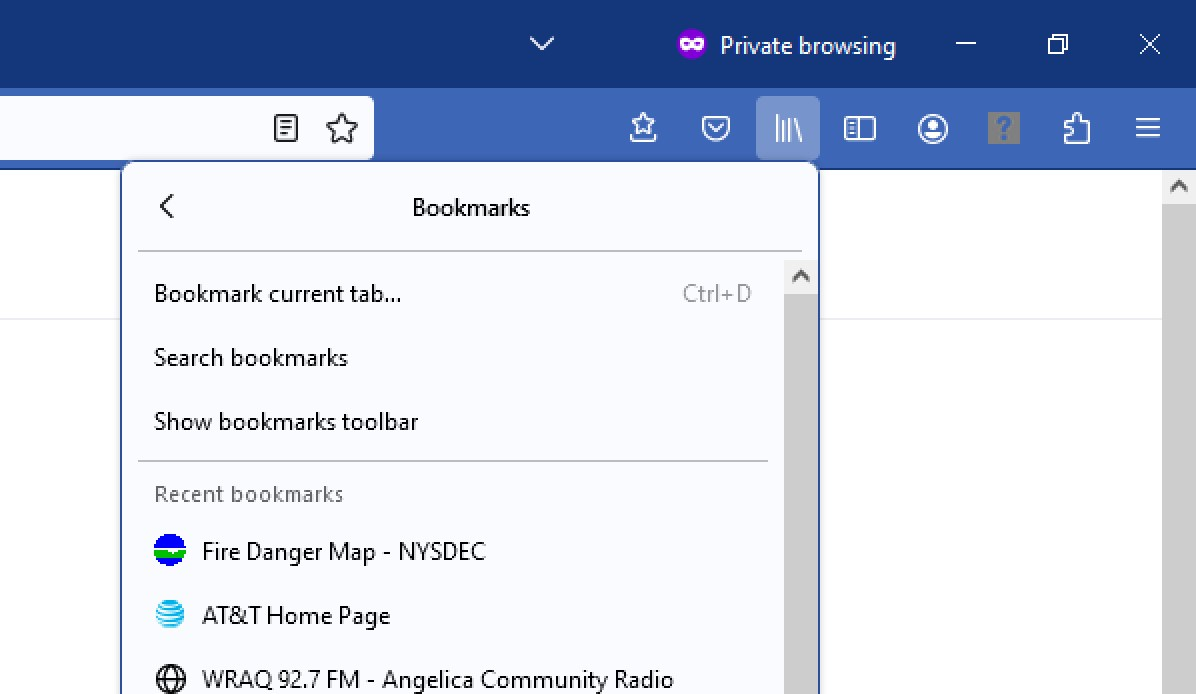
I used to be able to access all bookmarks from the Library icon on the address toolbar. Now, it only shows a list of what it labels "recent bookmarks" (the bookmarks shown are really not recent). I would like to be able to open the Library and access all bookmarks, which is the way it used to work. I will attach a screen shot to illustrate what I mean.
Solution choisie
The Library toolbar button has always only shown the recent bookmarks, but has a "Manage bookmarks" link to open the Bookmarks Manager (Library).
You can drag the Bookmarks Menu button  that shows the bookmarks in a drop-down list from the Customize palette to the Navigation Toolbar.
The Bookmarks Menu button has a "View bookmarks sidebar" menu item.
that shows the bookmarks in a drop-down list from the Customize palette to the Navigation Toolbar.
The Bookmarks Menu button has a "View bookmarks sidebar" menu item.
See "How do I add the Bookmarks Menu button to the toolbar?"
- https://support.mozilla.org/en-US/kb/bookmarks-firefox
- https://support.mozilla.org/en-US/kb/use-firefox-sidebar-access-bookmarks-history-synced
Toutes les réponses (1)
Solution choisie
The Library toolbar button has always only shown the recent bookmarks, but has a "Manage bookmarks" link to open the Bookmarks Manager (Library).
You can drag the Bookmarks Menu button that shows the bookmarks in a drop-down list from the Customize palette to the Navigation Toolbar.
The Bookmarks Menu button has a "View bookmarks sidebar" menu item.
See "How do I add the Bookmarks Menu button to the toolbar?"