


Can't Log on to certain websites on new version of Firefox

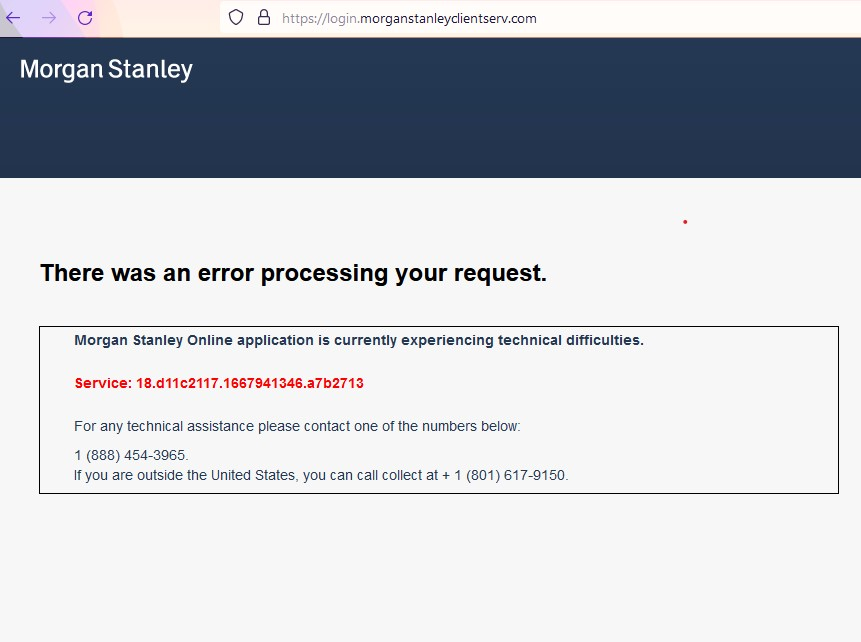
Over the past 2 months, there are a few websites I can not log onto with my Firefox browser (current version 106xx); I don't have this problem with other browsers. I recently tried to download and install an older version of Firefox. But after losing all my passwords and other data when I uninstalled the current version, the older reinstalled version auto-updated BEFORE I could use it. I tried logging with my other computer that had an older version of Firefox (which worked fine on this website the last time I used it ---ver102xx), but it again auto-updated before I was able to log on. I was told by the site's IT team that it could be your new "cross tracking prevention"; I disabled it and emptied the cache for this site, but still get the attached message when I try to log on. HELP please. David S
Toutes les réponses (1)
This issue can be caused by corrupted cookies or blocked cookies.
- check the permissions for the domain in the currently selected tab in "Tools -> Page Info -> Permissions"
Try to clear the Cache and remove the Cookies for websites that cause problems via the "3-bar" Firefox menu button (Settings).
"Remove the Cookies" for websites that cause problems:
- Settings -> Privacy & Security
Cookies and Site Data: "Manage Data"
"Clear the Cache":
- Settings -> Privacy & Security
Cookies and Site Data -> Clear Data -> [X] Cached Web Content -> Clear
- https://support.mozilla.org/en-US/kb/clear-cookies-and-site-data-firefox
- https://support.mozilla.org/en-US/kb/how-clear-firefox-cache
You can check for issues with Total Cookie Protection.
- https://support.mozilla.org/en-US/kb/total-cookie-protection-and-website-breakage-faq
- https://support.mozilla.org/en-US/kb/introducing-total-cookie-protection-standard-mode
If you use extensions ("3-bar" menu button or Tools -> Add-ons -> Extensions) that can block content (Adblock Plus, NoScript, DuckDuckGo PE, Disconnect, Ghostery, Privacy Badger, uBlock Origin) always make sure such extensions do not block content.
- make sure your extensions and filters are updated to the latest version
- https://support.mozilla.org/en-US/kb/troubleshoot-extensions-themes-to-fix-problems