


Cannot open PDF attachment

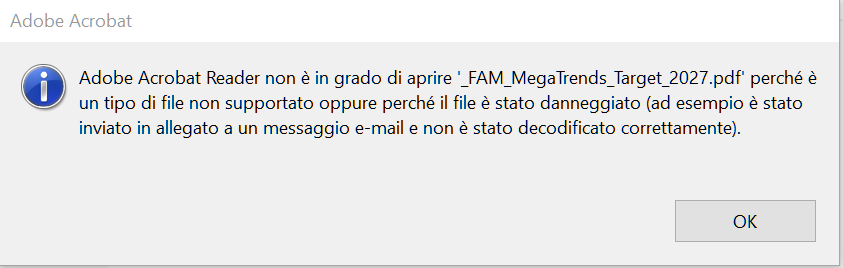
I see the PDF attachment size, I click on it to open using Adobe Reader but I get an error: "Adobe Acrobat Reader is not able to open *.pdf because the file is not supported or damaged (i.e. not correctly decoded)" but if I open the same email using browser + gmail I can see and read it correctly! So why I cannot read or save those PDF attachments? Thanks.
Using TB ver. 91.7.0 + Microsoft Windows [Version 10.0.19043.1586]
Solution choisie
I'm glad it worked out okay. Please close this thread so it will be removed from open list of issues. Thanks.
Lire cette réponse dans son contexte 👍 1Toutes les réponses (3)
If you save the PDF to disk and then open in in Adobe Reader, do you get an error? If so, that may be an issue for Adobe, not TB.
I discovered the problem was a TB setting. I had to set the folder where the filtered message has gone as available offline. Then I was able to open and read the PDF attachments. Thanks.
Solution choisie
I'm glad it worked out okay. Please close this thread so it will be removed from open list of issues. Thanks.