Windows 10 reached EOS (end of support) on October 14, 2025. If you are on Windows 10, see this article.

Rechercher dans l’assistance

Évitez les escroqueries à l’assistance. Nous ne vous demanderons jamais d’appeler ou d’envoyer un SMS à un numéro de téléphone ou de partager des informations personnelles. Veuillez signaler toute activité suspecte en utilisant l’option « Signaler un abus ».

En savoir plus

I cannot access switch web interface from Firefox.

  • 2 réponses
  • 1 a ce problème
  • 35 vues
  • Dernière réponse par cosmarchy

I have a problem with Firefox 97.0 where I cannot access a networking switches web interface.

The network is setup with a wireless router connected to two switches - switch_1 and switch_2.

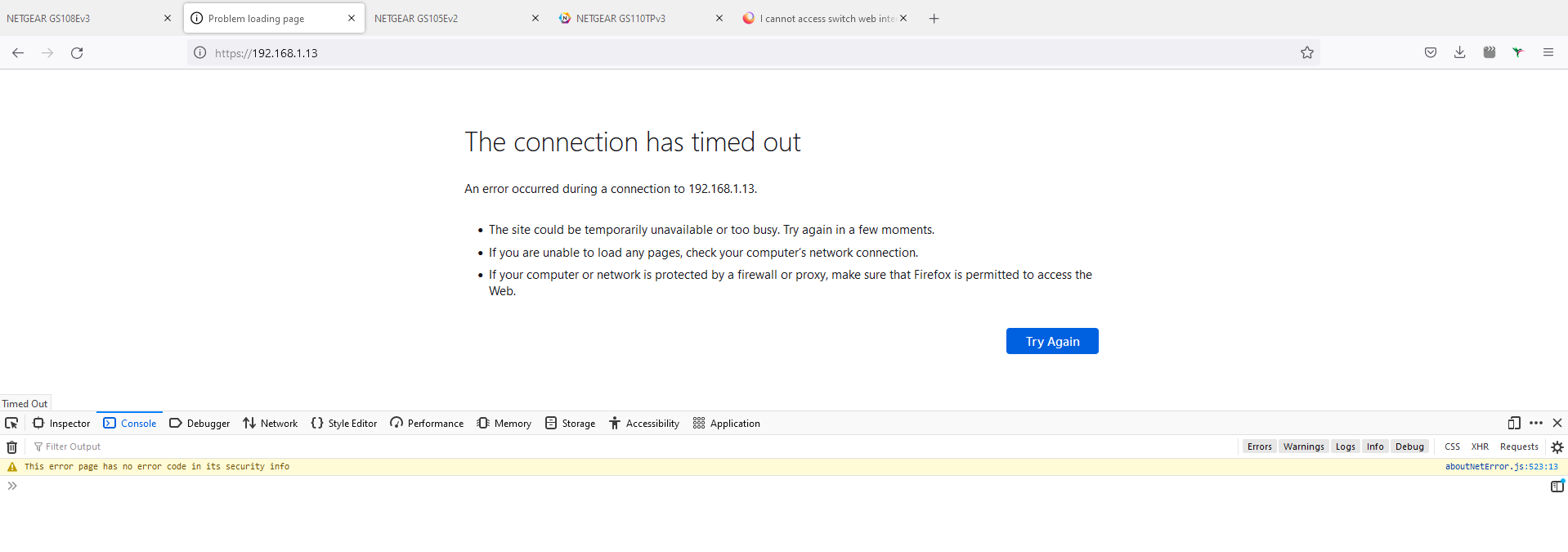
I am connected to the router via wifi and can ping both switches and get a response from both. If I try to access web interface at switch_1 I am ok but when I try to access web interface of switch_2, I get a 'The connection has timed out' error.

There are no plug-ins or extensions in Firefox and the web interface is located on a local IP address 192.168.1.12 for switch_1 and 192.168.1.13 for switch_2.

Both switches are the same make, model and have the same latest firmware installed.

I have tried accessing the web interface of both switches from Internet Explorer too and I can access both.

I have also tried another computer and can access web interfaces on both switches from Firefox and Internet Explorer, so now points to a Firefox issue on a specific computer.

Both computers anti-virus and firewall are configured the same and have even been disabled but I get the same behaviour from both switches using both browsers on both computers - so, protection does not appear to be a factor.

So, the problem lies with Firefox refusing to connect to one web interface on a specific computer. I'm not aware of any settings which would prevent this.

Does anyone have any ideas.

I have a problem with Firefox 97.0 where I cannot access a networking switches web interface. The network is setup with a wireless router connected to two switches - switch_1 and switch_2. I am connected to the router via wifi and can ping both switches and get a response from both. If I try to access web interface at switch_1 I am ok but when I try to access web interface of switch_2, I get a 'The connection has timed out' error. There are no plug-ins or extensions in Firefox and the web interface is located on a local IP address 192.168.1.12 for switch_1 and 192.168.1.13 for switch_2. Both switches are the same make, model and have the same latest firmware installed. I have tried accessing the web interface of both switches from Internet Explorer too and I can access both. I have also tried another computer and can access web interfaces on both switches from Firefox and Internet Explorer, so now points to a Firefox issue on a specific computer. Both computers anti-virus and firewall are configured the same and have even been disabled but I get the same behaviour from both switches using both browsers on both computers - so, protection does not appear to be a factor. So, the problem lies with Firefox refusing to connect to one web interface on a specific computer. I'm not aware of any settings which would prevent this. Does anyone have any ideas.

Toutes les réponses (2)

Try to open Dev Tools ( ctrl + shift + i ) and check in Console, what is happening on click. Are there any errors?

TyDraniu said

Try to open Dev Tools ( ctrl + shift + i ) and check in Console, what is happening on click. Are there any errors?

Hi,

I've attached an image of this information. Not sure there is anything useful?

Thanks