


Recent update appears to be text wrapping my signature. How do I stop it?

Recent update of Thunderbird to 60.3.0 (32-bit) appeared to have 'broken' thunderbird for me because it now appears to be text wrapping my signature lines at a text length of 62 characters. [and even updating to 60.3.1 (32-bit)] didn't fix it.
I have long used signatures that I formatted for line length of 72. I do NOT want Thunderbird(tm) wrapping those at 62 as it messes them up. How do I stop it? It does it when I try to compose a new message or reply to a message.
This effect seems to have appeared coincidentally with the changes in format to Thunderbird. The various icons subtly changed with the recent update. Messages I sent yesterday, before the reboot that installed those changes, were fine. Every time I try to generate a message now, my 'signature block' is messed up.
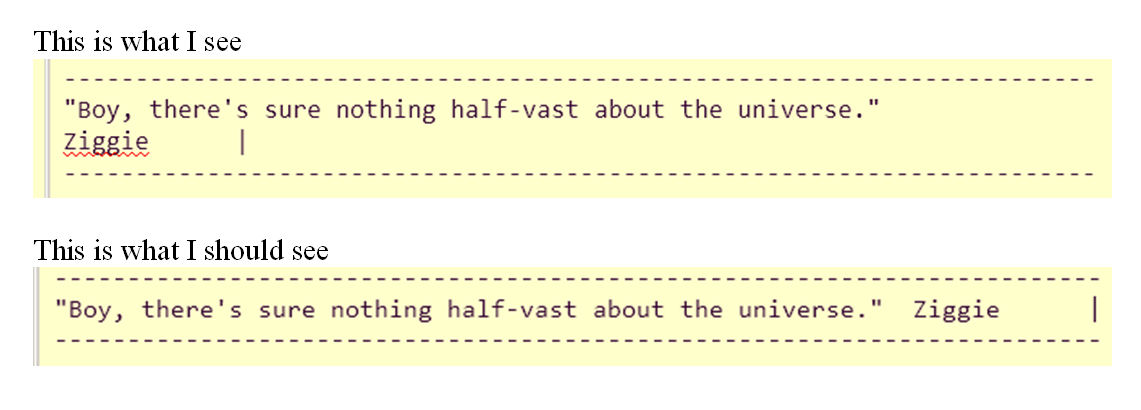
It appears that the actual message sent is fine. It is just what I see as I am composing and getting ready to send that is messed up! (see attached image) Notice that the ---- lines didn't get split but the text did. [there is much more to my 'normal' sig, but the picture illustrates the problem]
I send myself a test message and the signature was wrapped wrong in what I was seeing as I pressed send, but the received test message looks fine, as does the 'sent' message.
Still very annoying but not as bad a problem as I thought in the beginning.
Modifié le par bz__tb1
Toutes les réponses (5)
72. See image
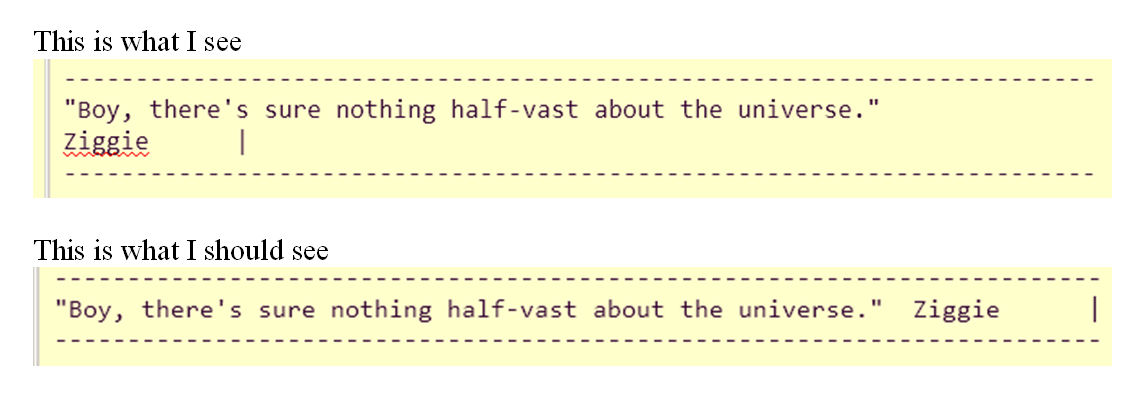
The signatures (I have several e-mail accounts set up in TB and all are suffering from this effect) are each in a file and linked to via the 'account settings' as they have been for many years. However even if I open that file with a text editor, copy the material, and paste it manually into the message I am creating, the wrapping occurs. In fact, anything I place into a message I am creating gets wrapped at 64. Even simply typing a string of odd digits, each followed by a single space, ends up looking like this on my screen:
1 3 5 7 9 1 3 5 7 9 1 3 5 7 9 1 3 5 7 9 1 3 4 7 9 1 3 5 7 9 1 3 5 7 9
when it should look like this:
1 3 5 7 9 1 3 5 7 9 1 3 5 7 9 1 3 5 7 9 1 3 4 7 9 1 3 5 7 9 1 3 5 7 9
Clearly, TB has a 'bug' of some kind because 'what you see as you compose a message' should be 'what you get' when you send it, and that is not happening now.
Modifié le par bz__tb1
What do you have for these settings in config editor:
- mail.compose.wrap_to_window_width
- mailnews.send_plaintext_flowed
If mailnews.send_plaintext_flowed is set as false this could be causing a problem.
Do you use addon enigmail?
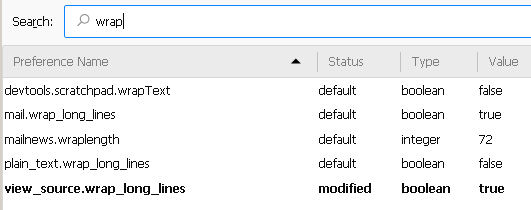
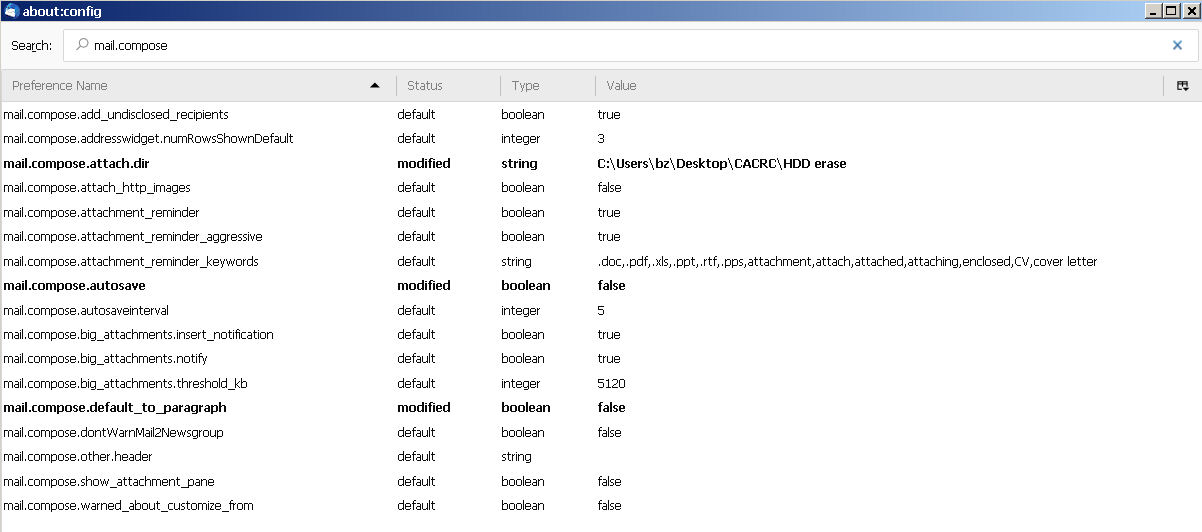
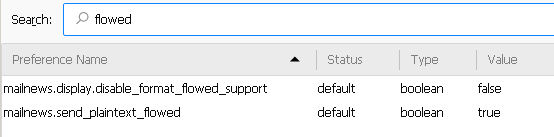
I don't have the first parameter showing at all. (see picture) And the second is set to true. Enigmail is installed but is 'disabled'. The only extensions installed & enabled are "Remove Duplicate Messages (Alternate)" and "Show All Body Parts" Default Theme is the theme used.
Modifié le par bz__tb1
Thanks for the suggestions. Interesting effects as I change the value. I tried 0 and 72 and 90 and -1 and I think I like the effects best when I use 0, so I think I'll give that a try for a while.
I notice that the font being used changes when I go to -1, it becomes much smaller and 'fixed spacing' whereas with the other values it appears to be a variable width font and larger on the screen. Also, I notice that the tabs I used in one of my lines got expanded differently than they used to. I ended up converting them to spaces so I could control the position of some of the text. I think I am now happy with the effects.
Thanks for your help. I still don't understand why things changed recently but I can now make things look right by adjusting that value.
It's a beautiful day to be alive, isn't it? [Every day!] I hope you had a strong weekend and have a stronger week. Don't gobble too much gobbler! Have the best of all possible Thanks Givings.
Modifié le par bz__tb1