


Trojan Horse in Firefox
I have experienced a trojan horse twice in the last 2 weeks. See attached for details.
Solution choisie
Hi dweltzien, thank you for the screenshot.
Files are added to the browser cache when you retrieve a web page, so that's most likely how the file got in there. If you don't recall actually seeing a Tech Support Scam page, it's possible Windows Defender protected you from experiencing it.
This article has updated steps for clearing Firefox's entire cache, if you prefer: How to clear the Firefox cache.
Lire cette réponse dans son contexte 👍 1Toutes les réponses (6)

Sometimes a problem with Firefox may be a result of malware installed on your computer, that you may not be aware of.
You can try these free programs to scan for malware, which work with your existing antivirus software:
- Microsoft Safety Scanner
- MalwareBytes' Anti-Malware
- Anti-Rootkit Utility - TDSSKiller (for more info, see this alternate TDSSKiller download page)
- AdwCleaner (for more info, see this alternate AdwCleaner download page)
- Hitman Pro
- ESET Online Scanner
Microsoft Security Essentials is a good permanent antivirus for Windows 7/Vista if you don't already have one. Windows 8/10 have antivirus protection built-in.
Further information can be found in the Troubleshoot Firefox issues caused by malware article.
Did this fix your problems? Please report back to us!
Hi dweltzien, your image did not upload. If you want to try again, you can attach the image to a new reply: https://support.mozilla.org/questions/1236971#question-reply
Image for dweltzien@wi.rr.com Trojan horse
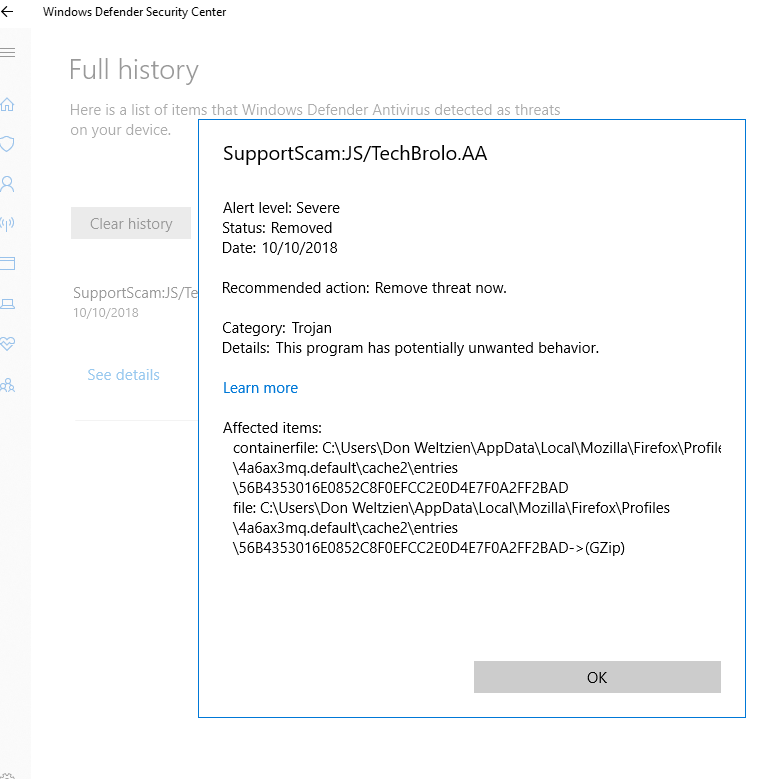
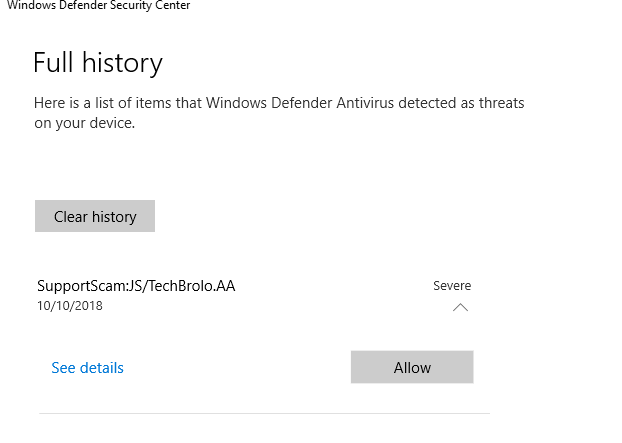
The first image shows it is in Cache
You are Not infected as it will either get overwritten over time as Cache gets used or deleted if you clear the Cache.
This may be a older article but it still applies = Firefox cache file was infected with a virus
Modifié le par James
Solution choisie
Hi dweltzien, thank you for the screenshot.
Files are added to the browser cache when you retrieve a web page, so that's most likely how the file got in there. If you don't recall actually seeing a Tech Support Scam page, it's possible Windows Defender protected you from experiencing it.
This article has updated steps for clearing Firefox's entire cache, if you prefer: How to clear the Firefox cache.
Thank you for all of your help. Very quick and very helpful.
 Thanks again,
 Don