


I updated to 56.0 (64-bit), and FF now crashes all the time.

I recently "updated" to 56.0 (64-bit), and FF now crashed all the time. How do I revert to 32-bit FF?
Solution choisie
can you try to un-tick the box to clear offline-website data at shutdown in the firefox privacy settings?
Lire cette réponse dans son contexte 👍 0Toutes les réponses (12)
hello, could you provide your latest few submitted crash reports? please enter about:crashes into the location bar, copy the latest few submitted report ids from there starting with bp-, paste them here into a forum reply. this will give us a better understanding what may be triggering those crashes...
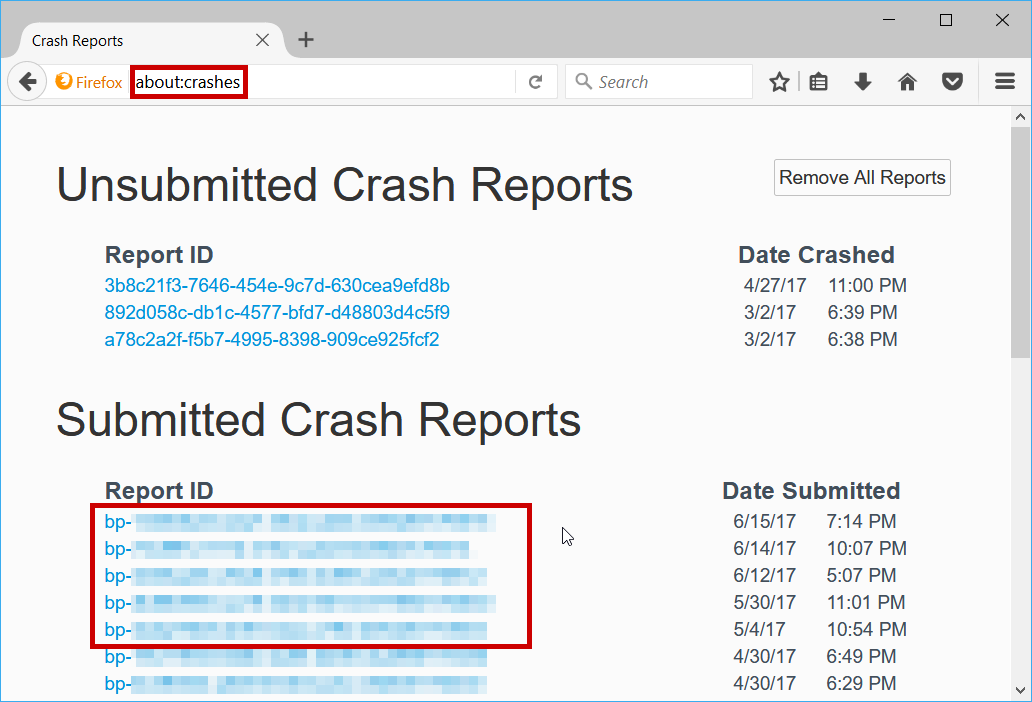
Thanks, philipp.
Submitted Crash Reports Report ID Date Submitted bp-416690f3-6a00-4374-a2fb-ec0451171001 Sunday, 10/1/2017 10:50 AM bp-92ca08be-aebd-40c2-bd8b-8844e1171001 Sunday, 10/1/2017 10:44 AM bp-3ccac750-c60b-44f8-9a37-7e6061171001 Sunday, 10/1/2017 9:47 AM
thanks, does it make any difference when you press ctrl+shift+del in firefox and clear the cache & offline-website data for the whole range and wait until that succeeds?
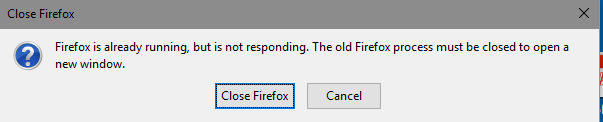
Doesn't matter. I routinely clear everything, anyway. When I close FF and try to reopen it, I get the "FF is already running" window, and then the crash report. I uninstalled the 64-bit version and downloaded and installed the 32-bit 56.0, but the problem persists.
bp-b0c33851-1848-4869-acce-7cd3b1171001 Sunday, 10/1/2017 2:47 PM
Solution choisie
can you try to un-tick the box to clear offline-website data at shutdown in the firefox privacy settings?
That worked! Thank you, philipp.
Now if I could just get Xmarks to work again...
philipp said
can you try to un-tick the box to clear offline-website data at shutdown in the firefox privacy settings?
FF 56 64-bit continually crashes on my Lenovo desktop, usually when I have a second browser window open for work-related tasks.
I do not see a box to clear offline website data in the privacy settings.
Any solution to this annoyance?
Tools > Options > Privacy Settings (on the left) > Settings (under History). Then untick the offline website data box in the lower right of that window.
The settings button is grayed out
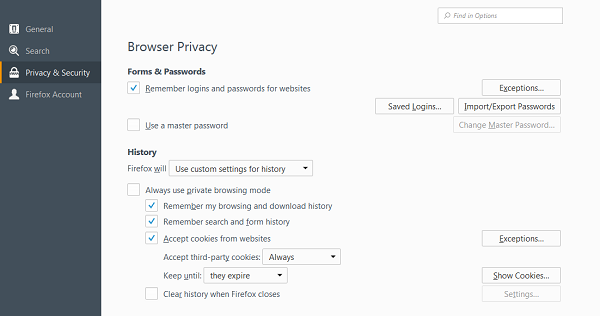
First check Clear History when Firefox closes (at left). Then click the settings button.
ajm115834 said
First check Clear History when Firefox closes (at left). Then click the settings button.
Thanks - now I see offline website data is already unchecked. Do I need to keep the Clear History when closes box checked?
Steve2526, please open a new question for this issue and provide a crash report id. your instability might have a very different reason: Troubleshoot Firefox crashes (closing or quitting unexpectedly)