


no downloads folder clickon downloads arrow and goes to bookmarks and nothing is there how do i get the downloads folder backinto the dropdown arrow top right

no downloads folder click on downloads arrow and goes to bookmarks and nothing is there how do i get the downloads folder back into the drop down arrow top right here is a jing video of issue how do i get my downloads folder back to the drop down arrow? http://screencast.com/t/VakYaSNi
Solution choisie
- 1 Download Firefox For All languages And Systems v42 {web link}
- 2 Uninstall Firefox from your computer {web link}
DO NOT remove your profiles. - 3 After, reboot the computer. Then run the full installer.
Toutes les réponses (5)

Type about:customizing<enter> in the address bar. In the new window, look for the icon. When you find it, hold down the left button on it, and move it to where you want it to be. You can move any of the icons you want from here, but some icons are locked in place.
There is also a Restore Defaults button at the bottom middle.
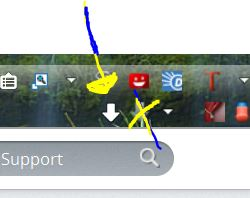
i have tried this way and still the same i hit restore defaults and still the same
Solution choisie
- 1 Download Firefox For All languages And Systems v42 {web link}
- 2 Uninstall Firefox from your computer {web link}
DO NOT remove your profiles. - 3 After, reboot the computer. Then run the full installer.
FredmD this last option worked perfectly i have it back thank you so much
Glad to help. Safe Surfing.