


installed 31.5.0 and email is no longer listed.

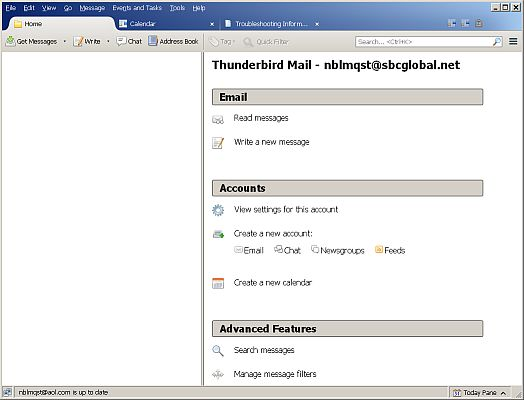
After installing 31.5.0, I cannot see the folders or contents to view email. I have attempted to change the view (which doesn't change) and nothing seems to work.
Toutes les réponses (2)
Make hidden files and folders visible:
Help > Troubleshooting Information click on 'show folder' button
A new window will open showing Profile folder name.
Close Thunderbird now - this is important
If Pop mail account click on 'Mail' folder If IMAP mail account click on 'ImapMail' folder. you should see a list of mail accounts. click on the mail account name folder. (if there are more than one - same name but with added number please tell me all the mail accounts you see)
locate amd delete the following files:
- session.json
- foldertree.json
Close window and restart Thunderbird.
Did the information I offered help? If it solved your issue could you please mark the response as a 'chosen solution'.