


Can't you please stop turning off my Adobe Flash when I am pIaing games.

There is not a setting to allow specific sites to access it and I want to play! I do not want to have to click 'continue allowing' every 2 minutes just to have it crash after the third click!
پاسخها (3)
You should get a Lego block icon on the left end of the location bar that indicates that Firefox a plugin is used on the page and that Firefox might be blocking a plugin.
- https://support.mozilla.org/kb/why-do-i-have-click-activate-plugins
- http://kb.mozillazine.org/Issues_related_to_plugins#Click_to_Play
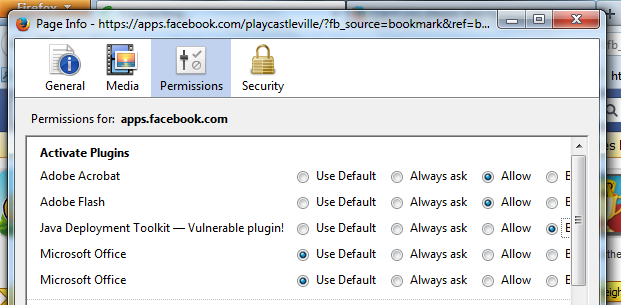
You can inspect and manage the permissions for the domain in the currently selected tab via these steps:
- Click the "Site Identity Button" (globe/padlock) on the location bar
- Click "More Information" to open "Tools > Page Info" with the Security tab selected
- Go to the Permissions tab (Tools > Page Info > Permissions) to check the permissions for the domain in the currently selected tab
ویرایش شده توسط cor-el
iT STILL BLOCKS IT
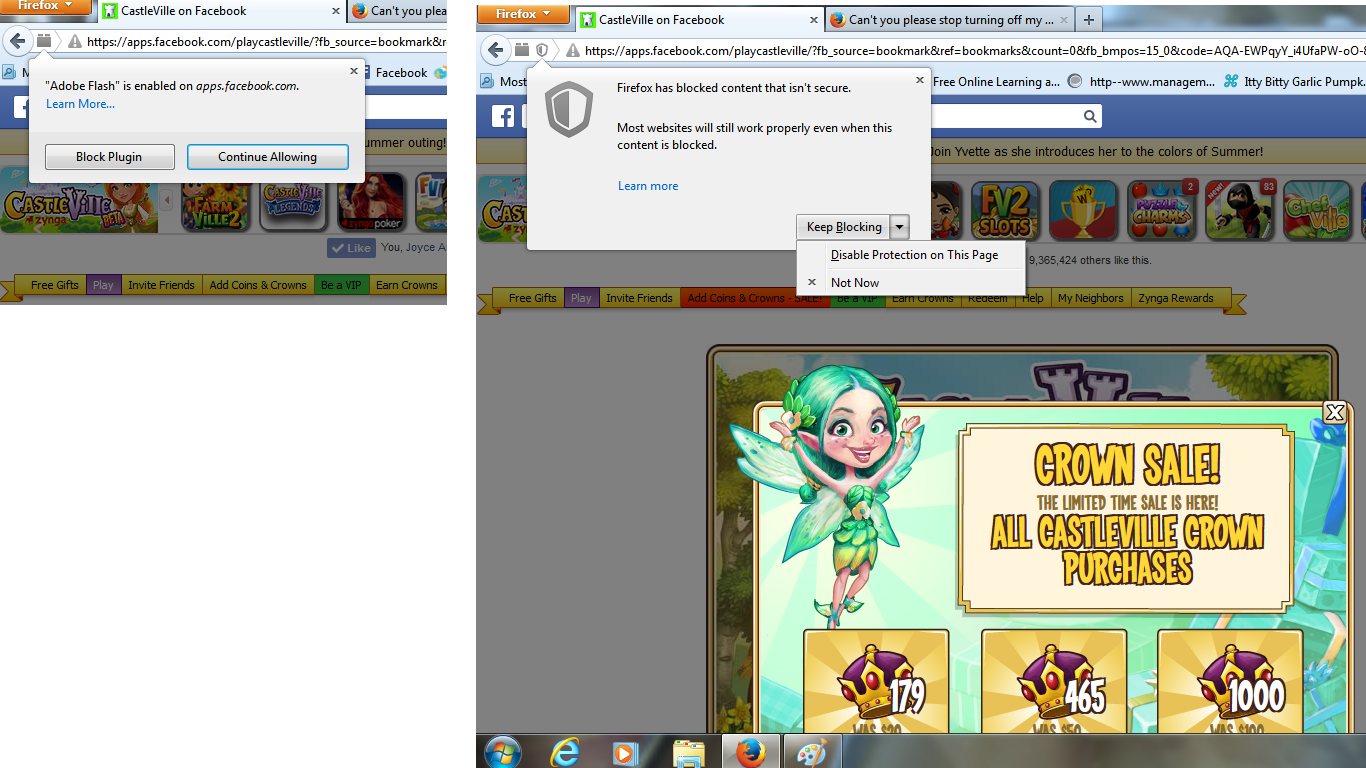
The screenshot shows that there is mixed content present and that Firefox is blocking this content.
- https://support.mozilla.org/kb/how-does-content-isnt-secure-affect-my-safety
- https://developer.mozilla.org/Security/MixedContent
You can use the Net log in the Web Console (Firefox/Tools > Web Developer) to see what content is marked with a red bar and is blocked (you can hide the CSS log/errors that usually take a large part of the log).