Sometimes when I select a check box, it does not show on my screen.
Sometimes when I select a check box, it does not show on my screen, even though it seems to have been accepted. This is very frustrating to me because I am not sure the box was selected. This seems to be happening when I am responding to a survey, or making a selection on an order or payment. I have to make payments to the IRS, and I get really nervous if I am not sure the box is selected. Thank you.
بخشها
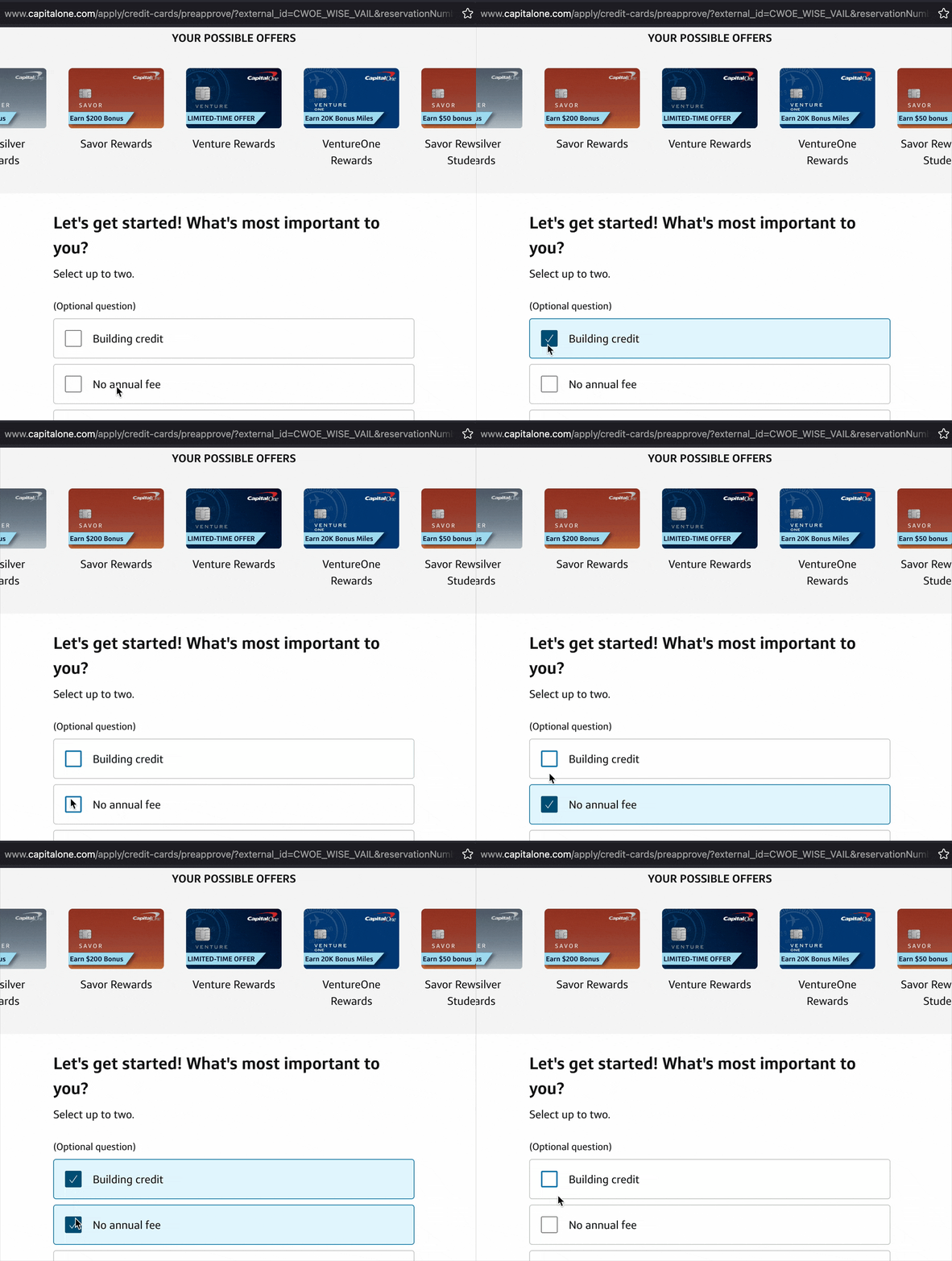
This looks like a simple background color +vector checkmark, even if an asset failed to load the color fill would still kick in, so this looks pretty bulletproof (and scripting only drives some extras, but not the actual appearance logic):
پاسخها (4)
Ted, do you have a link or a page handy that you could share so that somebody can take a look how the form is actually represented, to try to come up with some advice?
If you restart into Troubleshoot Mode (from Help menu), does it exhibit the same?
Here is the latest. The page asks me to make two selections, and none of the boxes show any marks or indications that I have made a selection. I hope this helps identify the problem. Thanks for helping. https://www.capitalone.com/apply/credit-cards/preapprove/?external_id=CWOE_WISE_VAIL&reservationNumber=2026111906102614955769
بخشها
This looks like a simple background color +vector checkmark, even if an asset failed to load the color fill would still kick in, so this looks pretty bulletproof (and scripting only drives some extras, but not the actual appearance logic):
I don't think macOS accessibility controls could break the visual representation, but to double check: are you using any relevant system adjustments for display, color, motion and similar, that could affect how things are shown on your display?
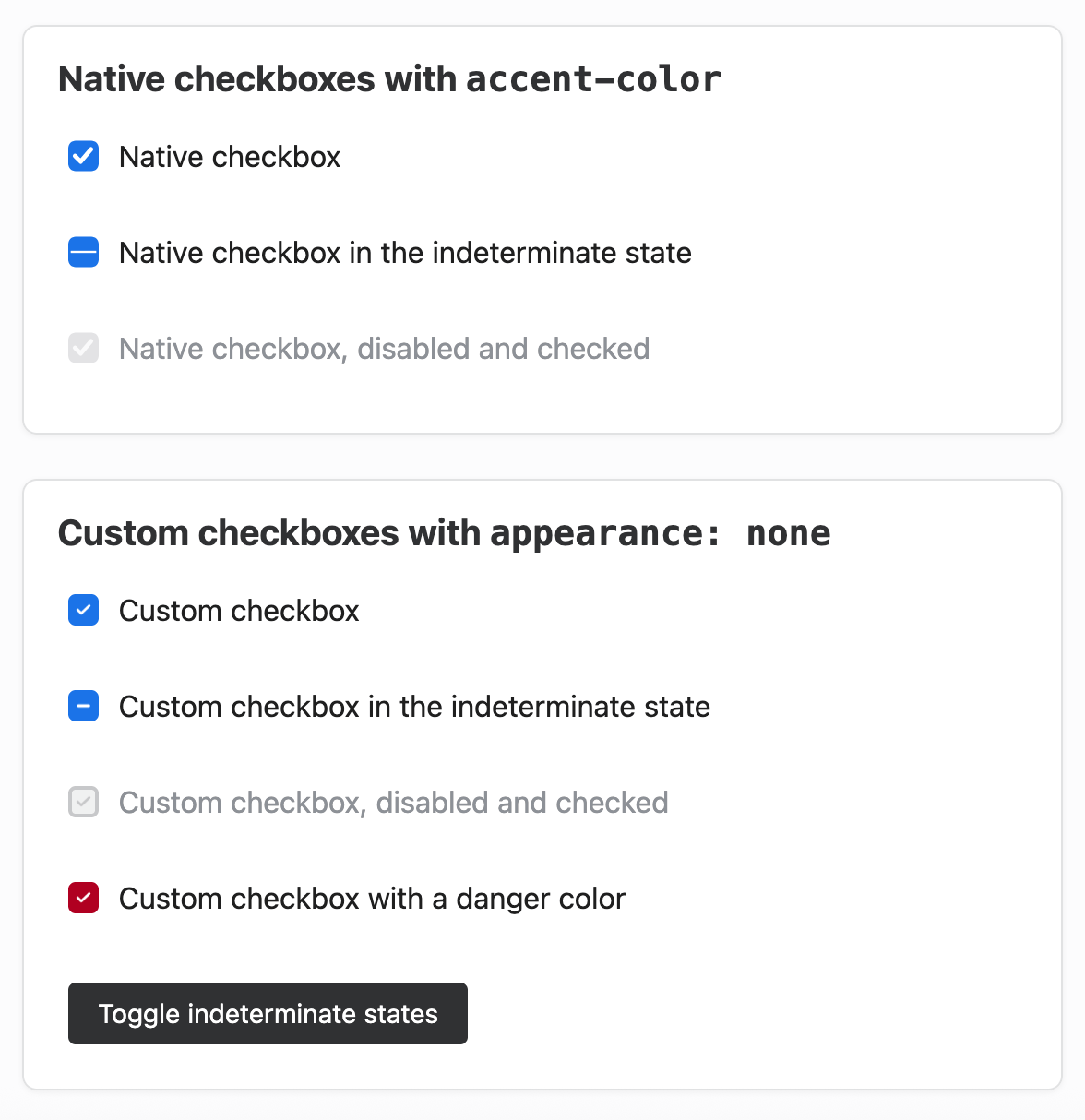
If you try opening e.g. googlechrome.github.io/modern-web-guidance-src/guides/ui-components/checkbox/demo.html do all items of the two groups render for you?