i could not turn on VPN on Windows 11 desktop

please provide assistance on turning on VPN in Windows 11 desktop
پاسخها (1)
بخشها
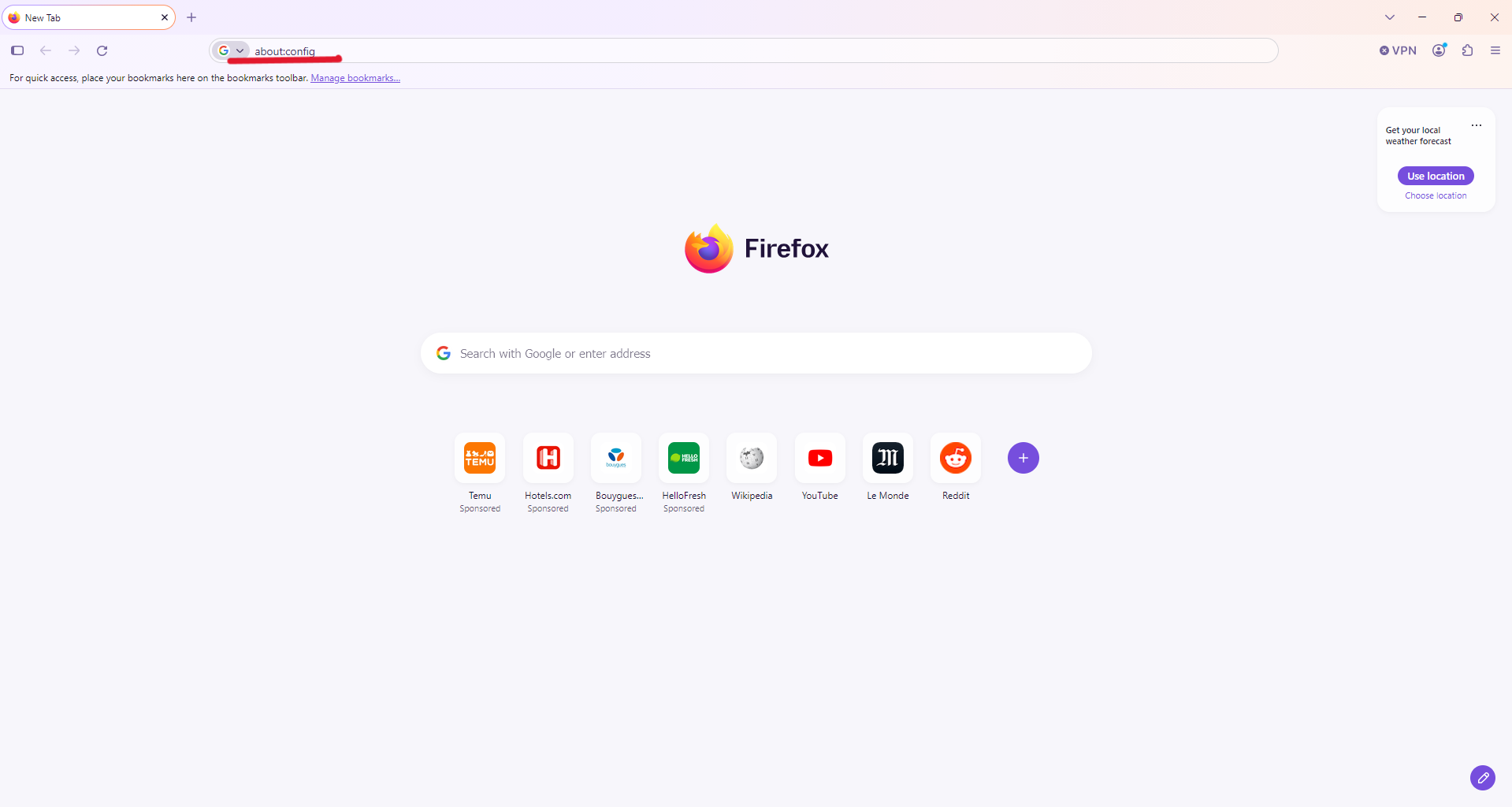
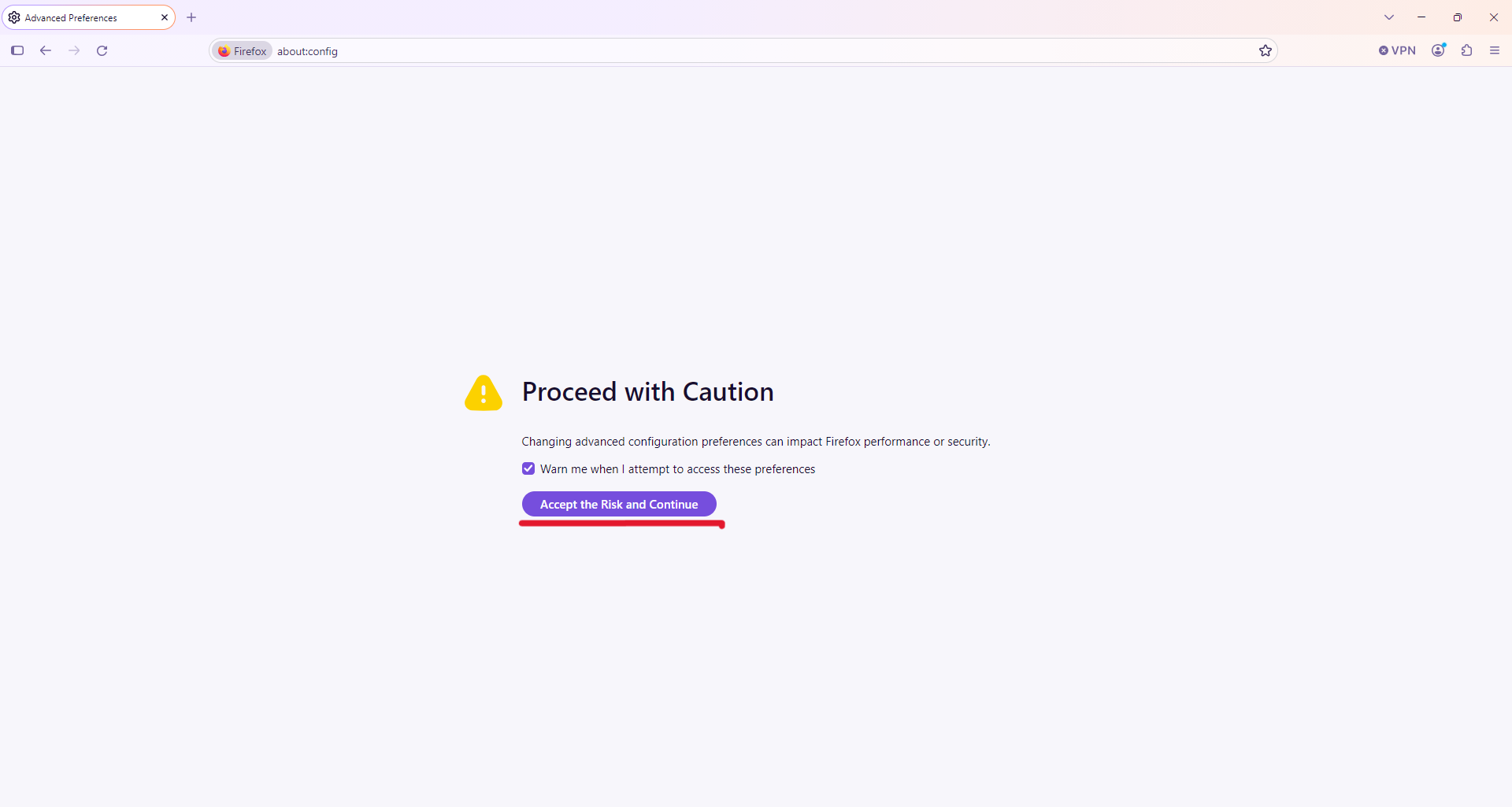
Hello, so do you see the icon in the top bar of Firefox next to your Firefox account profile? If so, you need to click on it and enable it. If you're not logged in, you'll need to log in, and then you'll see it as soon as a light next to it turns on. If you don’t see the icon in the toolbar, open a new tab, then type this into the search bar at the top (see attached image): “about:config.” Next, click “I accept the risks.” You’ll then see a blank page with a search bar at the top. In that search bar, type “browser.ipProtection. enabled.” Two search results will appear; for the first one (see attached image), if “true” is displayed in the middle, you’re good to go—but normally it will say “false.” In that case, click the button on the far right, and it should change to “true.” Then you’ll see the VPN icon appear in the top bar next to your profile, and you’ll just need to activate it.