


باز
Incomiing Mails Notification ("Play" & "Browse") buttons don't function...

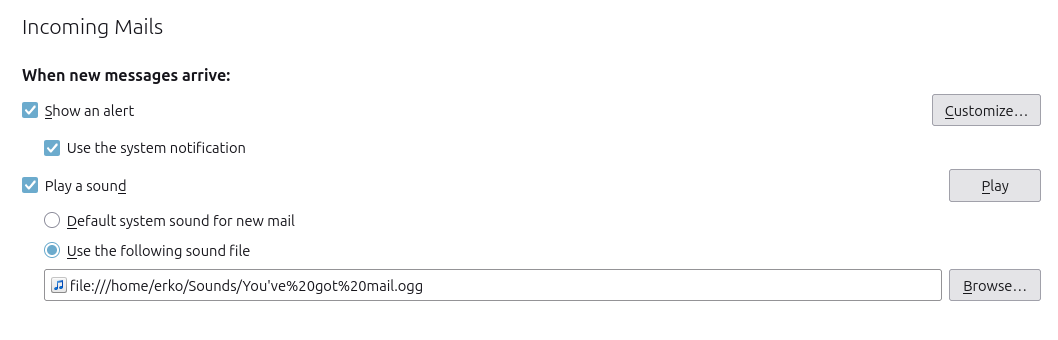
Settings config section to "Incoming Mails," sub-section - "When new messages arrive" to: "Play a sound" buttons... "Play" and "Browse" are non-functional buttons.
Consequently, one cannot change the incoming notification sound.
BTW, the present link indicating a notification sound doesn't work, either.
Settings config section to "Incoming Mails," sub-section - "When new messages arrive" to: "Play a sound" buttons... "Play" and "Browse" are non-functional buttons.
Consequently, one cannot change the incoming notification sound.
BTW, the present link indicating a notification sound doesn't work, either.
پاسخها (1)

This sounds like a bug in the notification sound settings. If both the “Play” and “Browse” buttons are unresponsive and the existing sound link also fails, it may be a UI issue rather than a configuration problem. Hopefully, the developers can reproduce it and provide a fix so users can select and preview custom notification sounds again.