


Font on certain sites is being forced to this weird one (NOT in private window though), font setting in accessibility does nothing to fix it
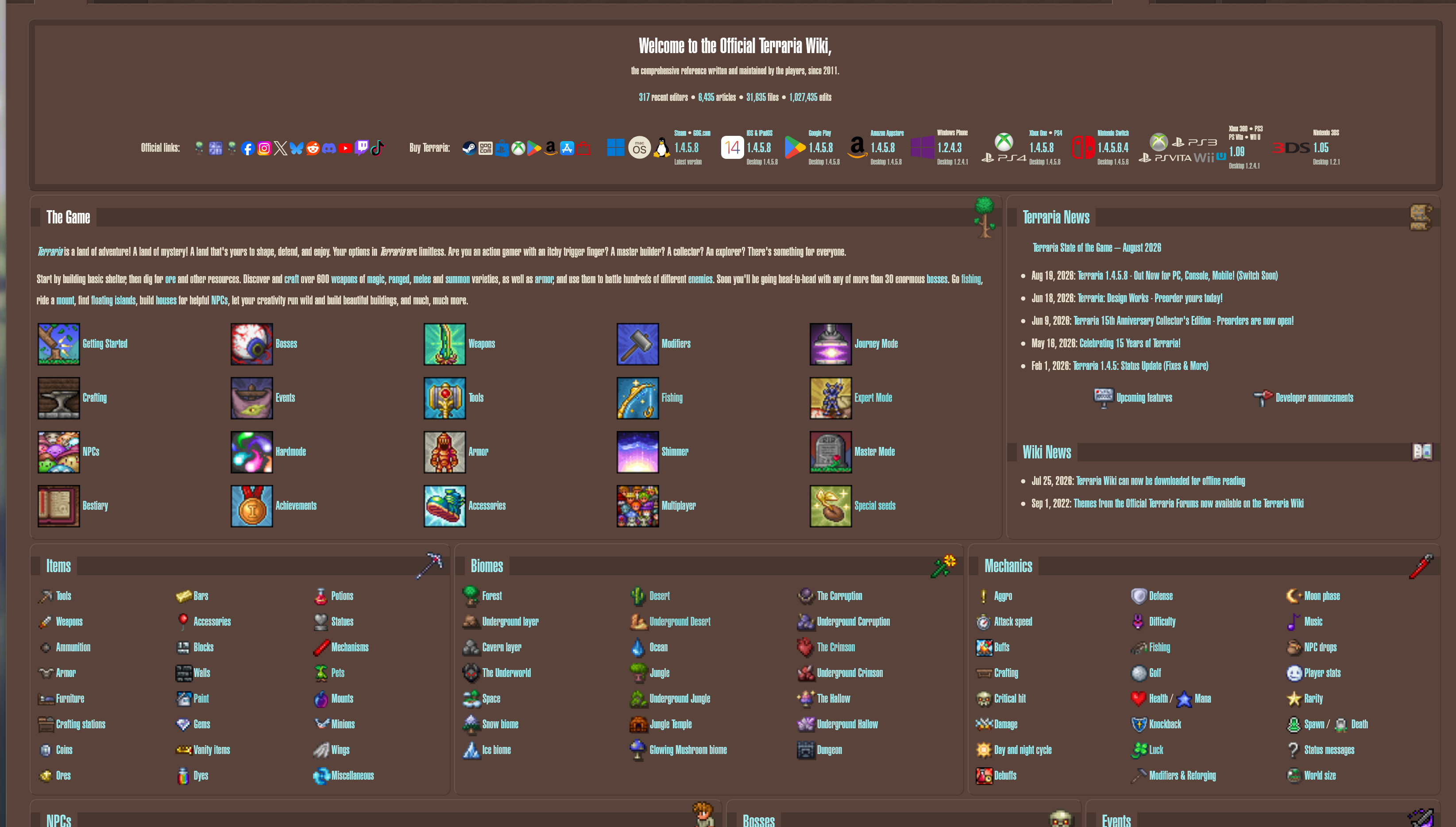
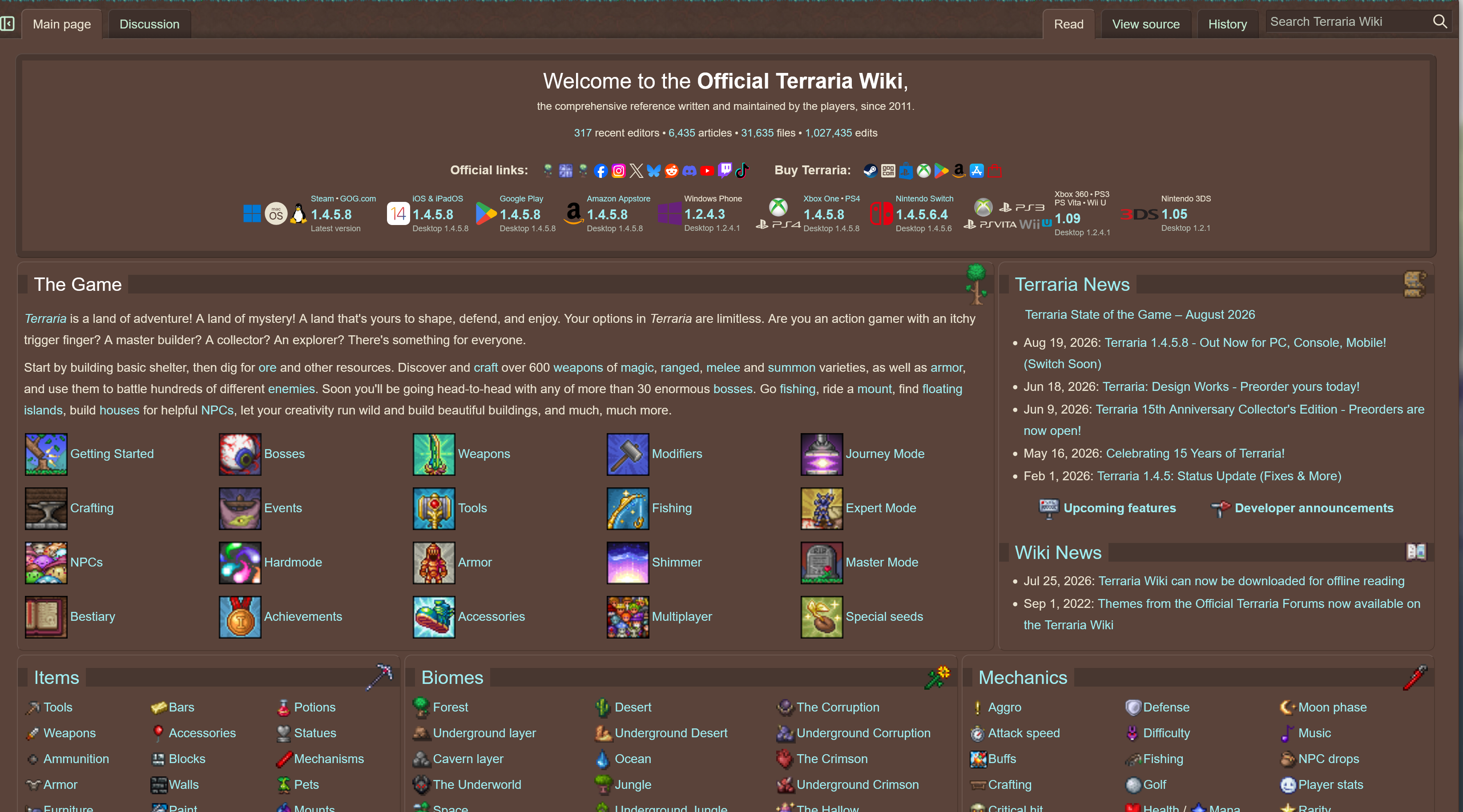
My font on some sites is being forced to this horrible condensed font and it's seemingly nothing to do with my font settings in browser. Thing is, I VAGUELY remember changing a setting SOMEWHERE to actually do this, but it's not the main font setting in accessibility. Furthermore this issue has only started happening in the last day or two and my vague memory of setting my font somewhere was years ago.
Is there any other setting in Firefox that affects default font for certain sites?
[Images attached from terraria.wiki.gg in a normal tab (with bad font) and private browsing tab (with the font it SHOULD have) for comparison]
Chosen Solution
Ok, resetting my fonts in Windows DIDN'T help but I did suddenly recognise the font and realise what was happening:
jbr said
I checked the site. It defines "Helvetica, Arial, sans-serif", nothing more. This sounds like an addon interference, but that would resolve after refresh, new profile, or troubleshooting mode. So this is weird. This is a test page that uses the same type definition: https://html2link.dev/x/v2MUy78I — do you see the condensed font there as well?
I had just recently installed the font "Helvetica ultra compressed". Looking at my fonts in Windows, the only version of Helvetica I had WAS that ultra compressed variant. So I guess it was trying to use ""Helvetica"" and pulling from that. No idea why it wasn't doing anything like that in private windows.
I just downloaded and installed regular old Helvetica and that's fixed the problem. All affected sites are now using that. Thank you for your help
Modified by Alyx
All Replies (8)
Additional information:
I've tried "refresh firefox", it did not fix the issue
This is only happening on my main PC so whatever's causing this isn't being synced
(This is still definitely a Firefox issue, as it doesn't affect any other browsers or even Firefox private windows)
If you create a new profile to test this, do you get the same weird font even inside a clean profile?
Yes, even in a new profile.
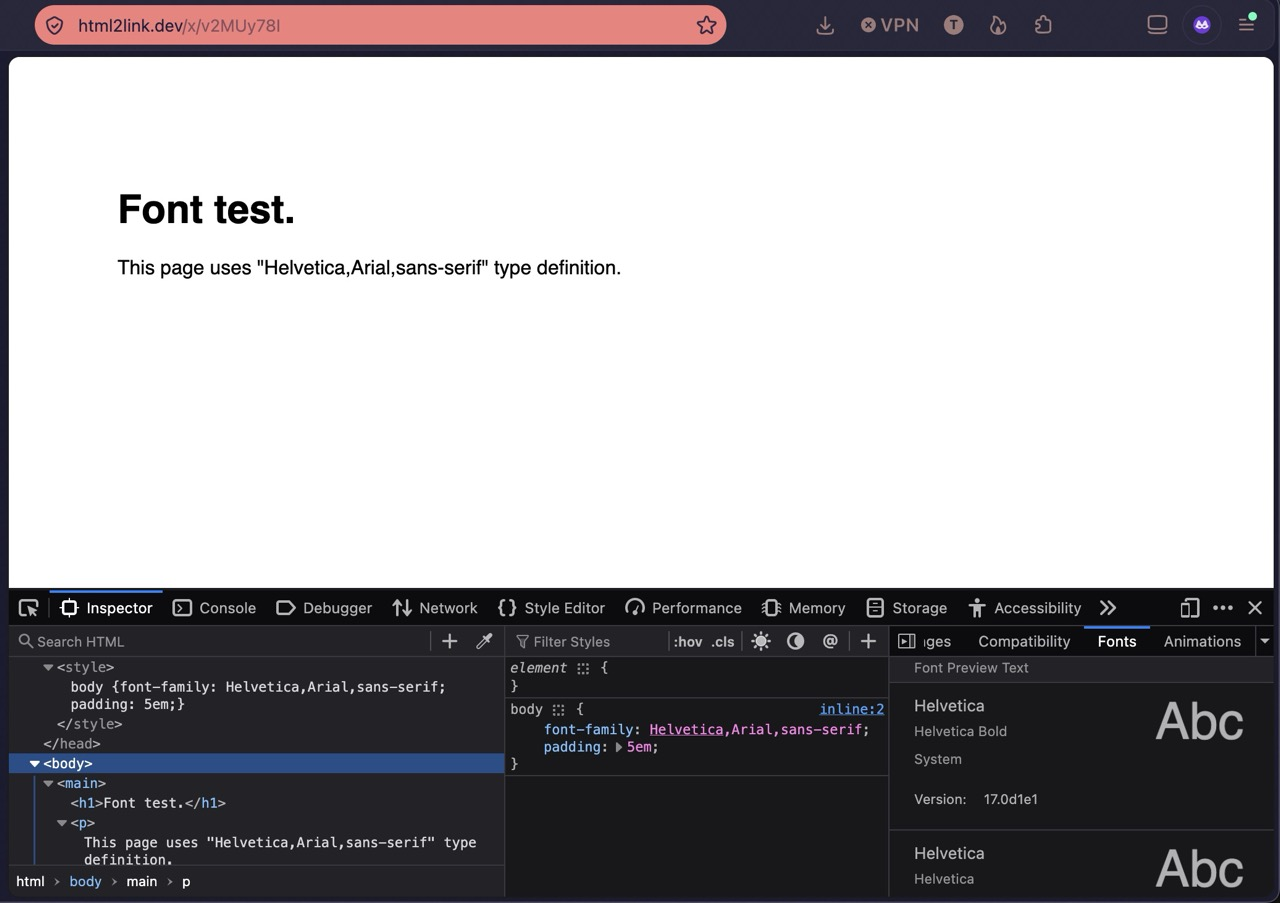
I checked the site. It defines "Helvetica, Arial, sans-serif", nothing more. This sounds like an addon interference, but that would resolve after refresh, new profile, or troubleshooting mode. So this is weird.
This is a test page that uses the same type definition: https://html2link.dev/x/v2MUy78I — do you see the condensed font there as well?
Modified by jbr
Similarly there was this same described in support.mozilla.org/questions/1578069 not happening in private mode — not sure if system'–level font restore could help, but might be worth trying.
Can confirm I see the same condensed font in that test page too.
I'll try and reset fonts and report back
Chosen Solution
Ok, resetting my fonts in Windows DIDN'T help but I did suddenly recognise the font and realise what was happening:
jbr said
I checked the site. It defines "Helvetica, Arial, sans-serif", nothing more. This sounds like an addon interference, but that would resolve after refresh, new profile, or troubleshooting mode. So this is weird. This is a test page that uses the same type definition: https://html2link.dev/x/v2MUy78I — do you see the condensed font there as well?
I had just recently installed the font "Helvetica ultra compressed". Looking at my fonts in Windows, the only version of Helvetica I had WAS that ultra compressed variant. So I guess it was trying to use ""Helvetica"" and pulling from that. No idea why it wasn't doing anything like that in private windows.
I just downloaded and installed regular old Helvetica and that's fixed the problem. All affected sites are now using that. Thank you for your help
Modified by Alyx
Private browsing uses more tight tracking protections, and one of those is the ability to access locally installed fonts (as opposed to those hosted by the sites) — so that might be the difference.