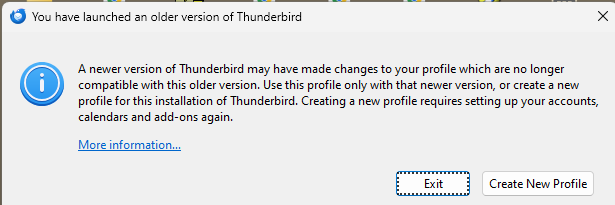
Running TB 128, error says Running Older Version of TB...

Hello,
I'm running TB128 under Windows 11. I had a boot problem, restored a recent image, and now, when I attempt to launch TB, I get the error below, telling me that a newer version of TB may have made changes to my profile, and that I'm running an incompatible, older version of TB. I've experimented with this situation until my fingers are bleeding, but can't open TB using my newly restored profile.
Any assistance is most appreciated, Lothar
All Replies (3)

You must use --allow-downgrade parameter for the first startup, to override downgrade protection.
Open a command prompt window in the application binary directory and run thunderbird.exe --allow-downgrade
Hello,
I may have misinterpreted something, but I just tried your suggestion, and first got this error:
C:\Program Files\Mozilla Thunderbird>thunderbird.exe --allow-downgrade Access is denied.
followed by a flag that said "This APP Cannot Run On Your PC."
Next, I tried again, after removing the ".exe" after "Thunderbird" so my command became:
C:\Program Files\Mozilla Thunderbird>thunderbird --allow-downgrade Access is denied.
and then the same flag saying "This APP Cannot Run On Your PC."
Thanks for any further suggestions,
Lothar
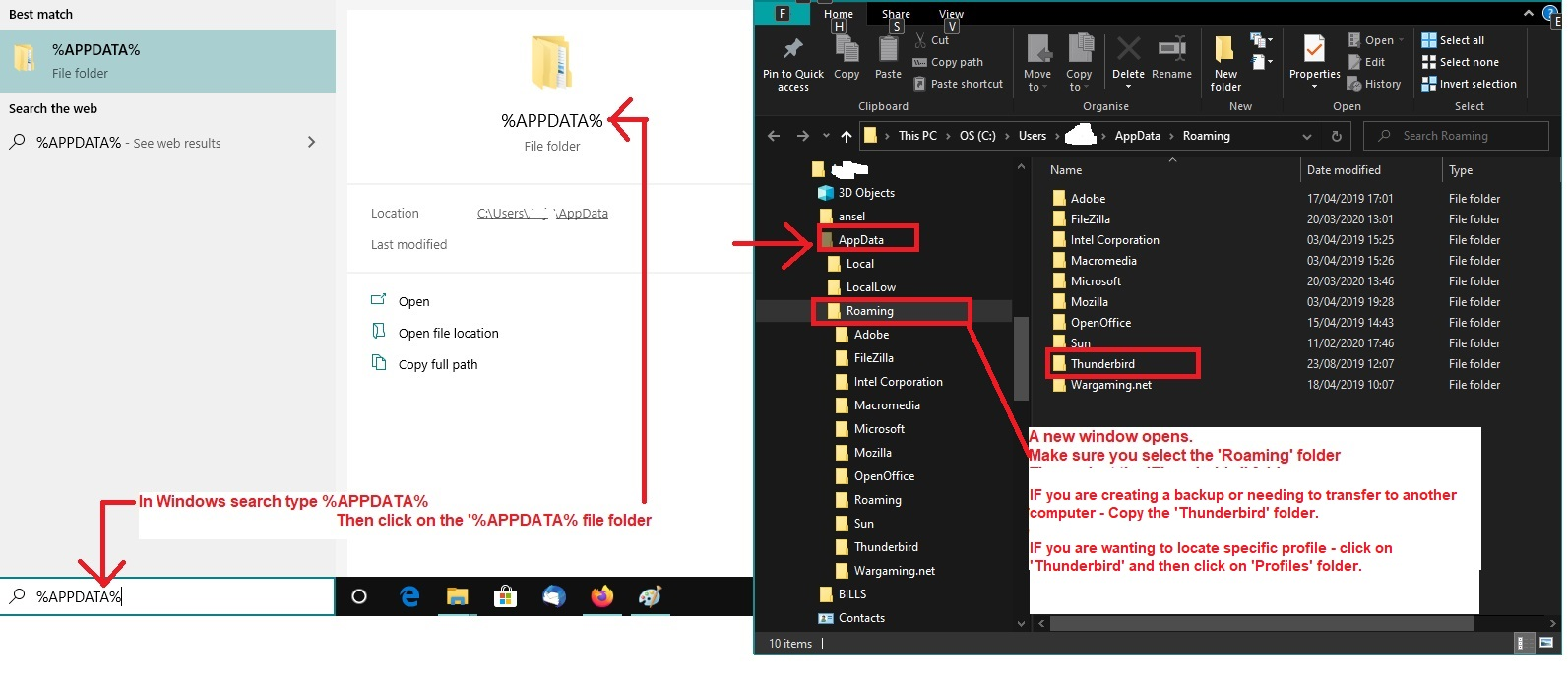
Alternative: I'm assuming you download from the offical website and not Windows App Store.
- Exit Thunderbird
- In windows search type: %Appdata% - see image below as guide
- Select %Appdata% file folder
- Select 'Roaming'
- Select 'Thunderbird'
- Select 'Profiles'
- Select the name of your profile folder
- Look for this file 'compatibility.ini' - Delete it.
Start Thunderbird.