Problem when trying to access facebook. Error code: ssl_error_access_denied_alert

I get this message whenever I try to enter facebook: An error occurred during a connection to www.facebook.com. Peer received a valid certificate, but access was denied. (Error code: ssl_error_access_denied_alert)
I've tried a number of solutions including changing security.tls.version.max to 0.
Anyway to fix this other than formatting the whole drive (which seems a bit exaggerated)?
پاسخها (1)
This was a work around for a previous version of Firefox, since I would imagine that the certificate has been updated for this site. I might recommend first clearing the cache for this site with these steps:
- Open a new window and type in the url bar about:permissions
- Search for the site, "facebook" to filter the sites
- Make sure the site is selected and click on "Forget this Site"
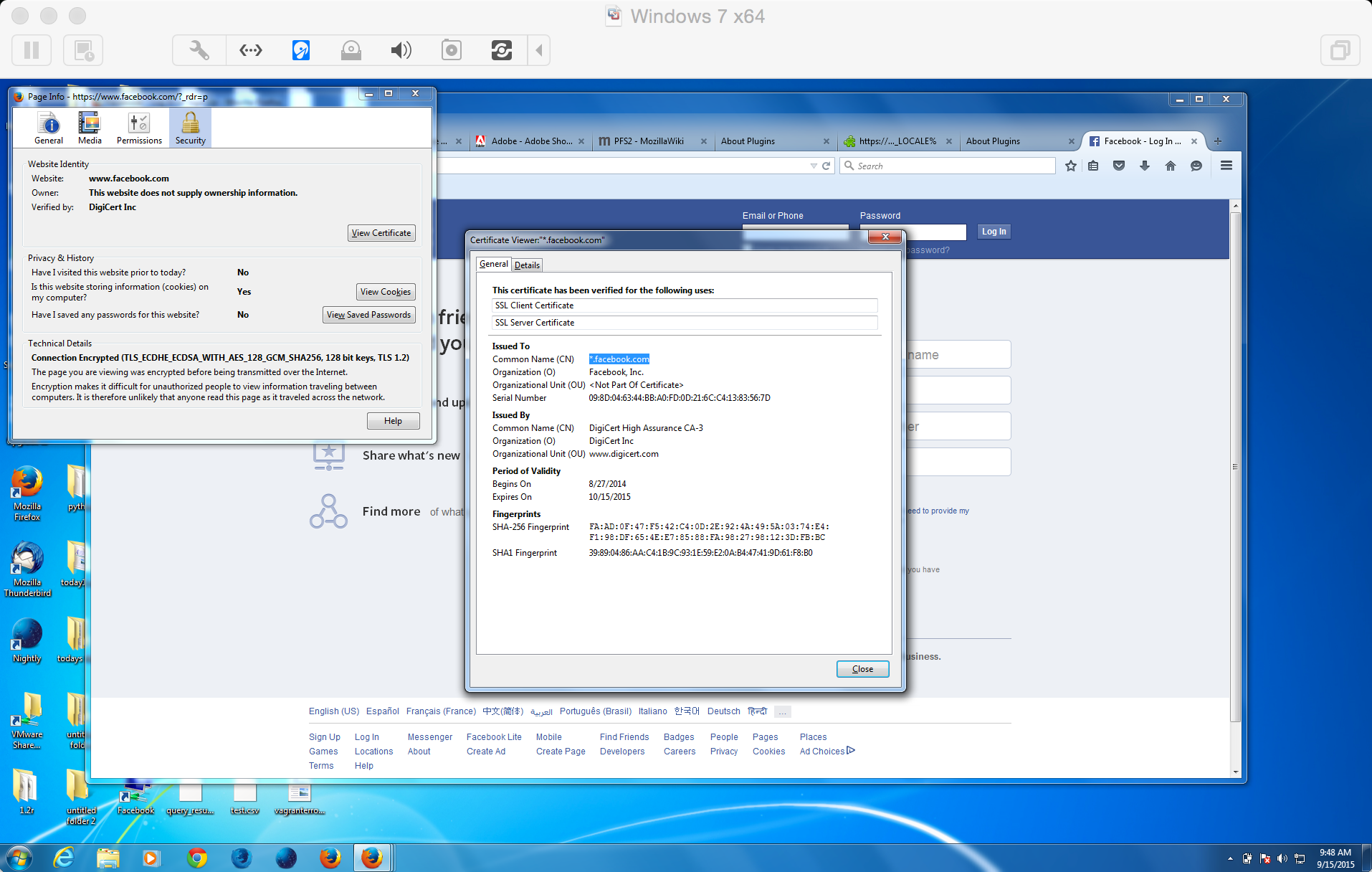
However there was a a scan for a weak ciphers here: https://www.ssllabs.com/ssltest/analyze.html and there were some weak ones. The default is 3 and should be fine. Is your certificate information the same as the one I have provided in the screenshot below: