I can't see bookmarks on the RH menu but only on the LH when I click 'manage bookmarks. How do I move the bookmark folders so that they appear on the RH.

I can't see bookmarks on the RH menu but only on the LH when I click 'manage bookmarks. How do I move the bookmark folders so that they appear on the RH. This happened at the last software update.
All Replies (5)
The content of the bookmark folders is the same no matter how you look at them, be it the "Manage bookmarks" library view, or if you're using a sidebar, set either to left or right side. Can you elaborate a bit more?
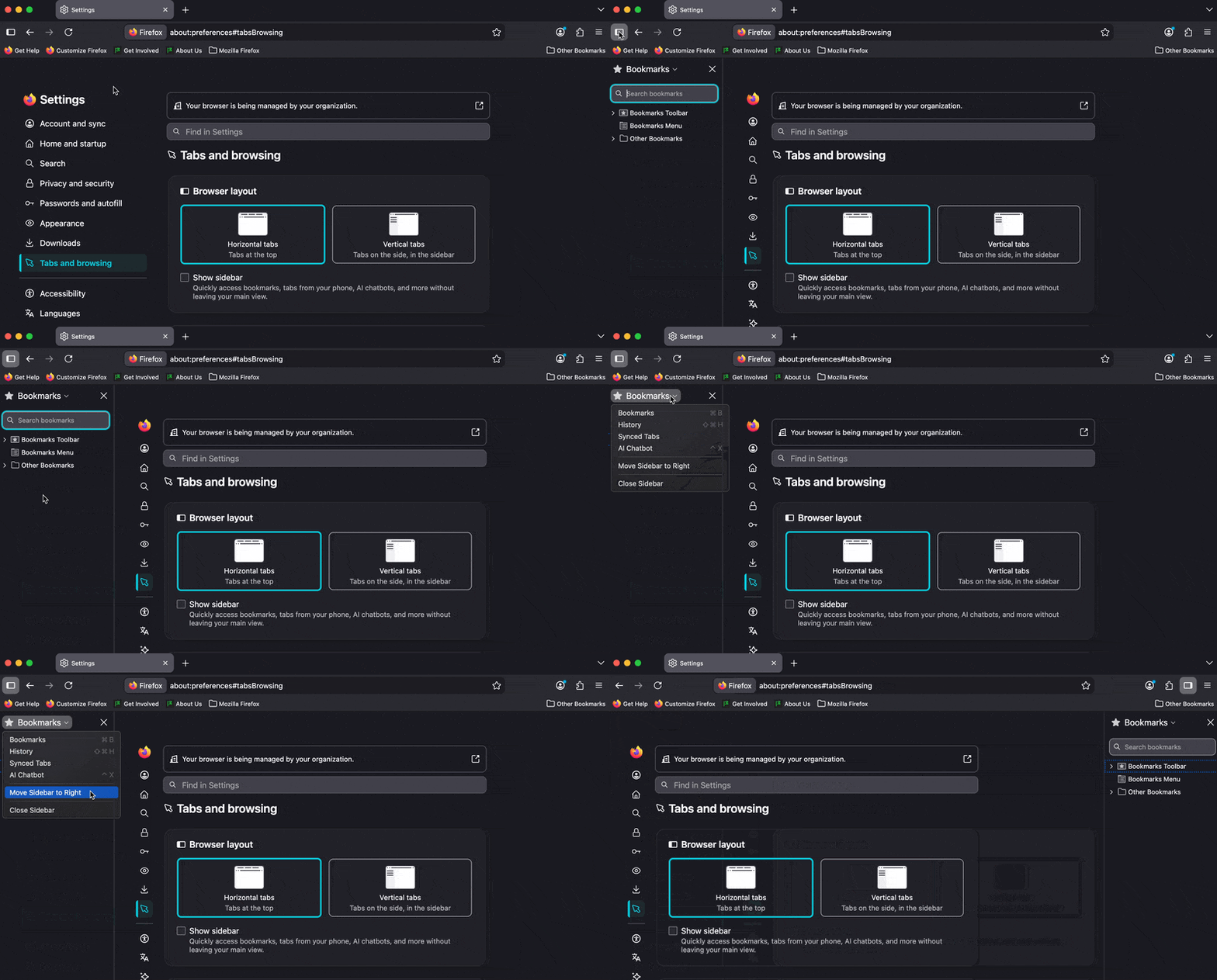
Changing the sidebar position is easy — it's documented in "Customize sidebar and vertical tabs" support.mozilla.org/en-US/kb/use-sidebar-access-tools-and-vertical-tabs#w_customize-sidebar-and-vertical-tabs — that shows where in the sidebar settings is the preference for left or right hand side.
However this sounds like you don't see the actual content you're expecting there depending on which side it's set to?
Thanks for your post jbr. I will elaborate my problem. A while ago I sorted my bookmarks into folders which I could easily and quickly access by clicking on the v in the top RHS of the screen.. However, after a recent update, I can no longer do that. The only way I can see the folders is via the 'library' view on 'manage bookmarks'. What have I done (or not done)?
The "V" chevron is for managing open tabs, containers and tab groups. I don't remember any functionality related to bookmarks in there. Are we talking about this? (video attached below)
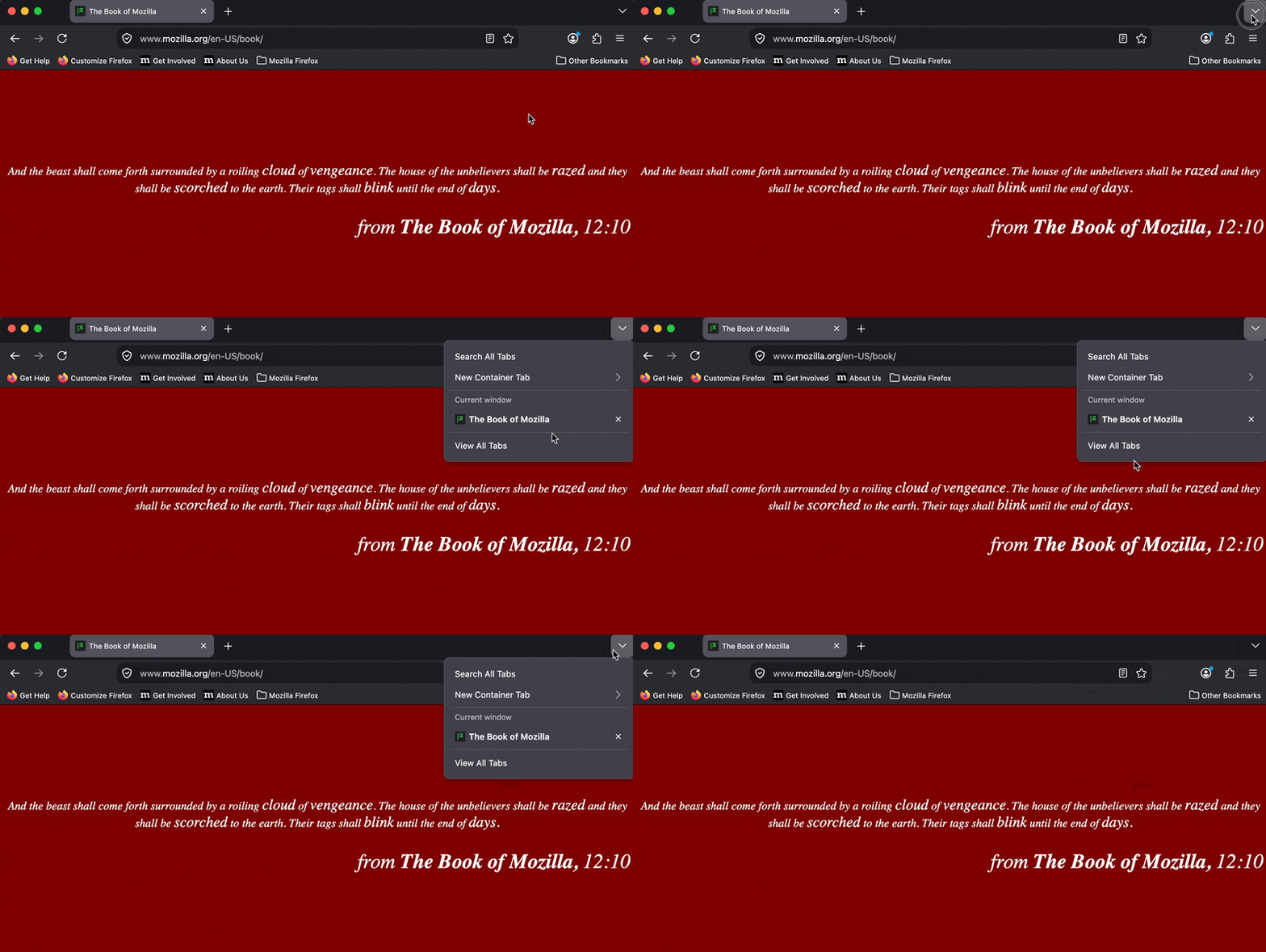
You are correct, so I must have misremembered! Perhaps you can kindly explain to this disabled 77-year-old what I should do.
Basically I think you're just looking for the sidebar functionality, and to switch layout — the article Use the sidebar to access tools and vertical tabs has the steps and shows the left vs. right orientation.
If you're stuck somewhere trying to follow the guide, try attaching a screenshot of what you're looking at here — there's just too many variants to try and assume which one's relevant to you — e.g. in my version, preferences and layout, it's done by showing the left sidebar, clicking on the header and picking "Move sidebar to right":