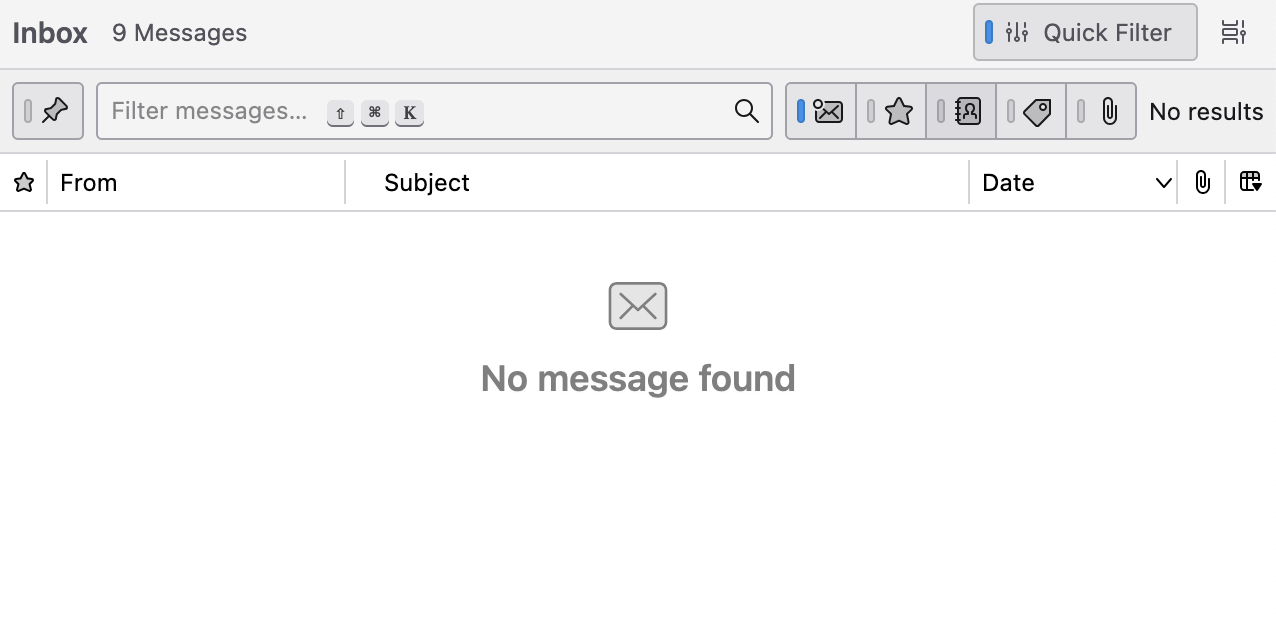
No Message found - for inbox with 220460 unread messages

I am running Thunderbird 140.11.1esr on Windows 11. I have many email accounts mainly with btinternet which I access with Thunderbird. Most of them work fine but when I tried add another email account with a very large inbox all of the folders download fine but the inbox itself doesn't show any messages but the number alongside the folder says 220479 (which I think is unread messages). I have tried this on 2 different laptops with the same result. I have tried to Repair the folder. The folder is selected for offline use and I have tried to press the Download now button.
Any ideas?
Thank you
Paul
I am running Thunderbird 140.11.1esr on Windows 11. I have many email accounts mainly with btinternet which I access with Thunderbird. Most of them work fine but when I tried add another email account with a very large inbox all of the folders download fine but the inbox itself doesn't show any messages but the number alongside the folder says 220479 (which I think is unread messages).
I have tried this on 2 different laptops with the same result. I have tried to Repair the folder. The folder is selected for offline use and I have tried to press the Download now button.
Any ideas?
Thank you
Paul
All Replies (1)

One common explanation is that the quick filter is set. See my image. If your screen looks like mine, uncheck the quick filter.