


Tried all methods of import

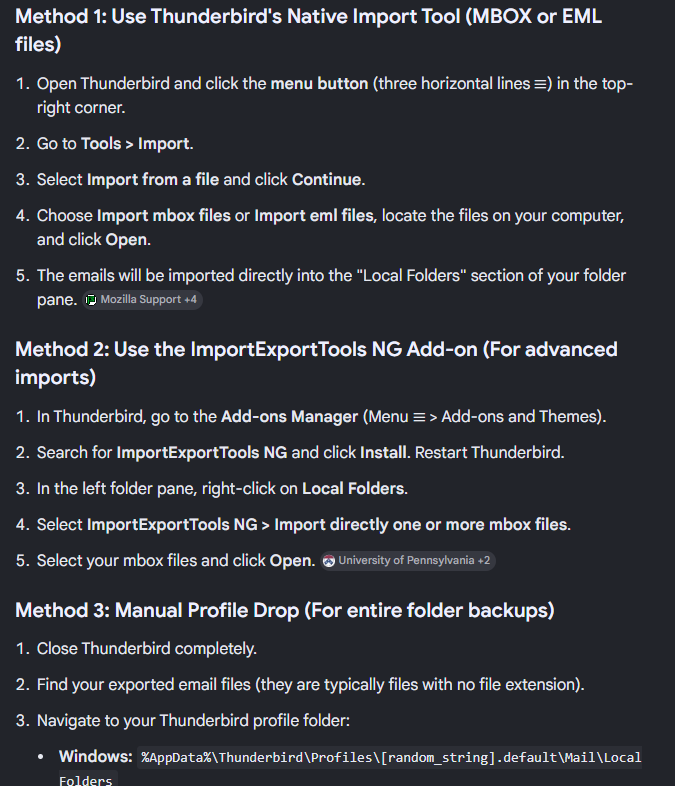
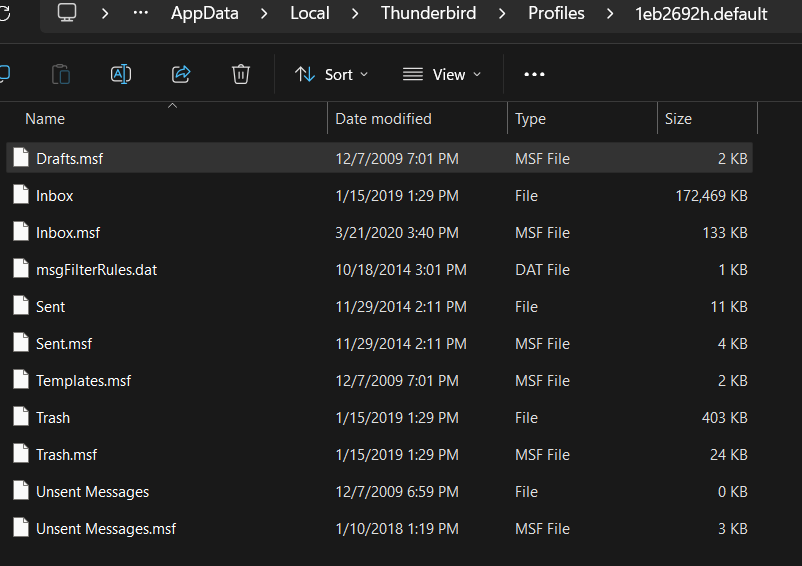
I have an old(er) Thunderbird file - we were not able to get the system running so we just plugged in the hard drive and zipped it (not with Thunderbird, just zipped the raw files - see attached) and I have tried all three methods that Gemini spit out to me (#3 looks like what I have seen on the forums here) and the bext I can do is get the first message to pop up (out of about 500+) and can't see the others. Using Thunderbird on the new machine and also tried the ImportNG tool as well. I can't loose this collection, very important. Although the old machine does not work, I still have access to the hard drive if I need more "stuff" off of it. Not sure what the old version of Thunderbird was but the box was last used in Jan 2019 and setup originally around 2008. Thank you in advance for your assistance.
All Replies (4)
On the old machine, see if you can locate the users\<yourid>\appdata\roaming\thunderbird folder if you can, try this - close thunderbird if running - enter %appdata% in search box on windowss task bar and press enter - that should open file explorer in the appdata\roaming folder - if there is a thunderbird folder there, rename it just for safekeeping - paste the old thunderbird folder now - restart thunderbird.it will attempt to open the profile and run
post back on any problems .Your current thunderbird is possibly several releases newer. post the version number and, if you remember, the version number of the old pc.
Yeah, that is the problem - I took that directory from the appdata and copied into the new (v150) version on the new machine. I don't have a way to boot the old machine to get the version number - well, I guess I could spend a lot of money to repair it - but it would most likely be around the 60s according to Gemini - and now the new machine with the latest is 151. Perhaps there is an archive somewhere I can download an older v60 to install on the new laptop? Nothing seems to come up obvious with a quick search. Thanks!
Are you stating that when you run thunderbird with the old profile it runs, but there are problems? I need more information, please. I can point you to older versions, but that is usually not the solution. thank you
I launched Thunderbird without issue, but did not set up the email account (I don't need it to connect) so minimized that box and then tried all three methods the ones from within TB (like import zip, etc) simply say they can't open the file(s). I have also tried going to the directory and "open just once" with thunderbird which did not work, the files are in the appdata path - the only way I got the first message in the email box was to use the hamburger, open from file, then message but it only has the one message of the 172mb file (obviously, it says open message, not messages) - perhaps I need to setup a dummy default account and then run the copy files into the appdata path? seems like a lot of work but I am game for anything.