


remove blue font and why is it doing that
no in setting i have the font or ink color to bk lack text so when i write it is supposed to be black so why do i see when ii click on the persons name after i send it do i see it as blue u ink text font i want all ink text black i so not like the blue and do not know how to stop it what do i do please help

All Replies (15)
You asked this same question in April, and the answer you received was this:
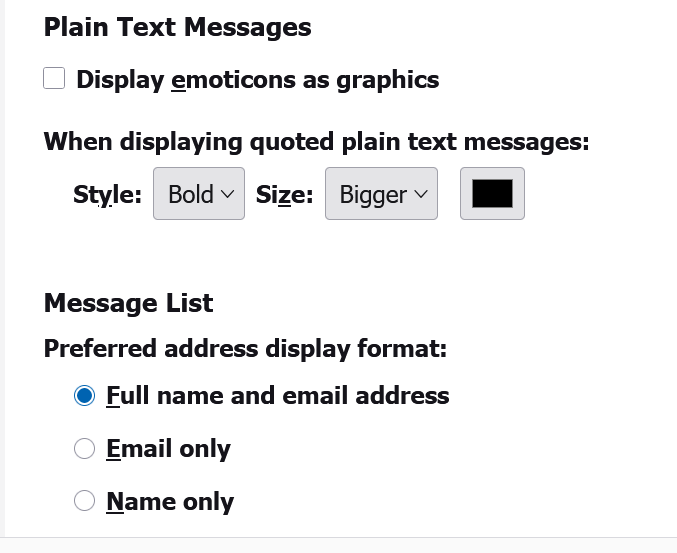
It looks like you have a setting for Plain Text messages to be quoted using Blue Text. In Thunderbird
   Settings > General
   Scroll down to the 'Reading & Display' section
   locate: 'Plain Text Messages'
   'When displaying quoted plain text messages'
   There will be a small Blue rectangle - click on it
   A Colour selection window opens - Choose your prefered colour.
   Click on OK
See if that answers your concern. Thank you
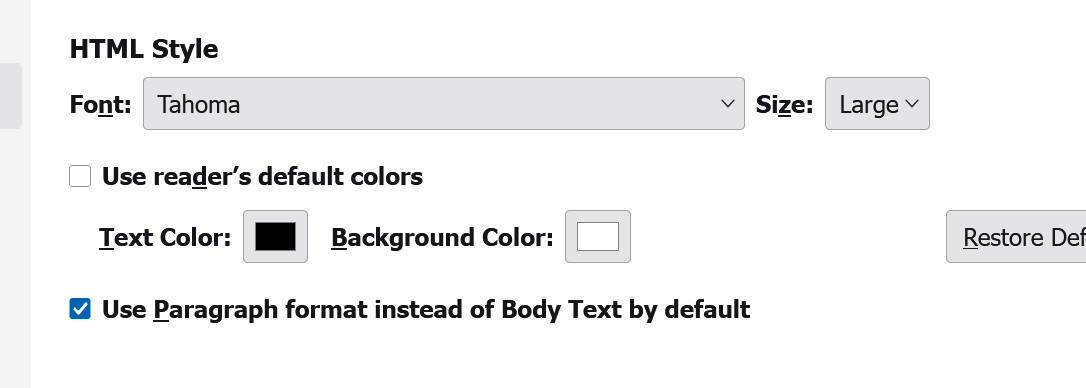
Puzzling. That is same text from April and you indicated it did what you want. Anyway, try the addon, "quote colors & collapse.' That addon lets you change font colors.
Since it is an addon, there are many settings. I suggest experimenting to see how they work.
is it possible the fact that when i send out to my dad or my brothers it come through on their mail as blie none have Thunderbird mail
only me
but why i do not want it blue why does it do that why do they always decide what people want i do not like blkue font or print anywhere on my pc why is that necessary
Mary, The challenge that all software designers must cope with is that some people like one feature, and others like another. The majority of users like having a response to their emails in a different color, so that is what is done. Personally, I like that, when I receive a response to an email I can differentiate the responose from my text easily because of the color difference. That addon even lets you change the color for the following response, and even for the one after that. You are the only user, to my knowledge, that has requested having all text in black. Take care.
Mary, there is a free program available that supposedly reduces eye strain on computers. The link for the FREE version is at https://windows.apkpure.com/careueyes-lite - I have used for years. This is not an official Thunderbird recommendation, it's just a comment from me to you. I cannot advise on setup or use, but it works for me.