


website access problem "error 403 forbidden" from Firefox 115.35.1ESR on W7 x64

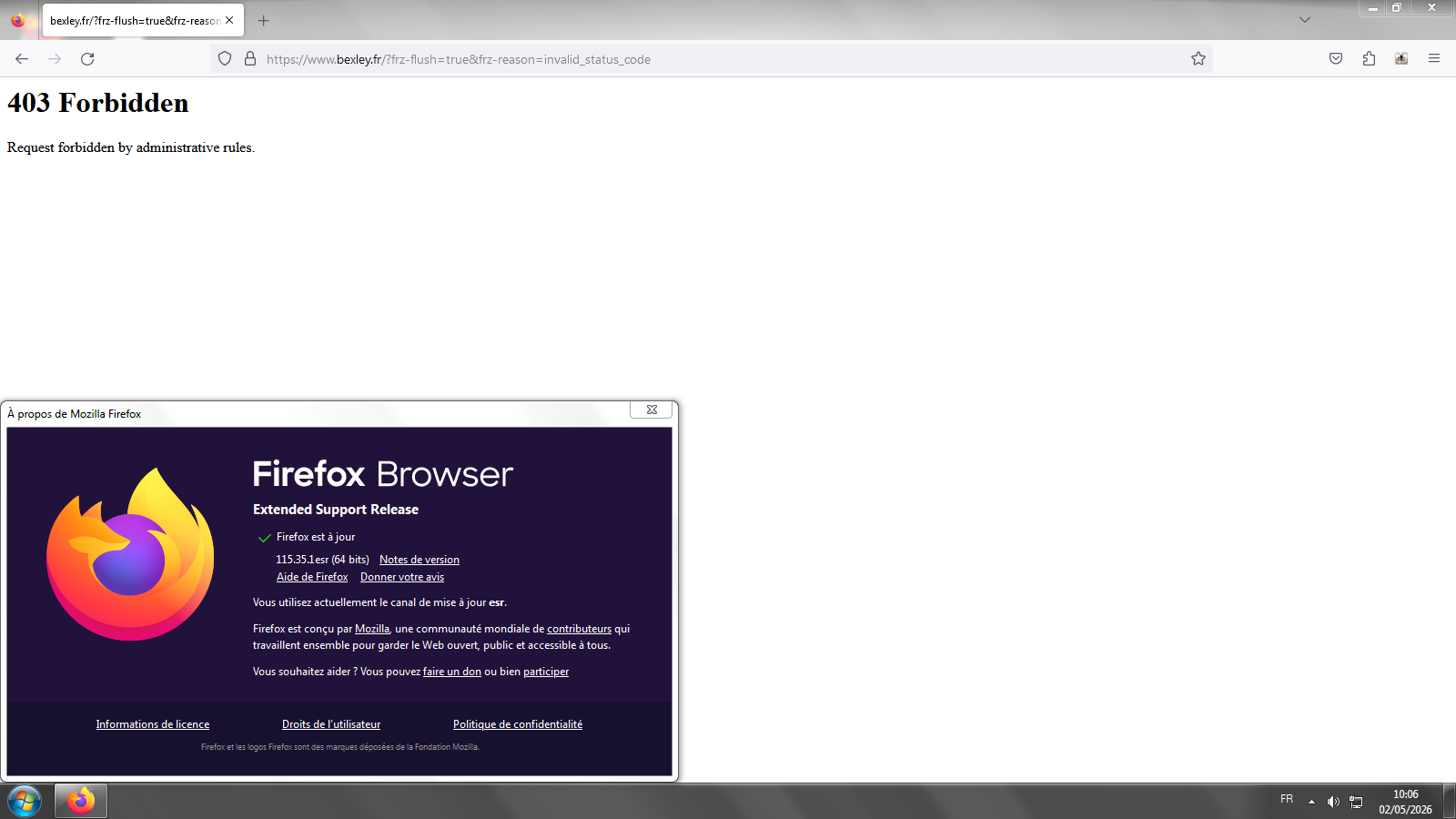
Hi, since some weeks I'm unable to access some websites with Firefox, cause I get 403 errors, for instance https://www.bexley.fr/. It works well with Chrome on the same computer+same OS, or with a newer version of Firefox on W10 (same computer, dual boot), but with my W7 and Firefox 115.35.1esr I can't access them because of that error. Any idea how I could fix that ? All my computers on W7 and the same version of Firefox are concerned. Thank you.
Valitud lahendus
Hello
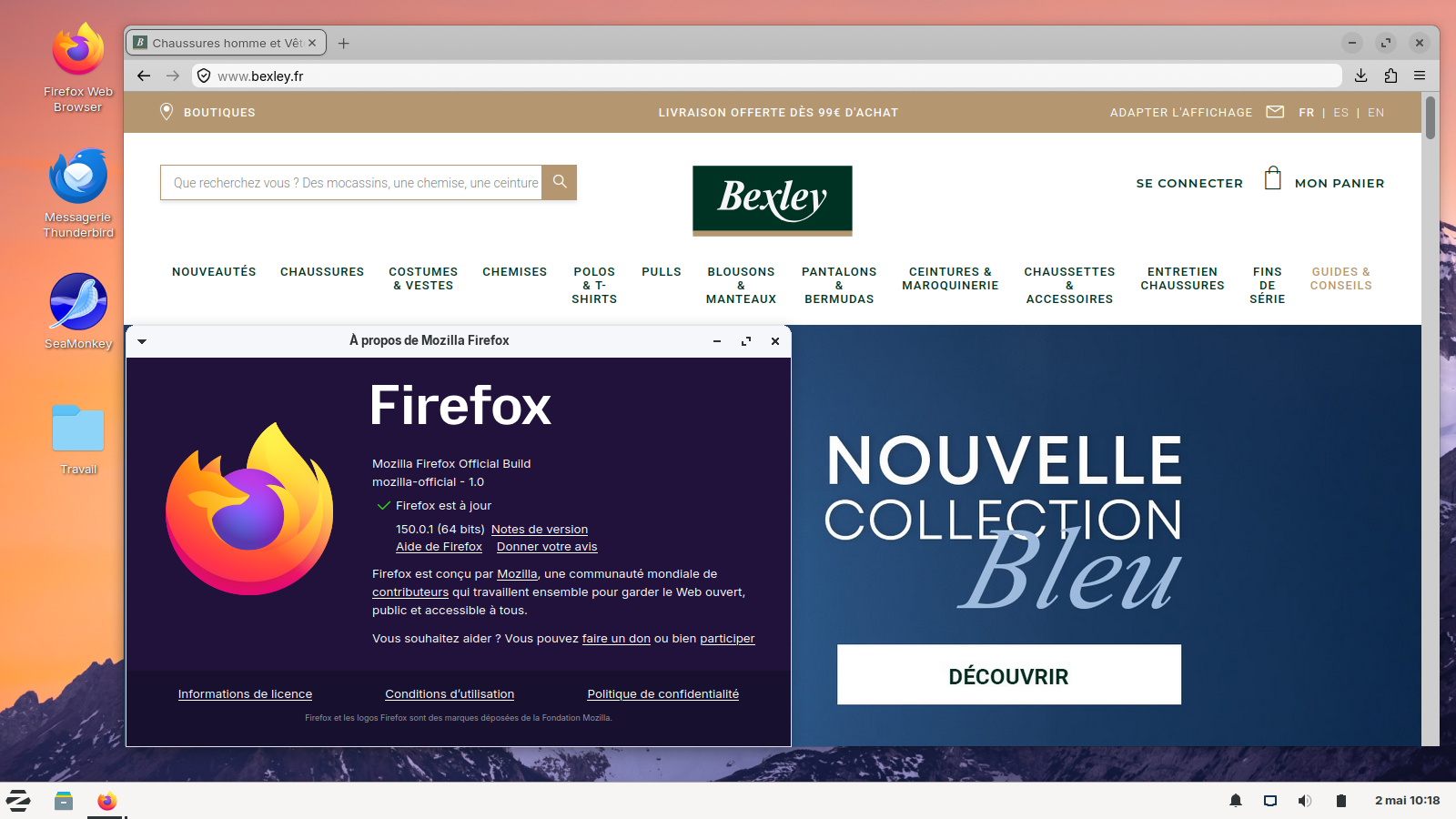
Screenshots 1,2 Windows7. Maybe, a test, if you wish to test User Agent Switcher https://addons.mozilla.org/firefox/addon/uaswitcher Screenshot 3, as far as i'm concerned, i installed Linux in dual-boot with Windows7
Loe vastust kontekstis 👍 1All Replies (7)
Valitud lahendus
Hello
Screenshots 1,2 Windows7. Maybe, a test, if you wish to test User Agent Switcher https://addons.mozilla.org/firefox/addon/uaswitcher Screenshot 3, as far as i'm concerned, i installed Linux in dual-boot with Windows7

Muudetud Agent virtuel poolt
Thank you, yes I got the exact same thing as your first screenshot, I'll test the addon you proposed but I would like to understand what's wrong and if possible a solution that doesn't requires an addon.
Hi
While we are continuing to stretch support of Firefox 115, it may be the case that various websites will not support a version of Firefox that old.
https://support.mozilla.org/en-US/questions/1576403
Take a look at this other question https://connect.mozilla.org/t5/discussions/windows-7-support-with-firefox-esr-115-x/m-p/115038/highlight/true#M44880
https://support.mozilla.org/en-US/kb/firefox-users-windows-7-8-and-81-moving-extended-support
Maybe, the reason, Firefox 115, and, operating system.
Below, a test.
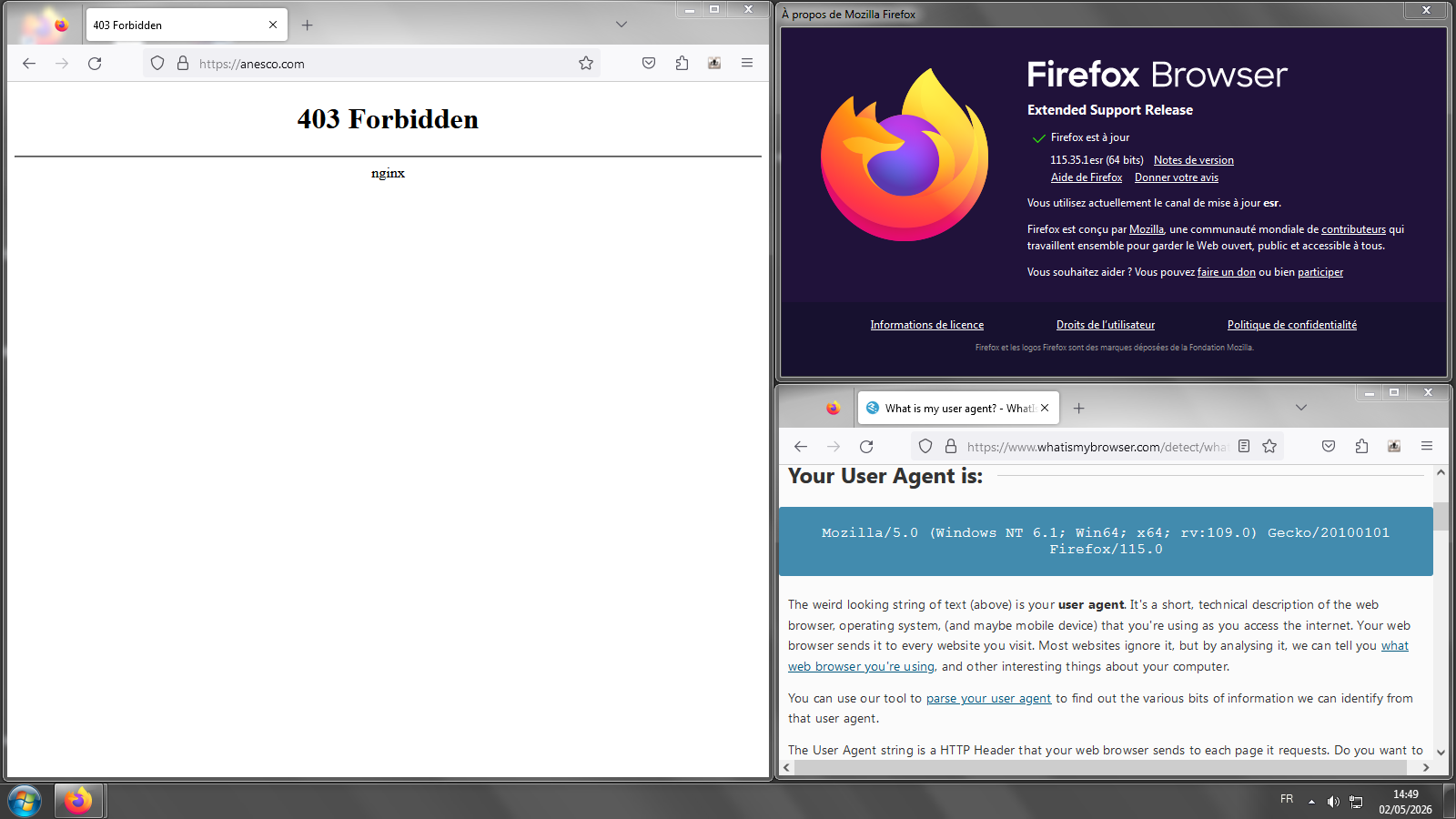
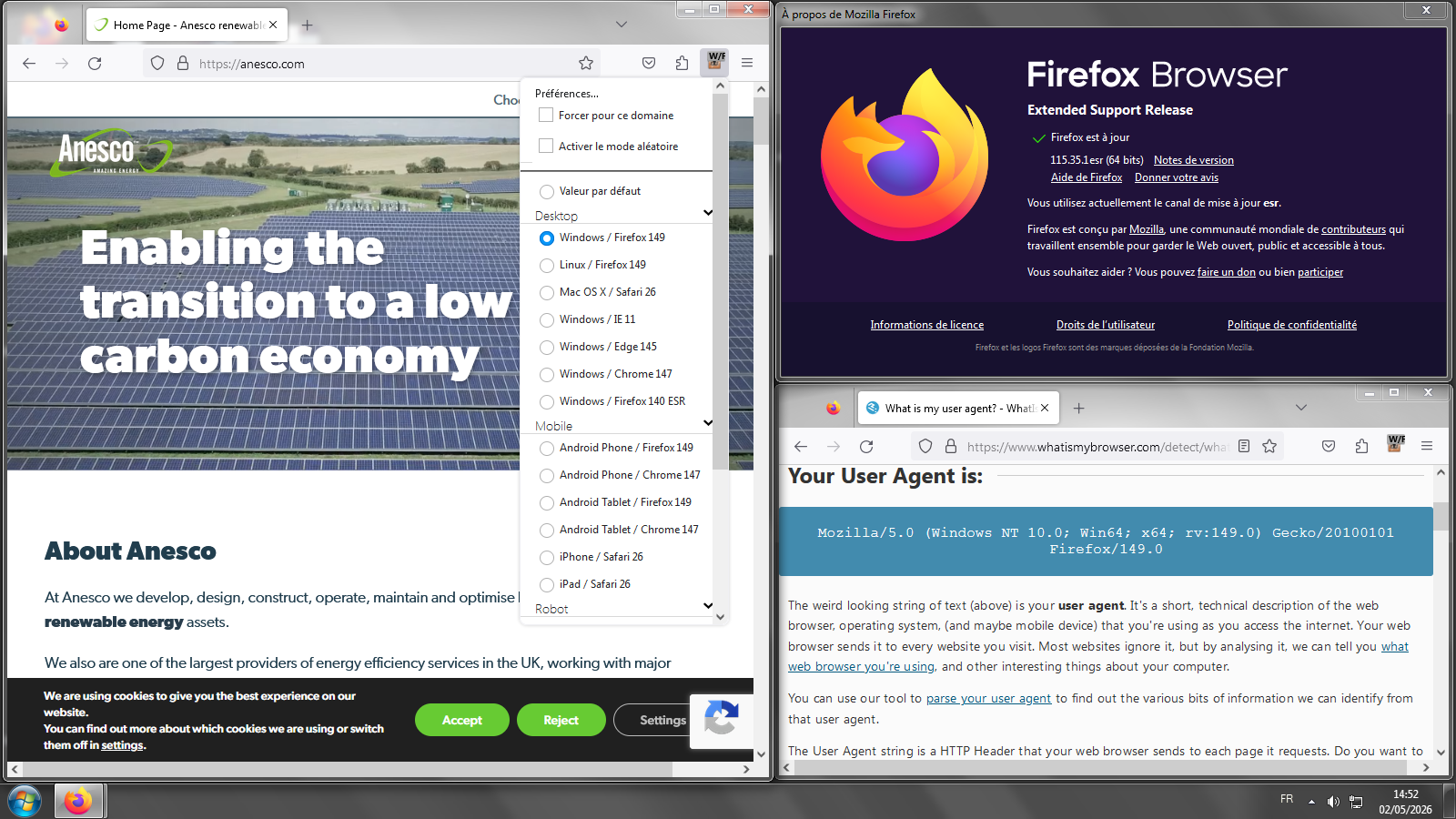
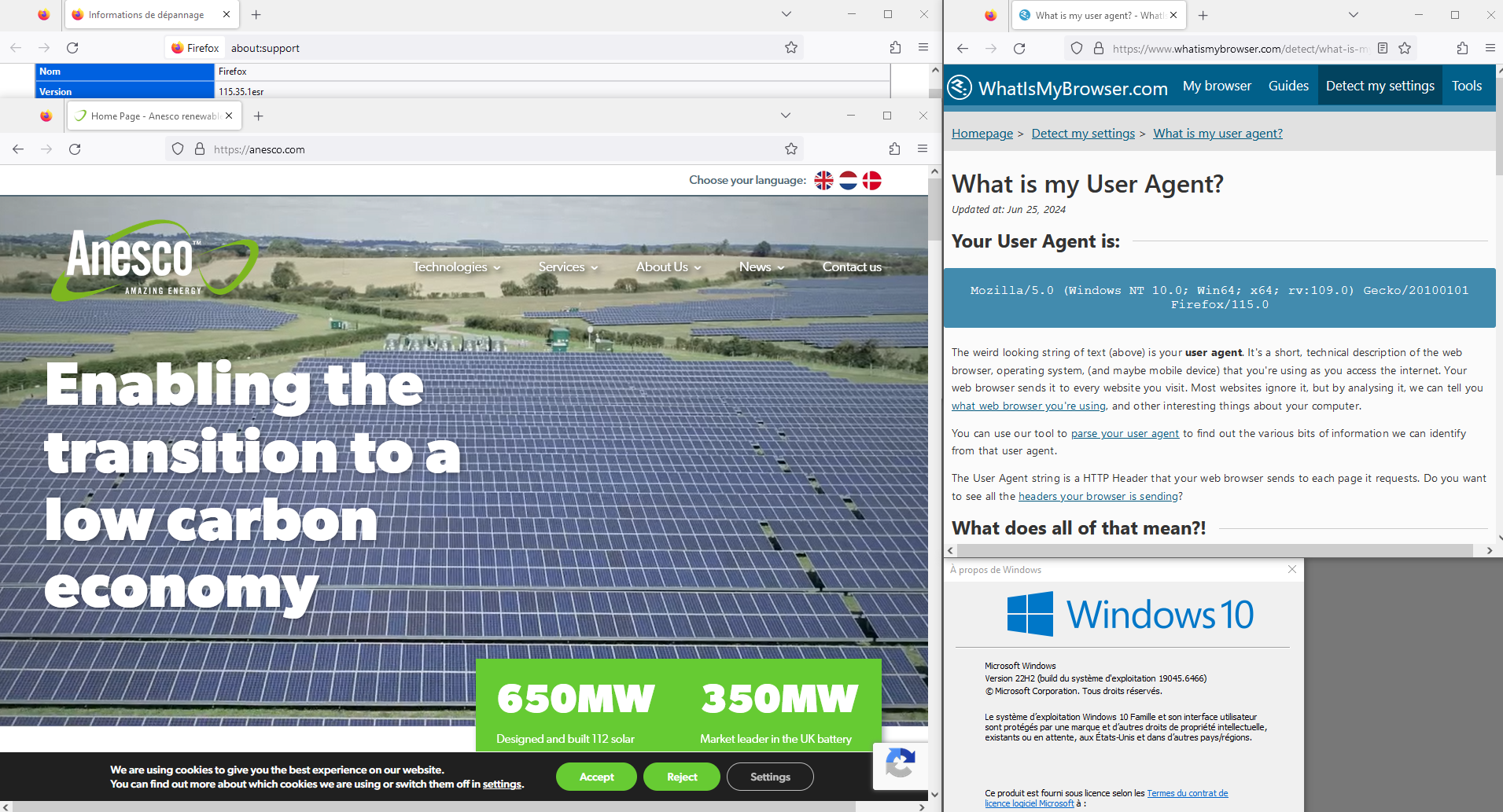
Thank you, the useragent string override fixes the issue, I'll stick to that for now.
Hello,
I am glad to hear that your problem has been resolved. If you haven't already, please select the answer that solves the problem. This will help other users with similar problems find the solution.
Thank you for contacting Mozilla Support.