


Display Font Unreadable

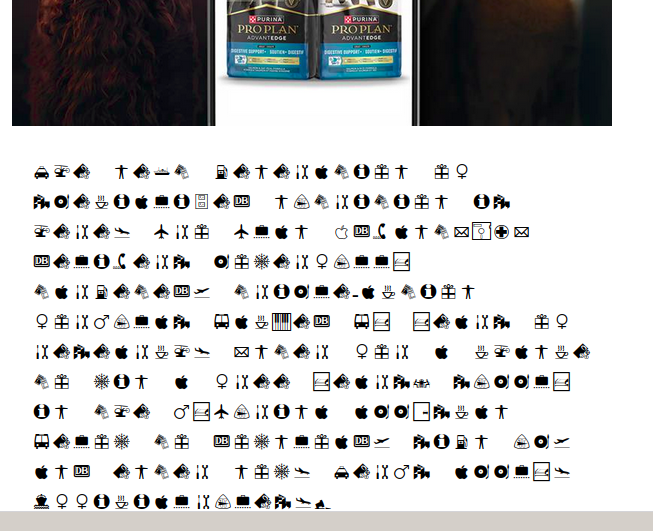
I can't seem to get Thunderbird on Linux Mint to work. Everything font related is a mess. I don't know what default Thunderbird uses when it doesn't know a font but the setting is unreadable. I've messed with a ton of font settings but nothing seems to change anything. Note if I copy the garbage and paste it into a notepad, it is totally readable but there appears to be no way to change this default in Thunderbird. Please help.
All Replies (5)
This is a multi-part message in MIME format. --ptirs0u9S2uq=_?: Content-Type: text/plain; charset="utf-8" Content-Transfer-Encoding: 8bit
then the graphics. The characters shown are all the same. This won't let me enter them as they just come up empty but, the strings are like this if you remove the spaces...
Purina® & # 8 4 7 ; & z w n j ; & # 8 4 7 ; & z w n j ; ...
Every character has the same thing however they don't display that way.

"No font is specified in the HTML?"
Not that I can see. Just header, mime content and some images.
Like I said, TB uses the graphics when it doesn't know what to do. Why that font? Where can I change it? Nobody seems to know.
I have no special knowledge about how Thunderbird uses fonts. I was hoping that my questions would reveal useful information.
All I can think is that a font file is corrupted. If you can find it and replace it, maybe the problem will be solved.
I am sorry that I could not help more. Maybe other people can.
"I am sorry that I could not help more. Maybe other people can.
I appreciate your help. It is weird. I may just go with a different email client.
Thanks again!