


Can't change audio output from windows settings
Hi, I have found an strange behaviour playing music from Firefox. I have a headphones and a speakers connected to my pc and I would change the audio from my headphones to the speakers. I changed the output on windows settings but it doesn't effect. I tested playing audio on other browsers (like Chrome) and on Spotify windows app and it changes the output as its spected.
Searching for some help, I found an extension that suppously changes the audio output. But my question is if that is the spected behaviour. Is Firefox ommiting windows audio settings and is neccesary a extension to change that? It seems very strange to me...
I sware someone could help me. Thanks for reading.
Solución elegida
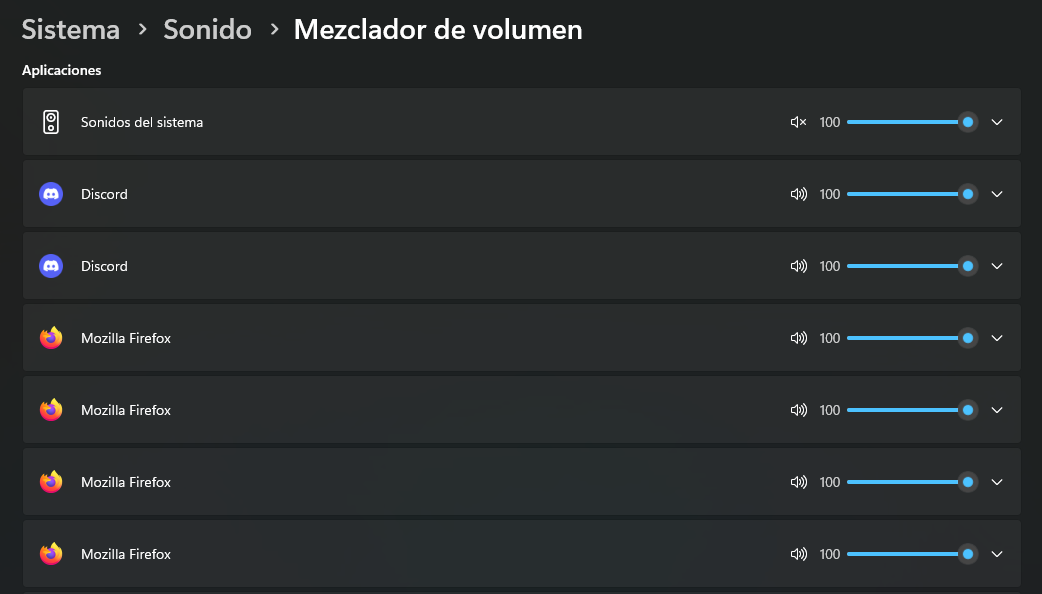
Nah... I found the trouble. On Windows "Audio mixer" settings (applications section), I had a Firefox entry (4 Firefox entries in total) that have headphones selected as prefered output instead of "default".
Leer esta respuesta en su contexto 👍 1Todas las respuestas (2)
Solución elegida
Nah... I found the trouble. On Windows "Audio mixer" settings (applications section), I had a Firefox entry (4 Firefox entries in total) that have headphones selected as prefered output instead of "default".
Gracias por compartir la solución, solo restaría que marques esta consulta solucionada/útil para que sirva a otros usuarios.
¡Gracias!