


The gmail smtps are not working anymore

I have the latest version of thunderbird and my gmail smtps stopped working. I have 3 gmail addresses and all 3 stopped working a dew days after I added the 3rd gmail address. The message could not be sent because failed connexion to smtp
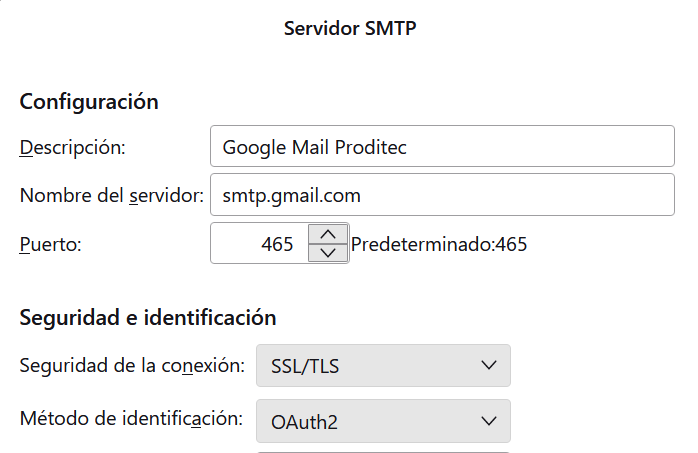
Todas las respuestas (3)
Maybe if you post the explicit text of error message, it may be helpful.
The message is in Spanish but it translates as previously explained: It shows up every time I try to send a message from any of my 3 gmail accounts. My other accounts are working fine.
The message could not be sent: The message could not be sent because the conexion to the output server failed (SMTP ) smtp.gmail.com
Original message:
Falló el envío del mensaje. El mensaje no se ha podido enviar porque ha fallado la conexión al servidor de salida (SMTP) smtp.gmail.com. El servidor puede no estar disponible o está rechazando conexiones SMTP. Verifique que los ajustes de su servidor de salida (SMTP) son correctos y vuelva a intentarlo.
Ok, this may not be the issue, but it's worth checking. You have three gmail accounts. Do you have three SMTP servers? Do they each have unique descriptions in the description field for each? Have you checked each account setting pane to verify that each is linked to a unique SMTP server? I say this because the problem only began when you added the third account. Getting SMTP servers mixed up is a common situation.