Some recipients of email from my Thunderbird have a bunch of strange characters in them.
When SOME people respond to my emails, my original email has a bunch of odd characters in them. They say that is how they received my email. How can I fix that?
Solución elegida
See the attached picture.
Leer esta respuesta en su contexto 👍 0Todas las respuestas (6)
Which account are you sending on, e.g. Yahoo, AOL AT&T etc.?
I'm using Yahoo/Att. I looked at what you sent, and it's a year old. Apparently TB has updated and changed. Is there a new alternative ...because Tools/Options/Advanced/General/Config doesn't get me to an "editor" to set mail.strictly_mime to "true." Thanks for your quick response
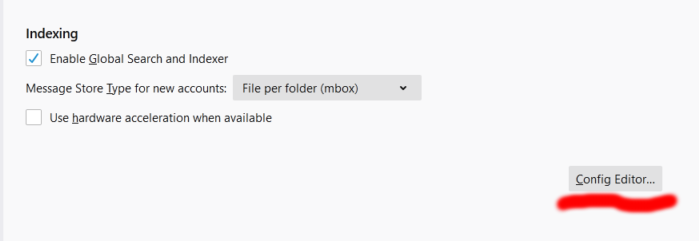
In TB 78, Config. editor is under Options/General/Indexing.
Okay, I'm there, but the only two choices are: Enable Global Search and Indexer Use Hardware Acceleration when available.
Both are checked.
Okay. I found it in the configuration and clicked it. It changed it to "true." Hopefully this will take care of it. Thanks for your help.
Solución elegida
See the attached picture.