


Firefox printing garbled letters/symbols for header & footer.

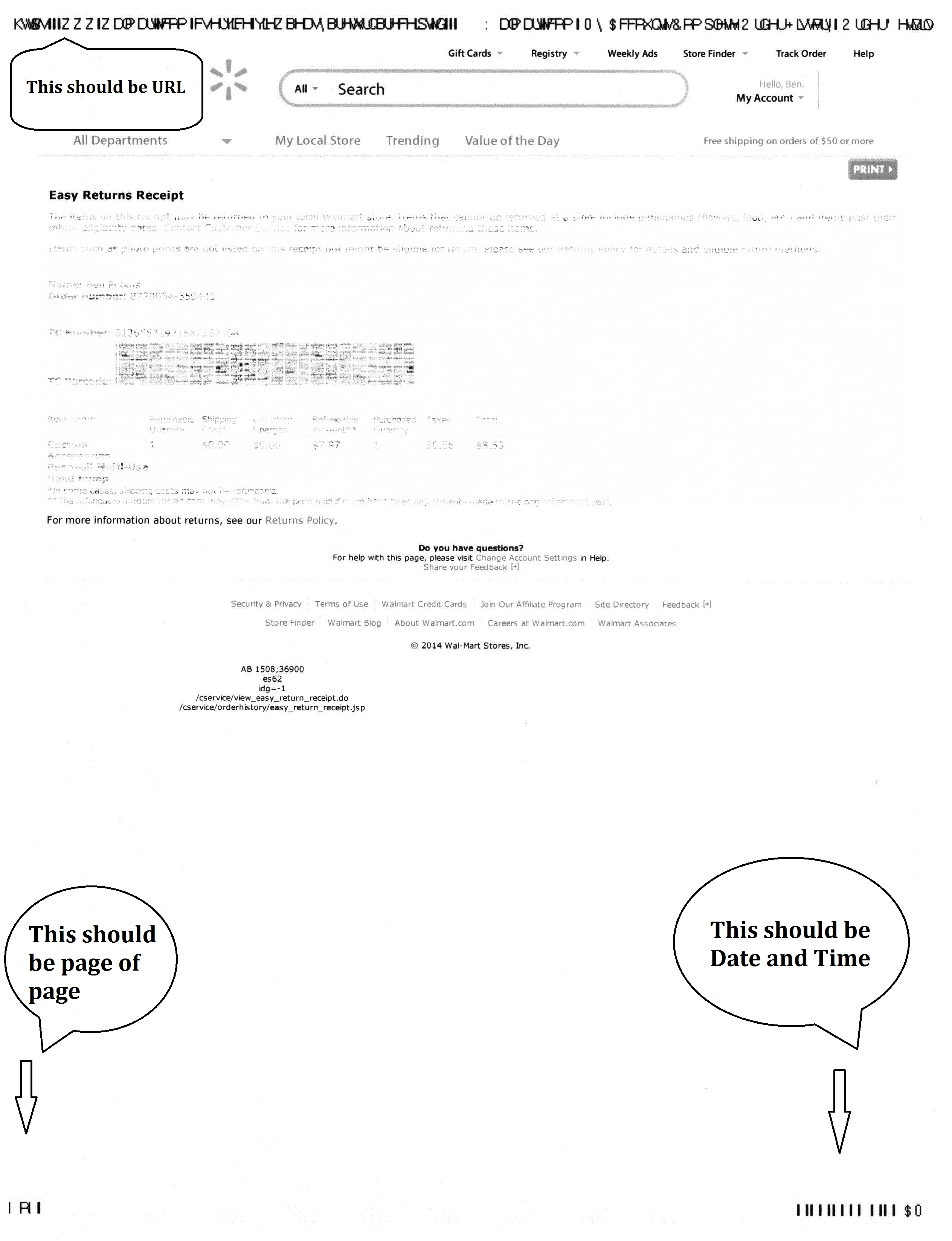
When printing ANY website page, the header and footer are not printing correctly. It prints a bunch of different symbols and characters for URL and at the bottom for page # and date/time, it looks similar to bar codes. I would give a scan of such but this forum does not allow jpg's. The header/footer prints just fine from within IE or Chrome.
Todas las respuestas (2)
Hello,
In order to better assist you with your issue please provide us with a screenshot. If you need help to create a screenshot, please see How do I create a screenshot of my problem?
Once you've done this, attach the saved screenshot file to your forum post by clicking the Browse... button below the Post your reply box. This will help us to visualize the problem.
Thank you!
See notes within jpg.
Keep in mind, I have no problem with any other browser, so it's not a FF - Printer compatibility prob. The only problem is, I don't know WHEN this prob started.
Modificadas por bpetkus1 el