


How to find a Folder in Thunderbird

Hi there, I’ve spent many hours trying to find an answer. Perhaps it’s right under my nose, but I just can’t seem to find it. Please help!
I’ve created extra folders in Thunderbird to keep my messages organized. Question: How can I locate a specific folder?
Example: I create a folder named "a555". I CANNOT FIND THE FOLDER "a555".
(why did I choose "a555"? It’s a unique combination of letters and numbers, which ensures there are no unintended search results.)
Searching for a message does reveal the name of the folder it’s contained in, but that’s not what I’m looking for. I want to be able to search for the folder itself directly.
I have tried searching using: Global Search (top right) – Ctrl + K; Specific Search – Ctrl + Shift + F; This Thunderbird forum; A general search on the internet.
Any answer would be greatly appreciated. Arthur Cerew.
Επιλεγμένη λύση
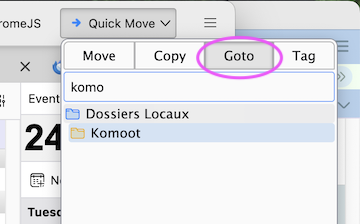
You may test the add-on "Quick Folder Move" https://reviewers.addons.thunderbird.net/En-US/thunderbird/addon/quick-folder-move/ It contains a folder search feature
Όλες οι απαντήσεις (5)
I am not aware of a feature to search for folders. My suggestion is to use the folderpane on the left side of your screen and expand all folders. If the folder was not specific to an account, it will probably be in Local Folders. Be sure to check View>folders>all folders. Post a screenshot and we may be able to assist in suggesting where to look.
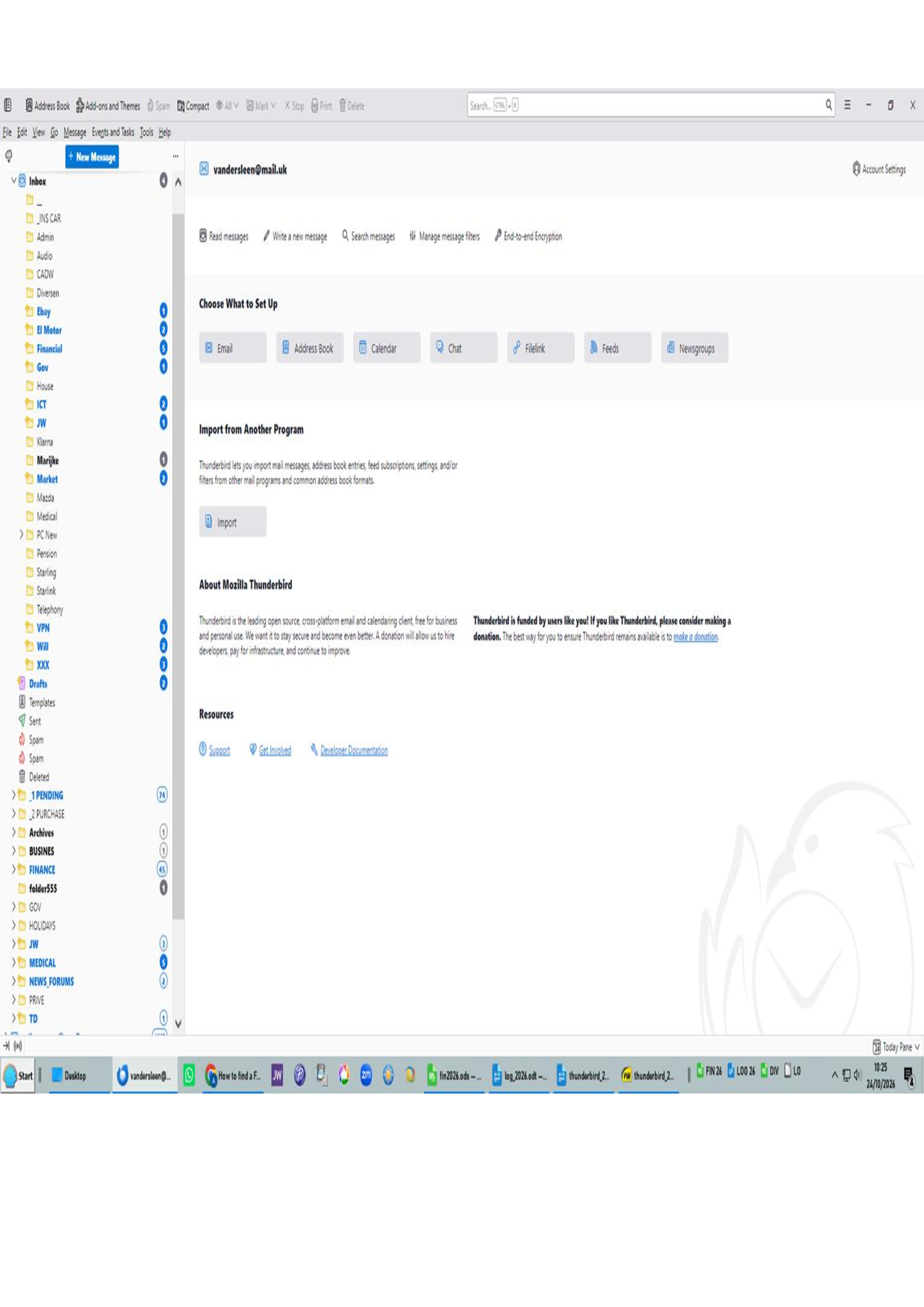
Hi David, I have created a simple example to illustrate what I mean by my request for a search function for folders. In the Folder Pane on the left, you can see the INBOX. Directly below it are the subfolders I have created, Admin, Audio, CADW, etc. I would like to be able to go directly to one of these folders by using a search query. There is already a search function available via Ctrl + Shift + F, but that only searches for messages. So far, I haven’t been able to find a search function for folders. Hopefully, you can help. Look at the added image. Arthur Cerew.
Επιλεγμένη λύση
You may test the add-on "Quick Folder Move" https://reviewers.addons.thunderbird.net/En-US/thunderbird/addon/quick-folder-move/ It contains a folder search feature
Thank you Mapenzi. Good function to find a (created) folder. My next work will be to add this add-on to the Menu bar.
The button of this add-on is automatically added to the menu bar where it takes the name "Quick Move". You can see it at the top of my screen shot!
Τροποποιήθηκε στις από τον/την Mapenzi