


Προσοχή στις απάτες! Δεν θα σας ζητήσουμε ποτέ να καλέσετε ή να στείλετε μήνυμα σε κάποιον αριθμό τηλεφώνου ή να μοιραστείτε προσωπικά δεδομένα. Αναφέρετε τυχόν ύποπτη δραστηριότητα μέσω της επιλογής «Αναφορά παραβίασης».

Μάθετε περισσότερα
Ανοικτό

YouTube search bar visibility issue and full-screen playback reset on Firefox.

Vishal

I use YouTube on the Firefox browser. Previously, the YouTube search bar was black, but now it has turned white. As a result, when I type something, both the text and the search bar appear white, making it impossible for me to see what I am typing.

Secondly, when I watch a YouTube video in landscape mode on Firefox, if I exit the browser and then re-enter to continue watching, the video automatically exits full-screen mode. It starts showing the video along with the title and channel name again. I want the video to stay in full-screen/landscape mode even after I exit and return to the browser, as it would make it much easier to use. Currently, even though the screen stays in landscape orientation, the video itself drops out of full-screen.
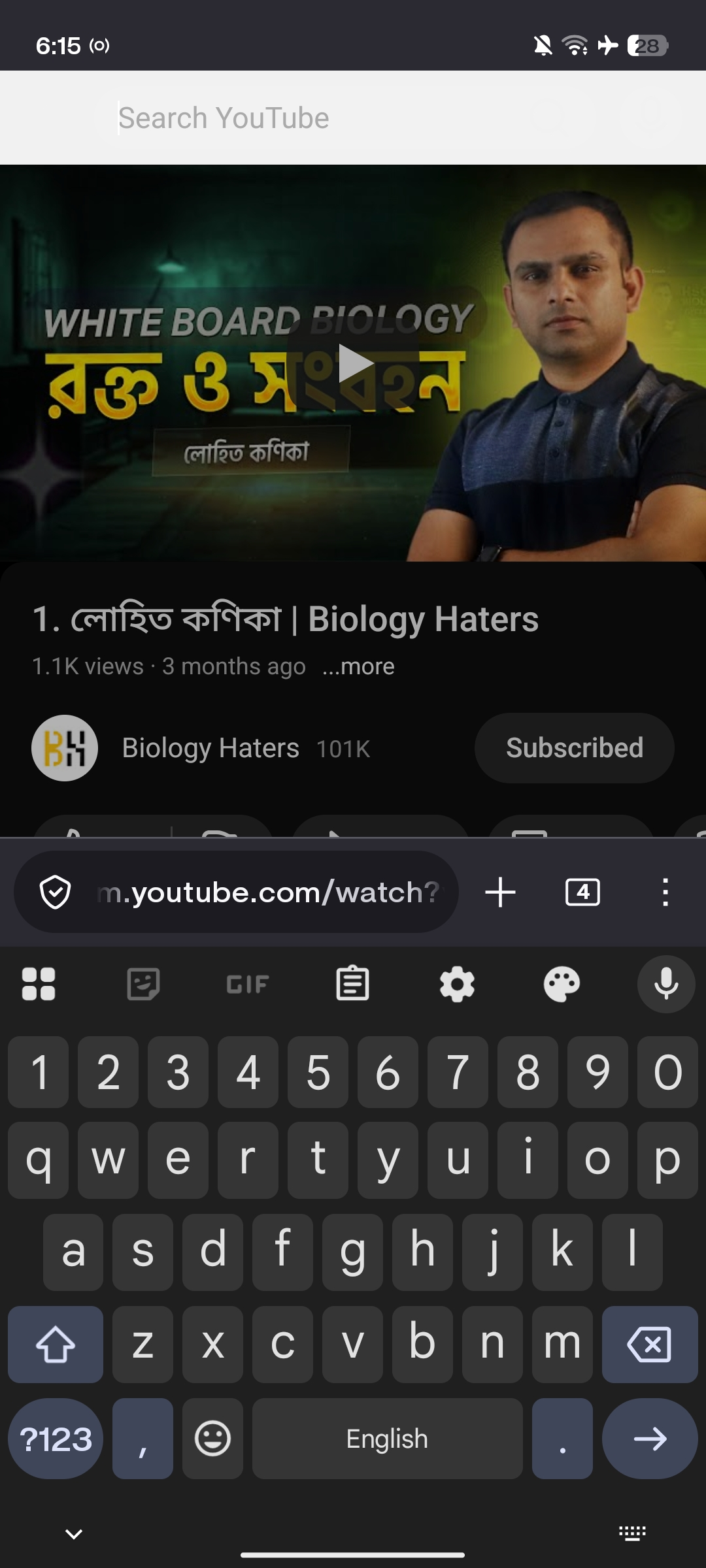
I use YouTube on the Firefox browser. Previously, the YouTube search bar was black, but now it has turned white. As a result, when I type something, both the text and the search bar appear white, making it impossible for me to see what I am typing. Secondly, when I watch a YouTube video in landscape mode on Firefox, if I exit the browser and then re-enter to continue watching, the video automatically exits full-screen mode. It starts showing the video along with the title and channel name again. I want the video to stay in full-screen/landscape mode even after I exit and return to the browser, as it would make it much easier to use. Currently, even though the screen stays in landscape orientation, the video itself drops out of full-screen.
Συνημμένα στιγμιότυπα

Πρέπει να συνδεθείτε στον λογαριασμό σας για να απαντήσετε σε δημοσιεύσεις. Ξεκινήστε μια νέα ερώτηση εάν δεν διαθέτετε ακόμα λογαριασμό.