


Windows 10 reached EOS (end of support) on October 14, 2025. If you are on Windows 10, see this article.

Avatar for Username

Αναζήτηση στην υποστήριξη

Προσοχή στις απάτες! Δεν θα σας ζητήσουμε ποτέ να καλέσετε ή να στείλετε μήνυμα σε κάποιον αριθμό τηλεφώνου ή να μοιραστείτε προσωπικά δεδομένα. Αναφέρετε τυχόν ύποπτη δραστηριότητα μέσω της επιλογής «Αναφορά παραβίασης».

Μάθετε περισσότερα
Αυτό το νήμα αρχειοθετήθηκε. Κάντε νέα ερώτηση αν χρειάζεστε βοήθεια.
Επιλύθηκε Αρχειοθετήθηκε

DOMexception on OneDrive page

dirmme

Hi,

when I try to access the Gallery photos page on OneDrive, especially in the 'For you' section, I get a gray screen and nothing happens. When I check the console, it shows the issues I've captured in the screenshot. I tried this on Mac and Ubuntu with a fresh profile and a clear internet connection. Does anyone have an idea why this is happening? Firefox Version is the latest 142.0.1 No problem with Vivaldi, Chrome etc.

Thanks, Dirk
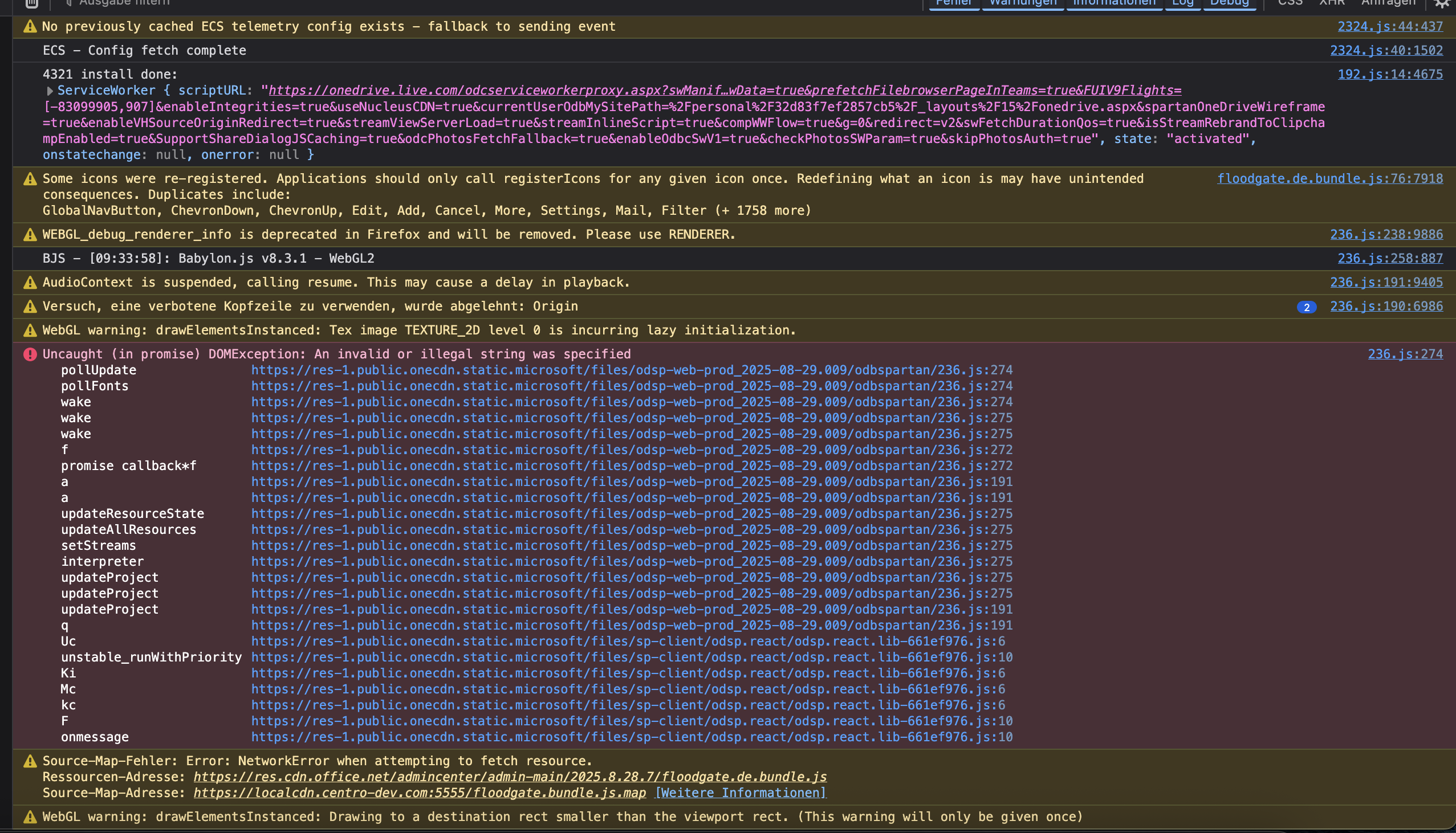
Hi, when I try to access the Gallery photos page on OneDrive, especially in the 'For you' section, I get a gray screen and nothing happens. When I check the console, it shows the issues I've captured in the screenshot. I tried this on Mac and Ubuntu with a fresh profile and a clear internet connection. Does anyone have an idea why this is happening? Firefox Version is the latest 142.0.1 No problem with Vivaldi, Chrome etc. Thanks, Dirk
Συνημμένα στιγμιότυπα
Προβολή απάντησης εντός συζήτησης

Επιλεγμένη λύση

Hi there,

The issue should be resolved now! Could you please update your Firefox to 144.0.2 and confirm (or not) the fix?

Όλες οι απαντήσεις (7)

Hi,

Is that bug 1987565?

Yes, it is. Great, many thanks!

Hi,

The issue is currently fixed in Firefox 145, which is in Nightly. This version's release is scheduled for November 11, but I'll let you know in case the fix is deployed in one of the earlier versions.

Hi again,

The issue should now be fixed in Firefox 144, which is in Beta. This version's release is scheduled for October 14.

Hi there,

Unfortunately, the fix hasn't landed in Fx144 due to some technical reasons, but I'd expect it in one of the dot releases. I'll get back to you once it's deployed.

Επιλεγμένη λύση

Hi there,

The issue should be resolved now! Could you please update your Firefox to 144.0.2 and confirm (or not) the fix?