


Windows 10 reached EOS (end of support) on October 14, 2025. If you are on Windows 10, see this article.

Αναζήτηση στην υποστήριξη

Προσοχή στις απάτες! Δεν θα σας ζητήσουμε ποτέ να καλέσετε ή να στείλετε μήνυμα σε κάποιον αριθμό τηλεφώνου ή να μοιραστείτε προσωπικά δεδομένα. Αναφέρετε τυχόν ύποπτη δραστηριότητα μέσω της επιλογής «Αναφορά παραβίασης».

Μάθετε περισσότερα

Αυτό το νήμα αρχειοθετήθηκε. Κάντε νέα ερώτηση αν χρειάζεστε βοήθεια.

Firefox ESR - Remove/Delete Extension with GroupPolicy

  • 1 απάντηση
  • 0 έχουν αυτό το πρόβλημα
  • 547 προβολές
  • Τελευταία απάντηση από Mike Kaply
  • Αρχειοθετήθηκε

Hi guys,

I'm trying to uninstall an extension using a GPO, but it's not working.

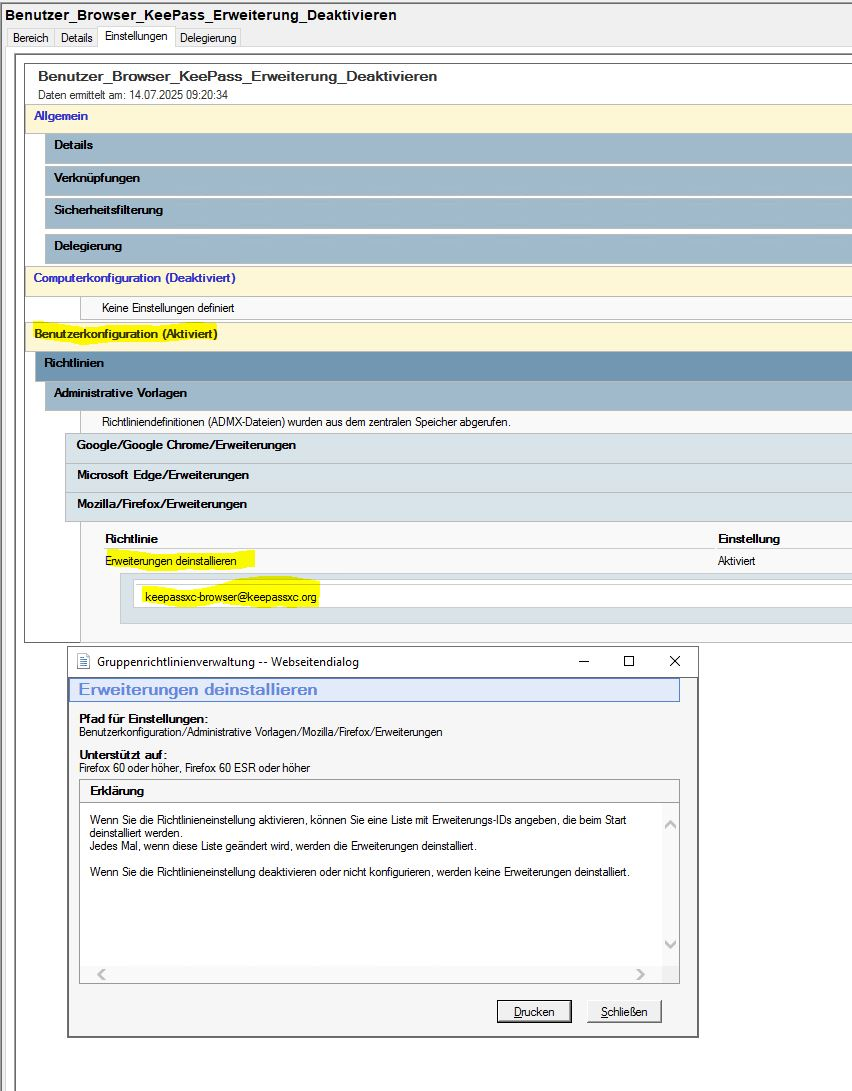
I've placed a GPO on the user's OU and configured the ID to be removed in the User-Part of that GPO. I previously retrieved the ID using about:debugging.

But nothing happens; the extension isn't removed. (Logoff/Logon/reboot/gpupdate /force .....)

128.11.0esr (64-Bit)

KeePassXC-Browser Extension

The GPOs for Edge and Chrome have the same function. Enter the ID there, and the extension is reliably removed.

Any suggestions? Thanks

Michael
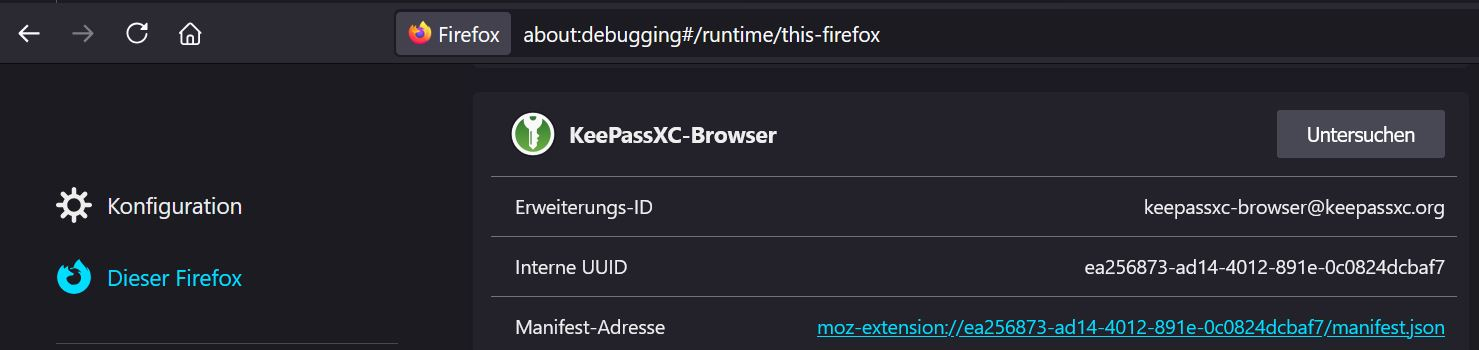
Hi guys, I'm trying to uninstall an extension using a GPO, but it's not working. I've placed a GPO on the user's OU and configured the ID to be removed in the User-Part of that GPO. I previously retrieved the ID using about:debugging. But nothing happens; the extension isn't removed. (Logoff/Logon/reboot/gpupdate /force .....) 128.11.0esr (64-Bit) [https://addons.mozilla.org/de/firefox/addon/keepassxc-browser/?utm_source=addons.mozilla.org&utm_medium=referral&utm_content=search KeePassXC-Browser Extension] The GPOs for Edge and Chrome have the same function. Enter the ID there, and the extension is reliably removed. Any suggestions? Thanks Michael
Συνημμένα στιγμιότυπα

Όλες οι απαντήσεις (1)

So that policy can be a little flaky because it uses a preference to store status.

Can you go to about:config and see if you have a preference set called:

browser.policies.runOncePerModification.extensionsUninstall

and if so, what the value is?

The new ExtensionSettings (Extension Management in the GPO) policy would probably work better for your case.

You would set it to this:

{

 "keepassxc-browser@keepassxc.org": {
   "installation_mode": "blocked"
 }

}