


keyboard blocks text
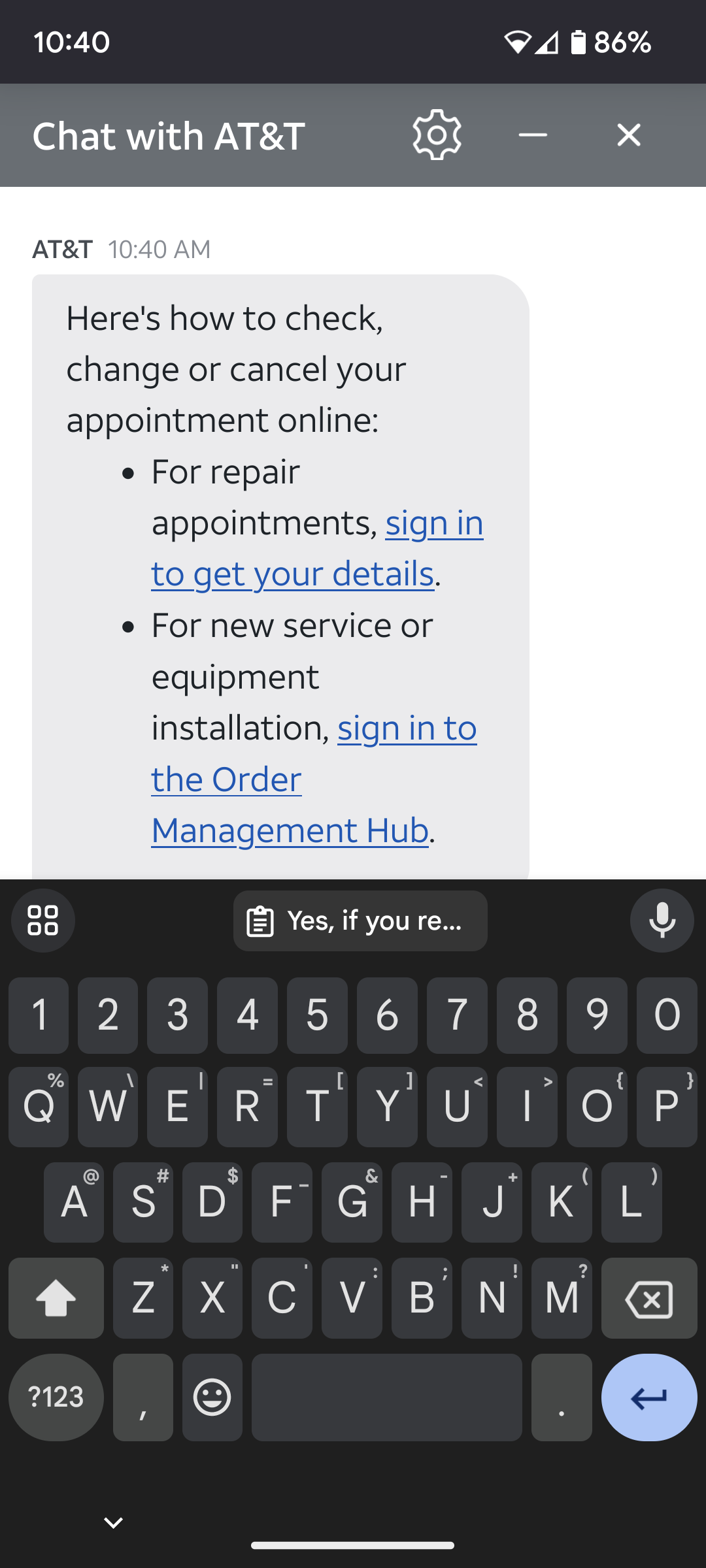
Problem: keyboard covers text area in chat and scroll does not function. In a chat with customer service usually, the text I am writing does not appear, it is behind the keyboard and scroll is frozen. I have to close the keyboard to see the text, also scroll works. Then I click on my partially filled text box, keyboard comes back covering it, no scroll. Repeat. Pixel 6, FF for Android, T-mo, Ad-Guard only addon, everything updated, see attached.

Όλες οι απαντήσεις (8)
Ignore the 3rd screen shot. How are you supposed to close the screen shot here?
Are you seeing this issue on multiple websites?
Are you able to provide examples of when this happens?
Yes all websites. I posted clear screenshots. It's only in chat support. I have to detach the keyboard to see the bottom of the chat where the new responses are and where my text is. You know chat? It's usually a bot but if you complain enough you get a human.
Hi Andy.
Yes, I know of those services - always hard to tell who you are dealing with.
I can only think that the chatbot designers have either not designed for mobile devices and/or have not tested on Firefox.
So the designers of every website didn't think cell phones might be used and have never heard of Firefox. I would say blaming the other guy would fall under "not solved". Not helpful, and why bother? Anyone can say I don't know.
Can you try that same site in a different web browser on your Android device? Does the same thing happen?
It has been verified on bugzilla and they are now working on it. It is bug number 1851254
Thank you for letting us know.