

Αυτό το νήμα αρχειοθετήθηκε.
Κάντε νέα ερώτηση αν χρειάζεστε βοήθεια.

Επιλύθηκε
Αρχειοθετήθηκε
Android FF turned black

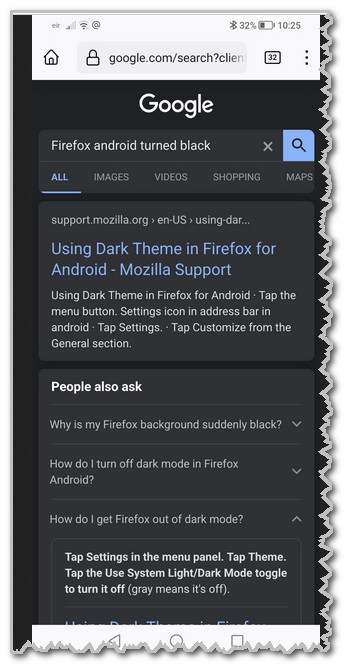
I hit something in error and now my search results are dark. Only the google screen as attached. if I go to the links on the search page they will be light. I read someone say that by touching the top of the screen can do that?. I may have done I was half asleep.
There is no about:config
The theme is light in settings/ customise. Latest FF in android 12 on an Honor x6
Also it is only FF, Brave shows search results as light.
I hate that dark look and want the ligh one back
I hit something in error and now my search results are dark. Only the google screen as attached. if I go to the links on the search page they will be light. I read someone say that by touching the top of the screen can do that?. I may have done I was half asleep.
There is no about:config
The theme is light in settings/ customise. Latest FF in android 12 on an Honor x6
Also it is only FF, Brave shows search results as light.
I hate that dark look and want the ligh one back
Όλες οι απαντήσεις (2)
No edit here? This site is as bad at the browser.
No about:config so cannot do this https://support.mozilla.org/en-US/questions/1363994
Επιλεγμένη λύση
SOLVED
Deleting cookies and cached images fixed this. I still don't know what caused it.