

Αυτό το νήμα αρχειοθετήθηκε.
Κάντε νέα ερώτηση αν χρειάζεστε βοήθεια.

Επιλύθηκε
Αρχειοθετήθηκε
Message pane lost formatting, font, size. pics, etc v78.14.0
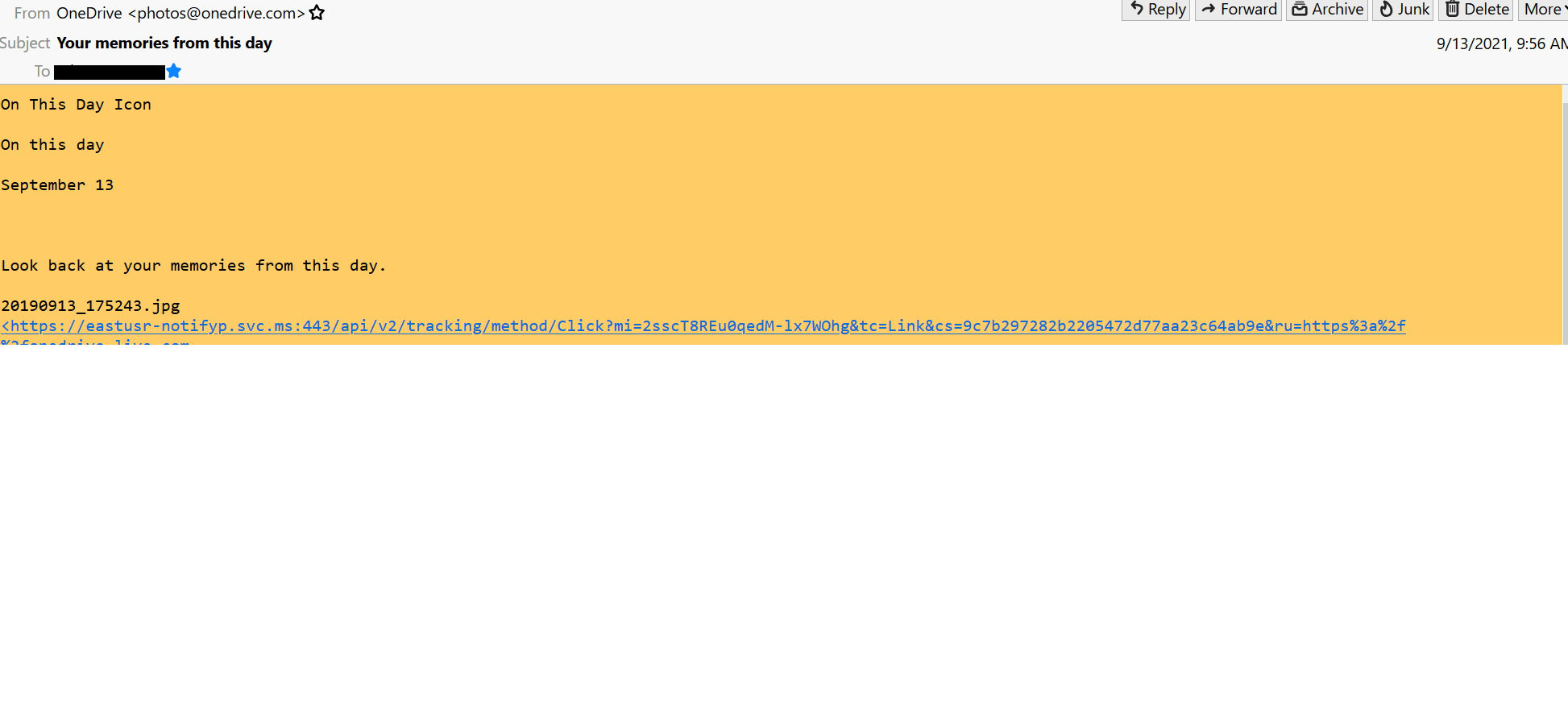
I suddenly lost the formatting to the message pane. When I single click on a message to display in the pane, the pane is now plain text format, no graphics, no pics. Just plain text.
How do I get the formatting of the pane back?
Two things of note: 1) We lost internet for a few days. 2) I did a cCleaner cleanup of the drive.
I suddenly lost the formatting to the message pane. When I single click on a message to display in the pane, the pane is now plain text format, no graphics, no pics. Just plain text.
How do I get the formatting of the pane back?
Two things of note: 1) We lost internet for a few days. 2) I did a cCleaner cleanup of the drive.
Όλες οι απαντήσεις (1)
Επιλεγμένη λύση
Fixed it. Something happened to inadvertently change the View->Message Body As to Plain Text.
I changed it to Original HTML and that fixed it.