


Pages doesn't open, there is XML Parcing Error

After update to 90.1.3 version Firefox can not open web pages. It's shown the error in each page (even in addons page.
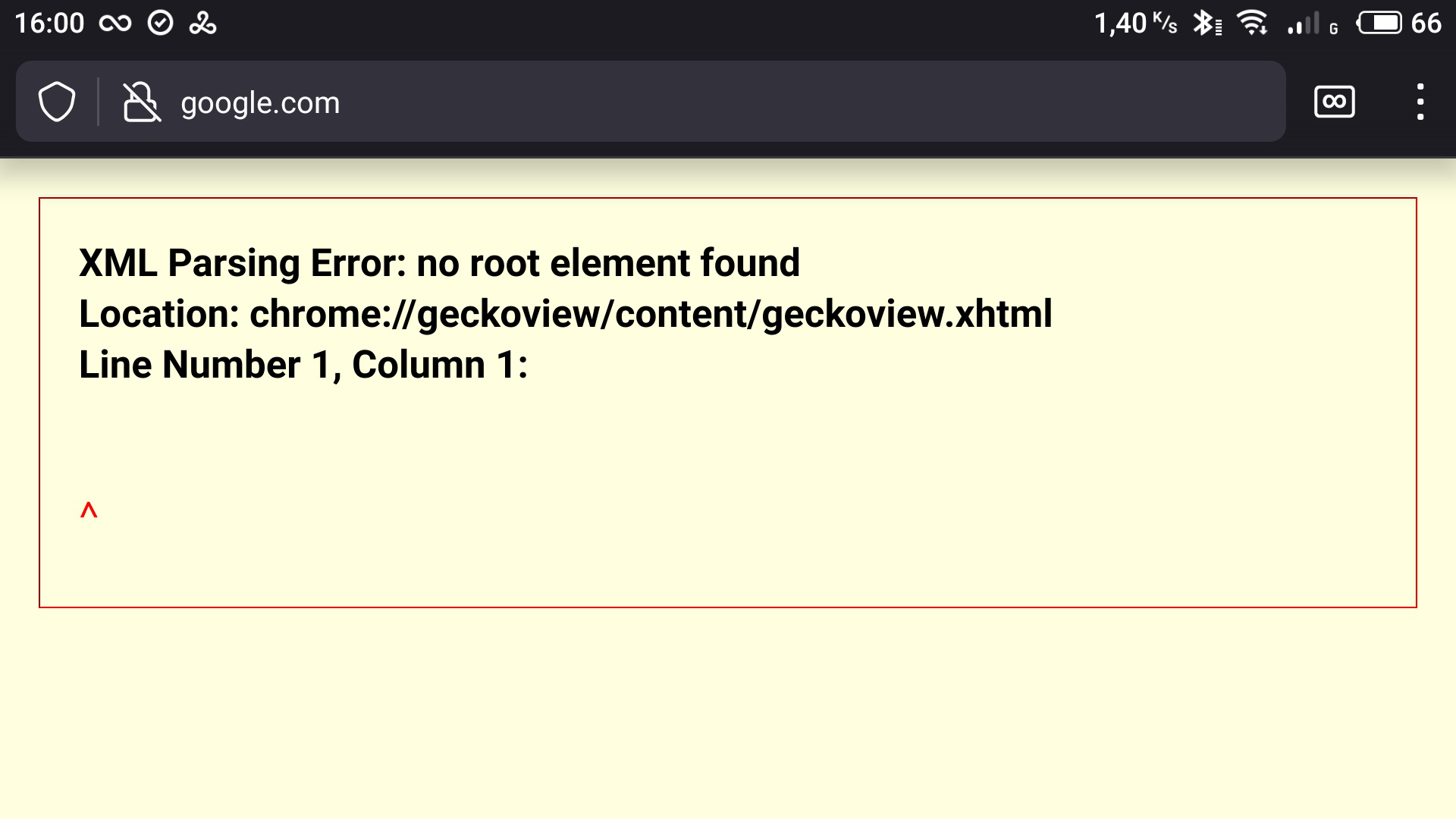
" XML Parsing Error: no root element found Location: Chrome://geckoview/content/geckoview.xhtml Line Number 1, Column 1:
^ " I don't know why it's referring to chrome, but this text appeared in each page.
Accurate application version data: 90.1.3 (Build #2015824995) AC: 90.0.15, ef1436afb0 GV: 90.0.3-20210729144040 AS: 77.0.2
Thursday 7/29 @ 8:03 PM
Device data: Meizu M6Note Android 7.1.2
Τροποποιήθηκε στις από τον/την osigotx
Επιλεγμένη λύση
Seburo said
Unless you have them synced to another copy of Firefox on your device or a desktop, bookmarks and tabs would be lost on reinstall. Please can you try the Beta version from the Google Play store?
I solved the problem by updating the application to an old version - installed apk of 91.1.0 (Build # 2015826185). For some reason, the installation didn't work at first, but now everything worked out (the phone is old, no wonder there are glitches).
Προβολή απάντησης εντός συζήτησης 👍 0Όλες οι απαντήσεις (9)
Accurate application version data: 90.1.3 (Build #2015824995) AC: 90.0.15, ef1436afb0 GV: 90.0.3-20210729144040 AS: 77.0.2
Thursday 7/29 @ 8:03 PM
Device data: Meizu M6Note Android 7.1.2
Hi
Do you have an example of a page that you are trying to open?
Seburo said
Hi Do you have an example of a page that you are trying to open?
I pinned a picture with error (in my first message). For example i tried to open google.com, btw this error happens in any page, that you try to open.
Do you have any add-ons installed?
Do you use any security apps on your Android device?
Seburo said
Do you have any add-ons installed? Do you use any security apps on your Android device?
Yes, I have add-ons, but they were there even before I updated the application and everything was fine. By the way, I think they don't work already, since the page in which the add-ons should be also shows the same error.
I only use VPN, but I've also used it before. Anyway, the first thing I tried was turning it off (although judging by error, these are unrelated things)
I tried to google this error but it seems my case is nowhere to be found.
By the way, other browsers work fine, like Chrome and, more importantly, Firefox Focus.
Also i have a question: If I reinstall the app, are my tabs would be saved in the cloud or deleted without a trace?
Τροποποιήθηκε στις από τον/την osigotx
Unless you have them synced to another copy of Firefox on your device or a desktop, bookmarks and tabs would be lost on reinstall.
Please can you try the Beta version from the Google Play store?
Επιλεγμένη λύση
Seburo said
Unless you have them synced to another copy of Firefox on your device or a desktop, bookmarks and tabs would be lost on reinstall. Please can you try the Beta version from the Google Play store?
I solved the problem by updating the application to an old version - installed apk of 91.1.0 (Build # 2015826185). For some reason, the installation didn't work at first, but now everything worked out (the phone is old, no wonder there are glitches).
Hi
To confirm, is it all working okay now..?
Seburo said
Hi To confirm, is it all working okay now..?
Yes. Thanks for trying to help me, I really appreciate it.