

Αυτό το νήμα αρχειοθετήθηκε.
Κάντε νέα ερώτηση αν χρειάζεστε βοήθεια.

Αρχειοθετήθηκε
Using Thunderbird on imac selecting a text color shows HTML screen; how can I change it back to original.
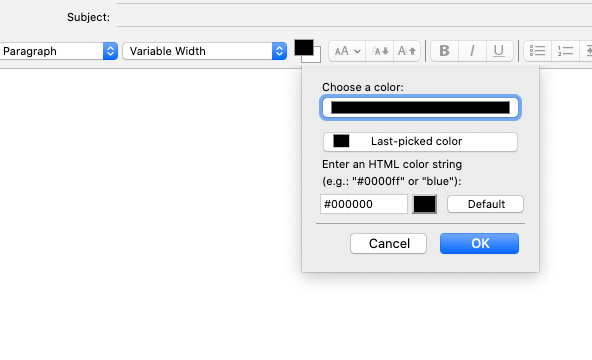
Using Thunderbird 68.4.1 on imac with Catalina 10.15.2 . When creating an email and trying to change the color of the text using the menubar or format - text color, I get a window that shows the color black with a message asking me to enter an HTML color string. I would like to get back to the original color palette. but haven't been able to figure out how. HELP please!
Using Thunderbird 68.4.1 on imac with Catalina 10.15.2 . When creating an email and trying to change the color of the text using the menubar or format - text color, I get a window that shows the color black with a message asking me to enter an HTML color string. I would like to get back to the original color palette. but haven't been able to figure out how. HELP please!
Όλες οι απαντήσεις (1)
See this post and the following one with a video that explains how to change the text color on the Mac:
https://support.mozilla.org/en-US/questions/1276138#answer-1278599