


Gmail won't take login for new account from Thunderbird, says cookies are disabled

I created a new Gmail account recently. While trying to add it to Thunderbird (45.6.0), i'm having the problem below. I have other Gmail accounts in Thunderbird (added a couple years ago), that are successfully getting mail. The problem is during addition of the new account to Thunderbird. The steps I'm following are:
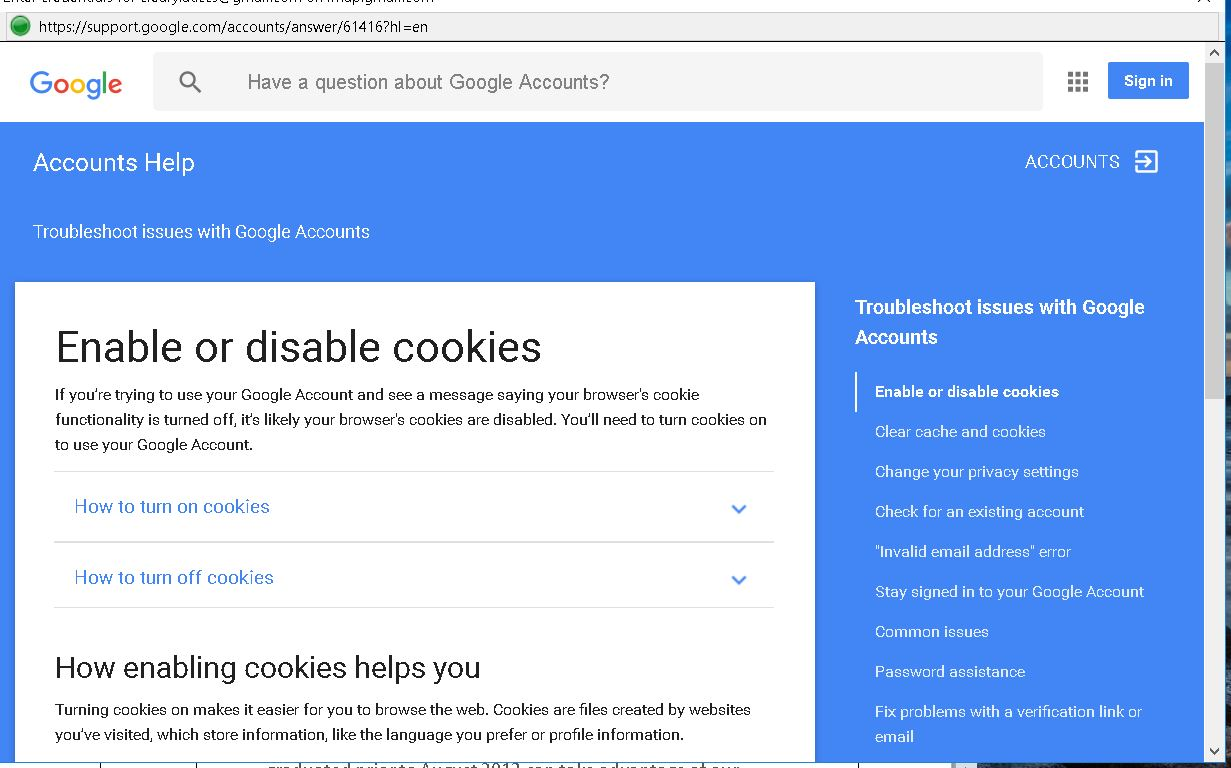
1. Tools > Account Settings > Account Actions > Add Mail Account 2. Entered my name, the Gmail id, and my Gmail account password. 3. Clicked continue. 4. It says it found config in Mozilla db, choosing IMAP. 5. Clicked Done. 6. It says "checking password" and an unbadged window opens (a Thunderbird browser window?) with title "Enter credentials for <my id> on imap.gmail.com" 7. I entered id and pw. 8. Gmail responds, in that unbadged window: "Enable or disable cookies - If you’re trying to use your Google Account and see a message saying your browser's cookie functionality is turned off, it’s likely your browser's cookies are disabled. You’ll need to turn cookies on to use your Google Account."
So, how do i enable cookies in the unbadged Thunderbird browser window? There is no toolbar and, for example, pressing Alt doesn't cause a toolbar or menu to appear. is that window even supposed to appear? or should it have been hidden from me, going between Thunderbird and Gmail, to check that the id/pw worked that I'd given Thunderbird?
The same thing happens when i use an app pw for Gmail from this Windows 10 PC.
How can i get past this, so i can access this new Gmail account on this PC? Thanks.
Τροποποιήθηκε στις από τον/την Mike_22466
Επιλεγμένη λύση
That looks like the google chrome browser.
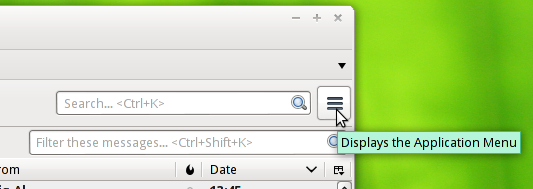
Airmail is trying to direct you to this Application Menu button in Thunderbird.
Προβολή απάντησης εντός συζήτησης 👍 0Όλες οι απαντήσεις (4)
Click the 3 bar menu button Hover over Options and click Options when it appears. Select the Privacy tab and check the box to Accept Cookies
hi, Airmail - what window is the 3 bar menu button in? i don't see it in any of the ones i'm seeing. here's the window i see.
Επιλεγμένη λύση
That looks like the google chrome browser.
Airmail is trying to direct you to this Application Menu button in Thunderbird.
Zenos - Firefox is my default browser, so I don't know why Chrome would have opened the window for Thunderbird.
Thanks for the clarification about where the menu was to be found. Ok, Thunderbird is now set to accept cookies.
And I've now gotten past the cookies request. Since the cookies change in Thunderbird fixed the problem in the browser, that suggests the unbadged window is from Thunderbird.
Now the new account shows in the left side account bar, and the inbox has been downloaded from gmail.
Thanks!