


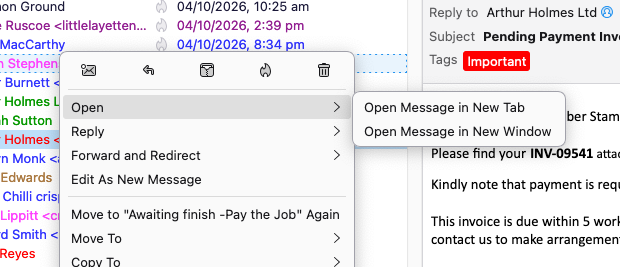
I have lost message in conversation for my emails

I have lost Open message in conversation for my emails, We have 2 main computers & 1 still has it , but mine lost ( have asked my tech guy & spent several hours on this ) , currently , I have to walk to the other computer to use this VERY usefuil , normal ability
I can't read the trail of emails that have been sent so very tricky
Cheers , Very much Craig
All Replies (2)

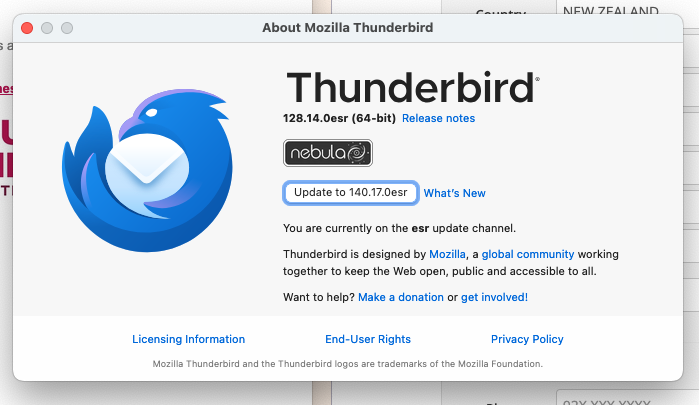
Does this still happen when you restart Thunderbird in Troubleshoot Mode? See <Help | Troubleshoot Mode>.
Ctrl+Shift+O is a keyboard shortcut for "Open message in conversation". It's also available at the menu option <Message | Open in Conversation>.
I find some old reports that the symptom can be caused by some corruption in the Global Search database. Here's an article about how to get Thunderbird to rebuild the database:
https://support.mozilla.org/en-US/kb/rebuilding-global-database

The following steps might be helpful:
1. "Settings" → "General" → "Indexing" → Tick "Enable Global Search and Indexer".
2. In the Folder Pane, right-click the folder where you want the "Open Message in Conversation" option to appear. → "Properties" → "General Information" → Tick "Include messages in this folder in Global Search results".