


trouble transfering profile folder to new mac to use current configurations and files.

I installed thunderbird on another mac and used these directions to try to transfer all my info and configurations from my other mac: https://support.mozilla.org/en-US/kb/moving-thunderbird-data-to-a-new-computer
When I copied and pasted the profile from mac #1 into the Thunderbird/profiles files in mac #2 then launched TB I get a message Profile Missing: Your Thunderbird profile cannot be loaded . it may be missing or inaccessible.
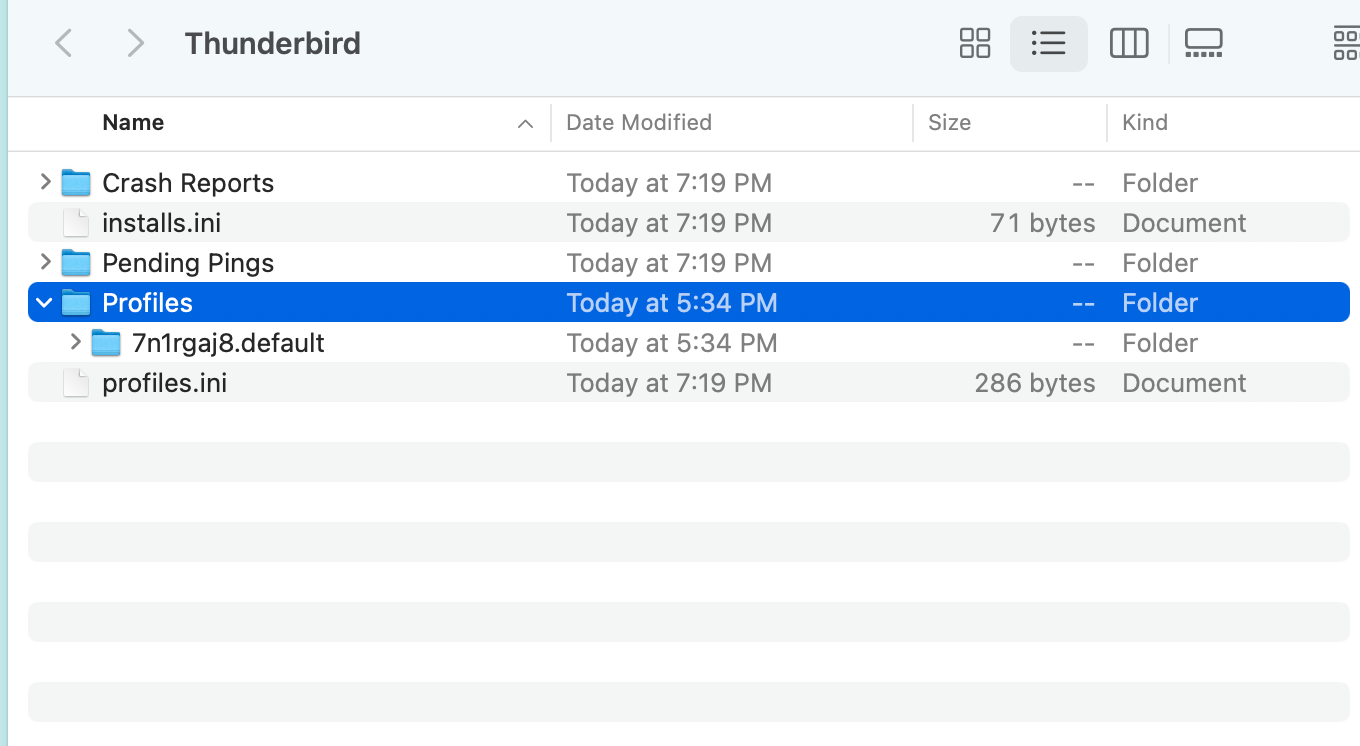
I tried to paste the whole folder into profiles and I also tried to paste the content of the profiles folder into the new folder 7n1rgaj8.defualt, within profiles, see image attached.
once I close the error message TB closed down.
Any help would be greatly appreciate.
thanks
All Replies (4)
Ɖɔɖɔɖo si wotia
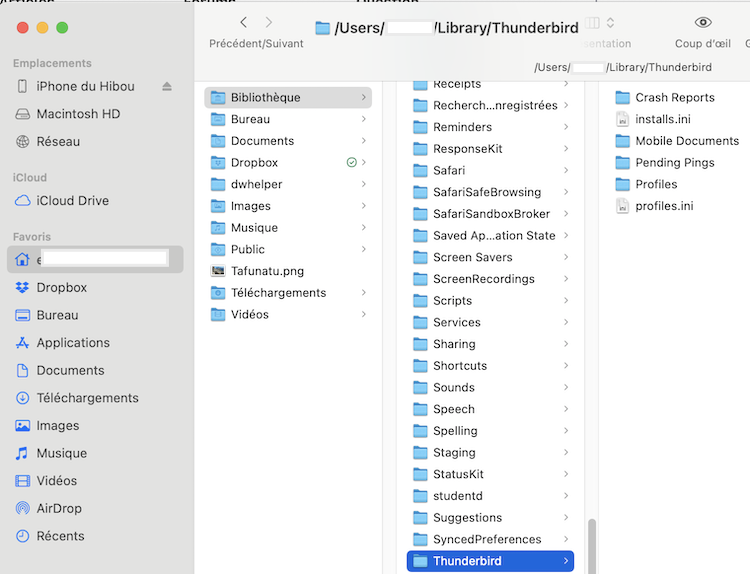
You messed up your profile migration since you transferred only your profile folder and not the entire folder Thunderbird from your old Mac. This is one of the most frequent errors when migrating to a new computer. If you still have access to your old Mac copy the entire "Thunderbird" folder from your user library and transfer it on Desktop of the new Mac. On the new Mac verify that Thunderbird in not running, open your user library, rename the folder Thunderbird in Thunderbird-old and move it on your Desktop. Move the Thunderbird folder you just imported from old Mac in your user library and start Thunderbird.
thomasjp said
When I copied and pasted the profile from mac #1 into the Thunderbird/profiles files in mac #2 then launched TB I get a message Profile Missing: Your Thunderbird profile cannot be loaded . it may be missing or inaccessible.
Just a short explanation for the failure of your profile migration: when you launched TB the first time on the new Mac it created a folder Thunderbird in your user Library. This folder Thunderbird contained a folder Profiles and within it a virgin profile folder somewhat like "1234abcd.default-release". At the same time a text file profiles.ini was created in the Thunderbird folder. It contains the path to the profile folder 1234abcd.default-release: each time you start Thunderbird it first reads the profiles.ini file to know which profile folder to use (to open). Obviously you replaced the new virgin profile folder 1234abcd.default-release with the 7n1rgaj8f.default profile folder you had copied from the old Mac. But when you restarted TB it read the profiles.ini file, looked for the virgin 1234abcd.default-release profile folder and could not find it since now there was a folder with another name. This explains the message "Your Thunderbird profile cannot be loaded".
I have to admit that the Help article you linked can be misinterpreted, in particular the point "From your Thunderbird profile folder in Finder, open the Go menu and select Enclosing Folder two times."
THANK YOU, I was able to copy the Thunderbird FOLDER as mentioned and install on my mac #2.
Mozilla should definitely update their support page on this.
Great!! Thanks for reporting back.