


Adding Logo to avatar or profile picture

Having trouble adding a logo to my Thu derbies email account. Have tried auto avatar and auto profile picture with no luck!
All Replies (9)
I do not understand. You are stating you want a logo for an account within your thunderbird account? Or are you wanting a different logo for a thunderbird desktop icon?
Hi. Apologies for the typo- I want my business logo displayed in my thunderbird profile picture for branding when emailing clients (I currently have “M” or “mac” showing when I email someone)
Okay, I think you're stating that you want a graphic logo in your signature on emails that you send. Can you post a screenshot of what your sig looks like with the M? If I'm on the right track, this seems doable. Let me know.
Hi - no I’m wanting to change my profile picture.
Thanks
Hollie
Okay, I'm struggling. Where will the recipients see your logo? Normally, recipients expect to see information about the sender (such as business logo, phone number, etc.) at the bottom of the email. If you describe where you want the logo, I will try to assist.
In the profile picture? I currently have an “m” for Mac showing in mine when I send it and view from another account. It’s a circle with a letter in it? For example someone messaged me earlier and they have a “b” showing in theirs. Which seems to stand for their first name? I had my logo showing in my profile picture when using gmail. I’m not sure what else I can say to describe this!
I assumed everyone has one? I can seem to add it to my email when I add it in the address book.
I will organise a signature which will include the logo also, i just feel it looks more professional to have the logo appear in the profile picture.
Thanks
My confusion is that I do not know what you mean by a 'profile picture.' Can you please take a photo and post that? at the bottom of the posting screen is a browse button where you can add a jpg or png file. Thank you
Screenshot attached!
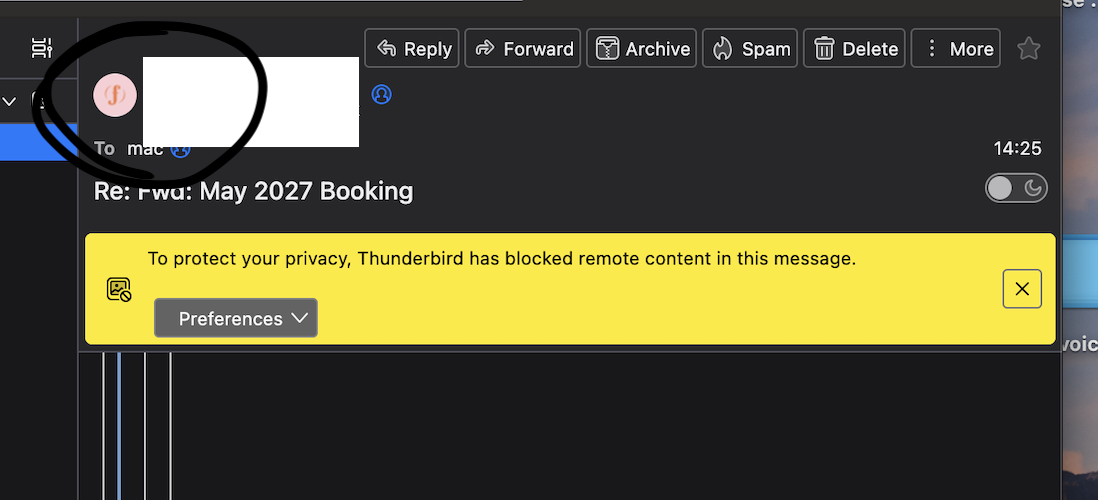
Now I understand. Thunderbird does have the ability to store graphic in addressbook, but to date, it does not appear anywhere. I did locate an addon that appears to do what you want. It captures such icons in email and displays on the message list. It looks rather technical, and I've never used it. You can check it out at https://github.com/kylephillipsau/thundicon Apparently, there used to be an addon called 'whothehecksentthis' but I can not find any link on where to find it. This is not a current feature in Thunderbird.