


Calendar not showing correct times for events

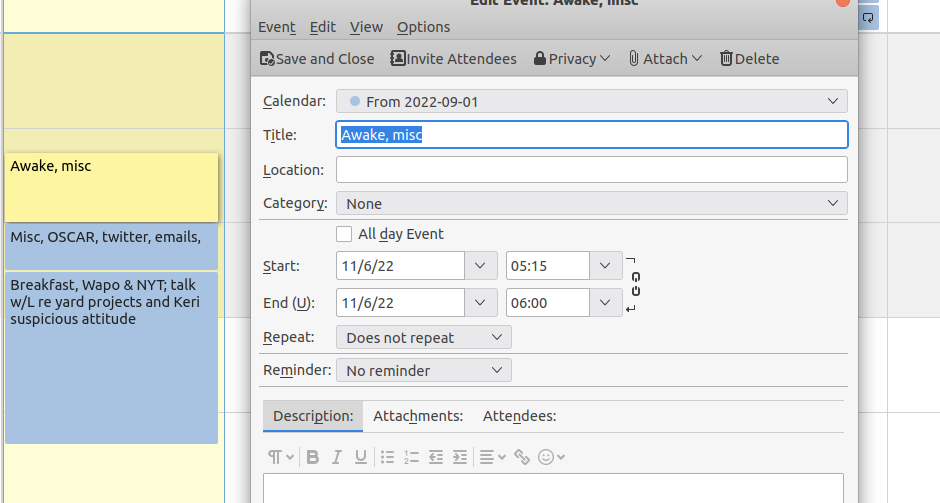
This morning (switch back to EST from EDT) the calendar is not acting right. When I create a new event what shows up on the calendar is all an hour later than the times entered into the event.
Running Thunderbird 102.2.2 on Ubuntu 20.04.
I tried restarting TB, didn't help. Restarted computer. Didn't help. Deleted and reentered event. Didn't help.
All Replies (4)
Generally those issues are around the time being manually set on the computer rather that DST being automatically ended. check the DT variable is correct in Linux.
Thanks for the suggestion.
I'm not sure what you mean by "time being manually set...." The computer time changed correctly sometime during the night. I didn't make any manual adjustment. I don't know where any how the DT variable (daylight time variable?) is set, but if the computer made the switch automatically, wouldn't that variable be correctly set?
Curiously, the calendar is responding properly when I make a sample entry for tomorrow (Monday). Maybe it has something to do with the calendar nor responding correctly on the day the time change occurs?
where is the calendar located? If you go to the calendar setting in Tools > settings is the timezone correctly set?
Yes re timezone. I'm in Cleveland and time zone is America/New_York
~$ timedatectl
              Local time: Sun 2022-11-06 19:32:48 EST
          Universal time: Mon 2022-11-07 00:32:48 UTC
                RTC time: Mon 2022-11-07 00:32:48
               Time zone: America/New_York (EST, -0500)
System clock synchronized: yes
             NTP service: active
         RTC in local TZ: no