


Quicktext incompatible with version 140

I made a mistake. I had 128 and went up to 140. It pretty much looks the same, but a big difference is an extension I always use says it will not work with 140. I don't care how good 140 might be; if I can't use my app, QUICKTEXT, then I don't need this. How do I go back to 128 or to a version that works with my extension?
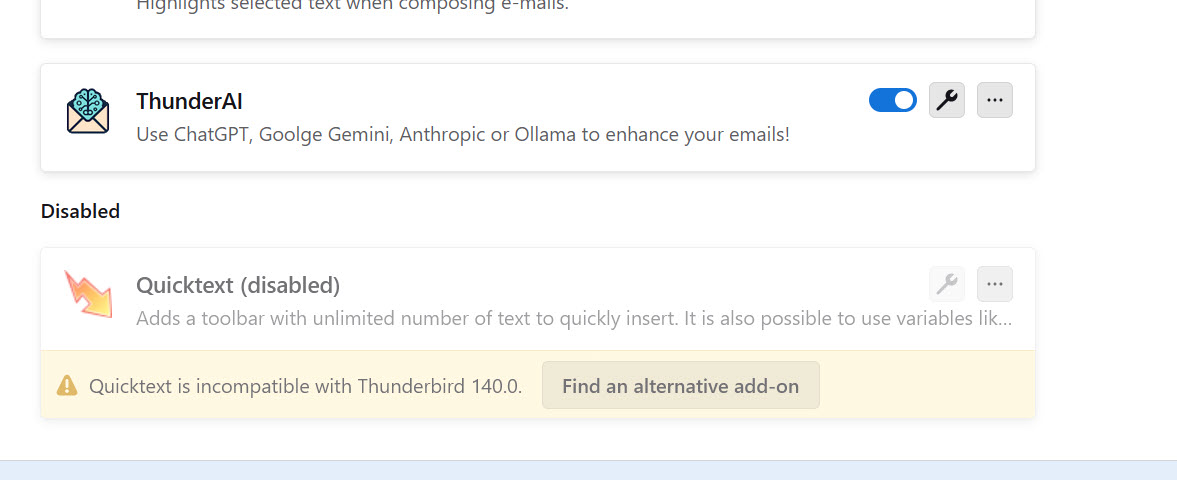
Upravil uživatel Wayne Mery dne
Zvolené řešení
QT 6.3.5 installs here in TB 140 (see picture).
https://github.com/jobisoft/quicktext/releases/download/v6.3.5/quicktext_6_3_5.xpi
https://support.mozilla.org/en-US/kb/installing-addon-thunderbird
Přečíst dotaz v kontextu 👍 2Všechny odpovědi (10)
I went here like you said. https://github.com/jobisoft/quicktext/releases I tried to download the 6.3.5 but then Thunderbird blocked it as not compatible. I can't even download it to try, Tbird prevents that. Not Solved.
Zvolené řešení
QT 6.3.5 installs here in TB 140 (see picture).
https://github.com/jobisoft/quicktext/releases/download/v6.3.5/quicktext_6_3_5.xpi
https://support.mozilla.org/en-US/kb/installing-addon-thunderbird
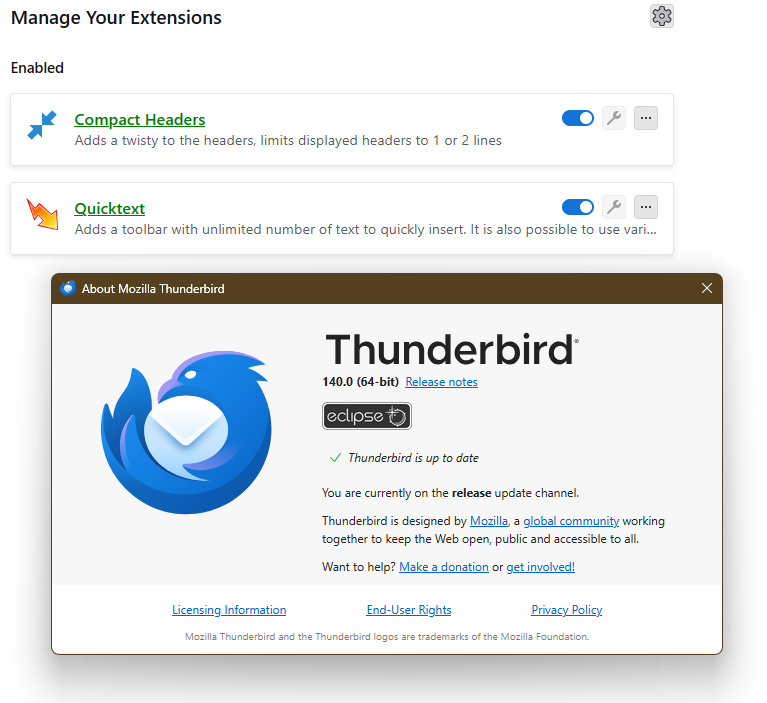
Great...used another browser to grab the file. Then was able to install from inside Thunderbird as in the article. Very useful. Now back with all my original quickparts. Thank you for your kind and patient help. Brilliant. Have a great evening.

thanks, this worked for me too. how come this worked? really appreciate it, this is the only reason i use tbird

Hi everyone,
I installed version 6.3.5, and Quicktext is back. But it does not see all the previously created texts.
Yet the data still exists in the templates.xml file, located in the quicktext directory.
It looks like the data is now saved somewhere else, because when I add a new model, I can use it, but it does not show in templates.xml.
Should I recreate all the content manually (from templates.xml), or is there another solution?
Regards, François
François said
Hi everyone, I installed version 6.3.5, and Quicktext is back. But it does not see all the previously created texts. Yet the data still exists in the templates.xml file, located in the quicktext directory. It looks like the data is now saved somewhere else, because when I add a new model, I can use it, but it does not show in templates.xml. Should I recreate all the content manually (from templates.xml), or is there another solution? Regards, François
You might be seeing this issue: https://github.com/jobisoft/quicktext/issues/481

For me the 6.3.5 installed from the .xmi doesn't work today. Says it's incompatible. Yesterday it worked on another machine at work. Does Thunderbird got another .0.0.1 or whatever patch?
Up untill version 140 it was. Any chance it will be availible? I don't want to go through profile change.
EDIT: I use .esr version of thunderbird. I gather that this is the issue. Is the Quicktext availible for esr version as well as "normal" one?
EDIT EDIT: All of my PCs use .esr, so I'm out of ideas why manual install from an xmi doesn't work on one PC and not the others. The problematic one doesn't have any other addons, so it's not that. All of PCS have the same build, from 10.07.2025
EDIT EDIT EDIT :) Ok, with a little help from ChatGPT I actually edited a java file inside the .xpi and it works! God damn, I feel like a programmer now, lol.
Upravil uživatel kudlaty.true dne
FYI the delay has been that, for various reasons, Quicktext is being rewritten. The most important reason is to change it to pure Webextensions (well documented by our excellent add-ons support developer), which means it will be far less sensitive to Thunderbird version changes.
The author informs me that once this rewrite is complete you and others can more easily contribute code. For now, the best way to help is test quicktext v6 using the instructions at https://github.com/jobisoft/quicktext/issues/439.
You can get the latest prerelease of version v6.3.6 out today at https://github.com/jobisoft/quicktext/releases/tag/v6.3.6

Still not working for me. Even if it is rewritten or blocked or whatever I would expect a software that talks about "freedom" to allow me to enable the plugin though, or disable checks, or manually install XPI....but no, my TB keeps blocking it, so I think I will start blocking TB. You are not supposed to force users to do things. Thunderbird is to mail what EA is to gaming.