


Email not being marked as read after being opened and read
I will receive an email in my Inbox and open it to read. When I close and exit the email, it will stay bolded in the Inbox, as if it's a new email that hasn't been read yet. The only way to get it to "un-bold" to show it's been read already, is to right click on it and select "mark as read". Is there a setting I am missing to show opened emails as read?
Všechny odpovědi (3)
How do you open messages and where do you read them? In the message pane by simple click? In a new tab by double-click? In a new window by double click? Which are your settings in Settings > General > Reading & Display?
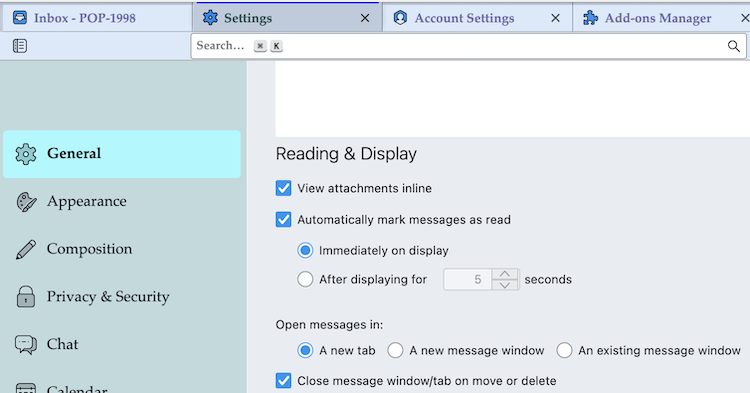
Thank you for replying!
I open my messages in a new window to read them.
Does the same issue happen if you start Thunderbird in "Troubleshoot Mode"? https://mzl.la/3AbU5jz