


Firefox gives error message that it can't check email.

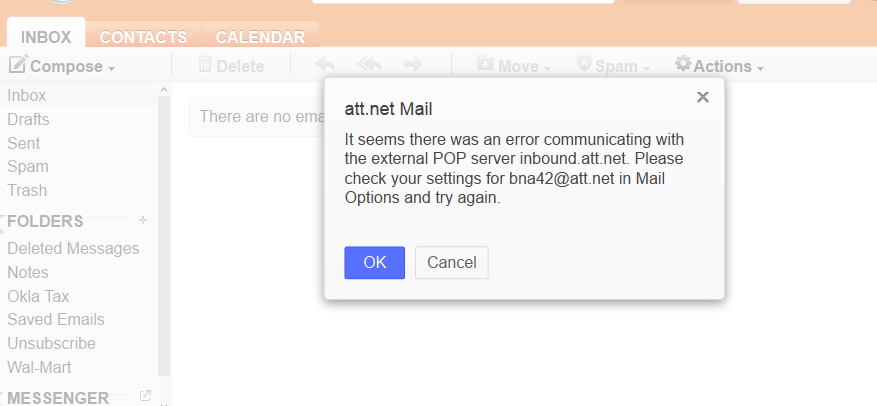
With Mozilla Firefox I use AT&T mail through Yahoo. I have 3 email accounts to check. I am constantly getting an error message that some setting is incorrect with ONE of the email accounts. I have checked all the settings, uninstalled and reinstalled that particular email account, etc. I have a screenshot, but don't see any place to add it to my comments here.
With Mozilla Firefox I use AT&T mail through Yahoo. I have 3 email accounts to check. I am constantly getting an error message that some setting is incorrect with ONE of the email accounts. I have checked all the settings, uninstalled and reinstalled that particular email account, etc. I have a screenshot, but don't see any place to add it to my comments here.
All Replies (3)
Here is screenshot:
Modified by babbott

See Problems with email and how to find help.
If your email issue isn't specific to Firefox then you'll need to get help from the webmail provider. Try:
- ATT email support: http://www.att.com/esupport/email.jsp
- ATT Community Support forum: http://forums.att.com/t5/Email-Internet-Security/bd-p/internet-Internet
Clear the cache and cookies only from websites that cause problems.
"Clear the Cache":
- Firefox/Tools > Options > Advanced > Network > Cached Web Content: "Clear Now"
"Remove Cookies" from sites causing problems:
- Firefox/Tools > Options > Privacy > Cookies: "Show Cookies"