


Unable to view some ESPNFC content on Firefox Beta23, probably Flash/JS issue?

SO I am unable to view some ESPNFC.com Content(And a few other websites which i do not recollect at the moment) when i click on any new links from home page(No Image displayed) It works just fine on Chrome and IE-10, I am on the Beta Update channel (Version 23) and have tried the following:
-Updated all plugins / uninstalled and installed Flash and Java Plugins -Reset Firefox , Started with safemode,uninstalled, removed all plugins like Flashblock and AdBlock -Tried everything from here: https://support.mozilla.org/en-US/kb/troubleshoot-issues-with-plugins-fix-problems - Also tried a variety of options from Google including updating About:Config etc etc, nothing seems to work
I can provide a list of all my plugins if that helps but since i have tried removing all plugins/add on's and it didnt work I do not know if that would be of any help.
I would have loved to post some screenshots to show the exact nature of issue, nevertheless it would be gretaly appreciated if any one help..
I am using Lenovo(Ideapad p400 Touch) windows 8 machine and have had this issue since first day i got the machine.
All Replies (2)
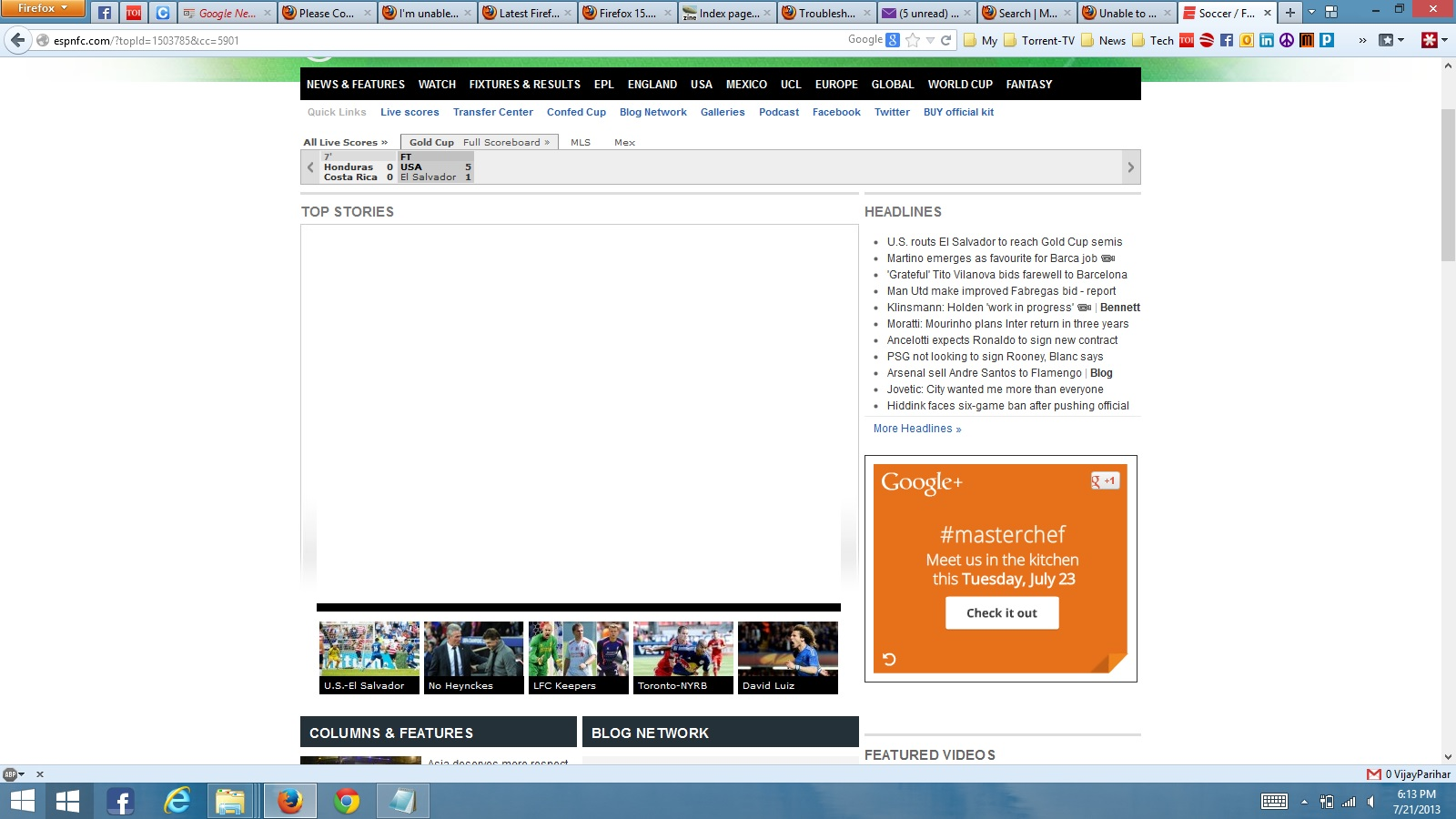
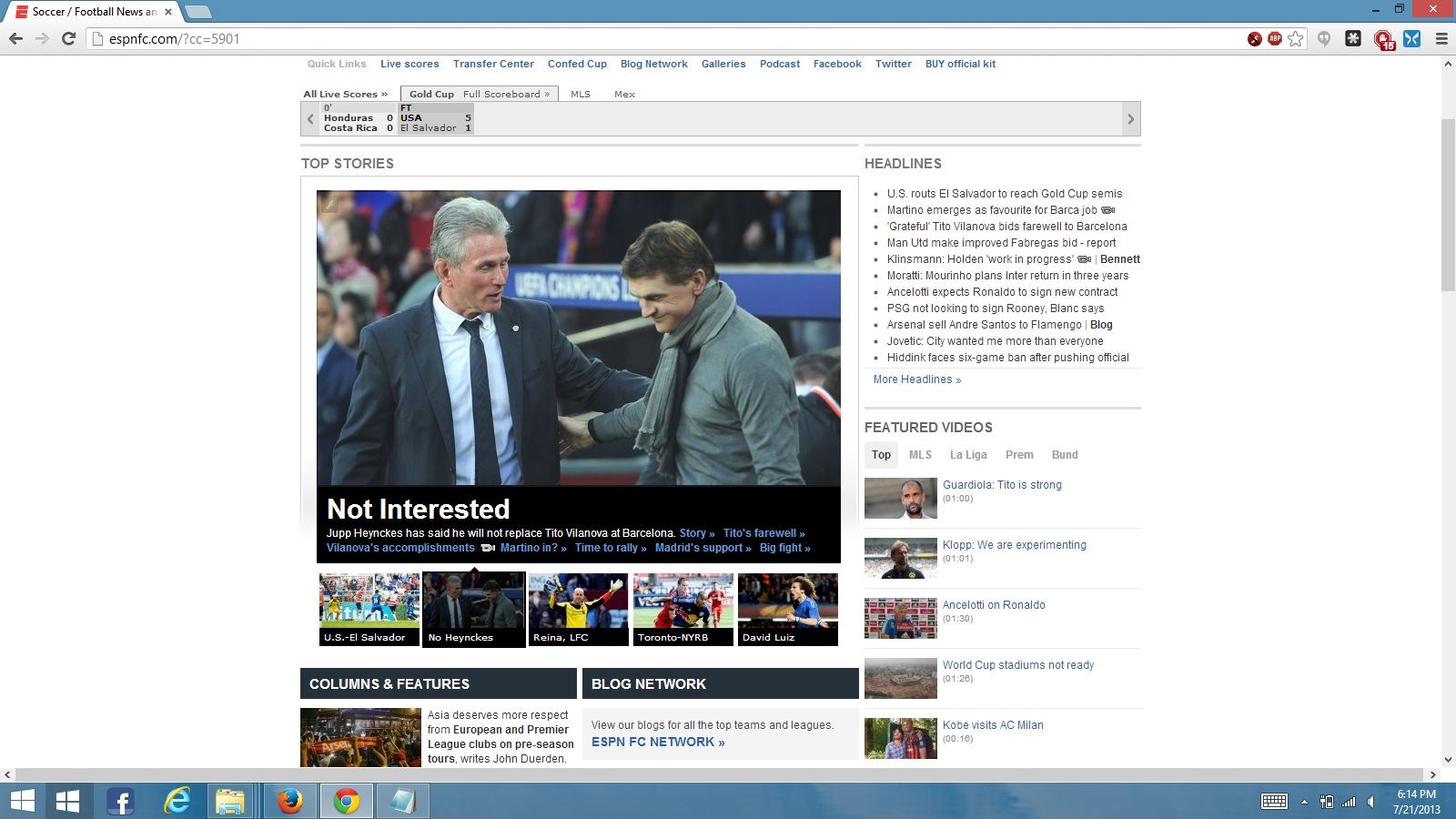
Just adding some screenshots for the issue on Firefox and working verson of the same on Chrome.
One interesting thing i noted is the url changes on Firefox (adds a topid to the link ,bu chrome and IE keep the url as http://espnfc.com/?cc=5901 when i switch to the stories on the home page)
Also, this issue only happens to the stories on home page, website seems to work fine on other pages.
Bumping