


Wierd Text On Websites
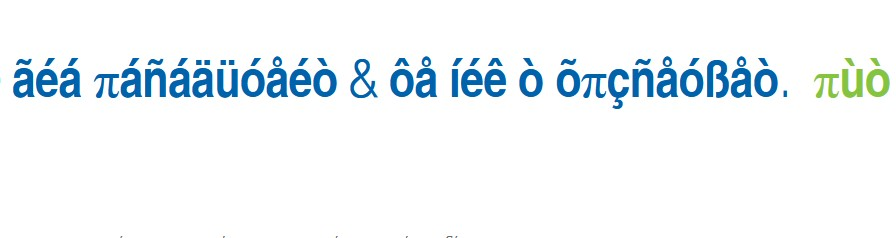
In some websites it appears that the text is somehow broken until it is translated. The thing is that half the site is broken and half it is not :'(
All Replies (3)
Can you 1.) try the same site in Troubleshoot Mode (in Help menu), and also 2.) when open in a Private Window? Thanks.
Thank you for the reply. I did both the troubleshoot mode and the private window and it works fine. I also tested the mobile app and it also works with no problem
That's tricky then.
If only Private Mode worked, it would point to trying to link a local version of a font file from your system, which might be corrupted — as Private Tabs don't allow loading local fonts, so the server–provided would be used, and thus correctly rendered.
In Troubleshoot Mode, one of the disabled performance optimizations is Hardware Acceleration, which might iron out some system graphics wrinkles.
Normally it would be either–or; not sure what to try when both don't exhibit the issue. It might be either an extensions that's not allowed to load in private tabs, or you can try disabling the performance optimizations from Settings: Troubleshoot extensions, themes and hardware acceleration issues to solve common Firefox problems