


Problem med Ffirefox på snapdragon

jag har använt firefox sedan det ersatte mozilla, med min nya dator med snapdragon processor vägrar den att koppla upp till en del hemsidor jag har version 154.0b10 (aarch64) och har använt denna dator i 9 månader, men väntar fortfarande på en uppgradering
All Replies (5)
I've been using Firefox since it replaced Mozilla, with my new computer with Snapdragon processor it refuses to connect to some websites I have version 154.0b10 (aarch64) and have been using this computer for 9 months, but still waiting for an upgrade
You mean Netscape :)
Could you provide a URL that will not connect?
So the 154.0b10 is an Android nightly is that correct? but you are using a Windows to write this? [edited unofficial apk site link]
Modified by James
Yes, netscape When I bought the computer I installed the standard for windows and I got problems. I thought it was random but if a page doesn't work it won't work later either. Then I downloaded and installed What I thought was Firefox for windows but for ARM Have I installed the wrong version anyway? Some examples that don't work: https://www.nyteknik.se/ https://www.aftonbladet.se/ (partially) https://www.svd.se/ (partially) captech.se/sv-SE (partially) https://www.amazon.se (partially)
Forgott to add photo from the laptop with arm
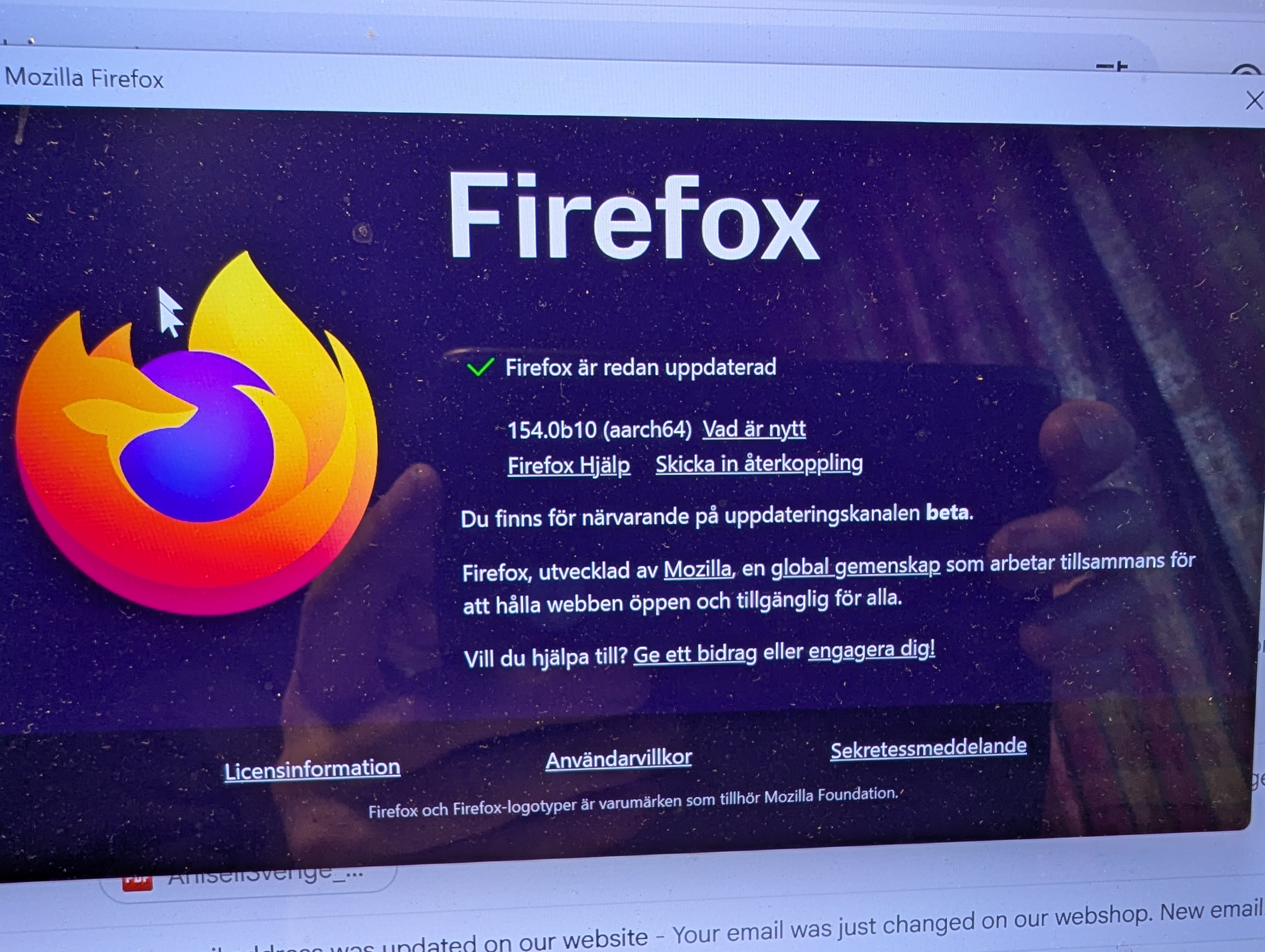
Basically when you get a Windows installer at firefox.com ~ unless manually configured ~ you get a small stub that detects your platform and then serves the right full binary. This seems right for your system.
What you're seeing is mostly unrelated to the platform itself. I also currently run 154.0b10 (aarch64) and the sites you provided seem to be fine, so this more of a generic troubleshooting issue, with site interactions, stale data, addons or security involvement.
You might need to elaborate a bit more what "doesn't work" or "partly" effectively means, with some screenshots or steps to reproduction, however generally I'd start with trying these out in a new Private Window first to see if there's any difference.
Then some standard troubleshooting steps that may resolve the issue:
- Start with clearing Firefox cache.
- If it does not help, try clearing cookies and data for the website you experience troubles with (warning: you will be logged out on this website).
- If it also does not help, try running Firefox in Troubleshoot Mode. If the problem doesn't persist, please follow the steps from this article to troubleshoot further.
- Please check if you have Enhanced Tracking Protection (ETP) enabled. You can do that by clicking the shield
 icon in the left part of the address bar. If ETP is enabled, try disabling it.
- If nothing from the above helps, try creating a new Firefox profile and check if the issue persists there. If it doesn't, you can start copying files from your old profile to the new one to identify which one causes the issue. See this article on what files to copy.
- Finally, if creating a new profile hasn't helped, please check if the issue persists in other browsers to rule out either a site bug, or networking issue.
amoun said
unofficial apk site link
That is an unofficial download site btw. https://archive.mozilla.org/pub/fenix/releases/154.0b10/android/
Also snapdragon does not only mean Android as there are Windows laptops with Qualcomm Snapdragon processors.
Modified by James