


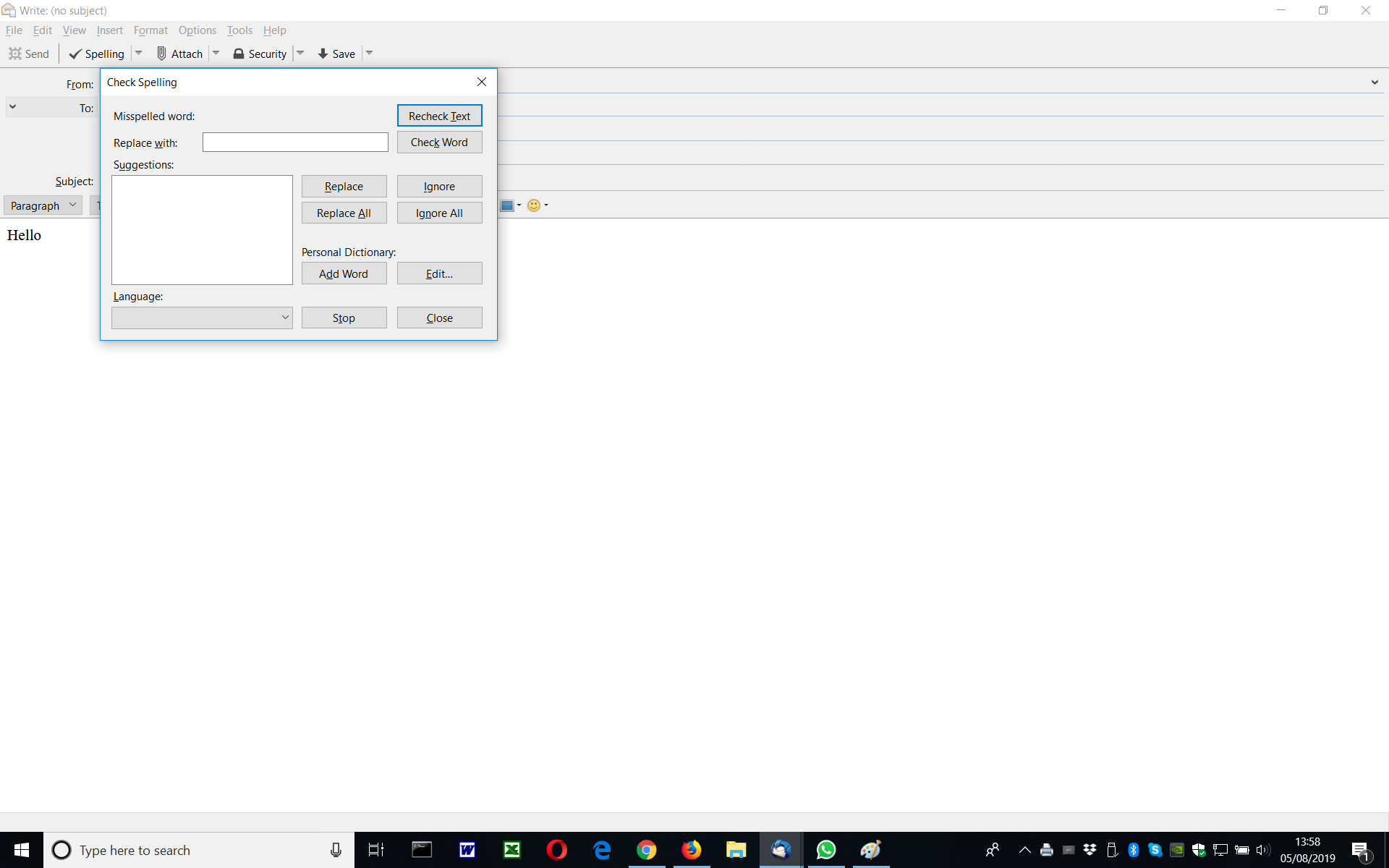
Dictionaries disappear when undertaking a spell check. v52.3.0 32 bit

I install Thunderbird. I write an email. I undertake spell check. I sent the email. All good.
I write a new email, I undertake a spell check. No dictionaries appear. Nothing!
The only way the dictionaries and spell check can occur is to reinstall Thunderbird. After the first email, again the spell check fails
See below..
All Replies (2)
Ah.... Thunderbird 60 installs. When I close, version 52 loads. This must be this issue.
Chosen Solution
Resolved.
When downloading Thunderbird again, the icon from the bottom status bar has to be removed. For some reason the old installation is not removed and is still installed. If I click it v52 loads. Weird! If I click from the desktop v60 loads.
Once the icon is removed the it can be dragged back from the desktop.
I would have though installing the new version would remove the old. Apparently not.
Now the spell check works.