


firefox cant open https://www.mozzartbet.com/sr/kladjenje on every computer in serbia ... but in chrome site is opening

THE site is just loading forever
Chosen solution
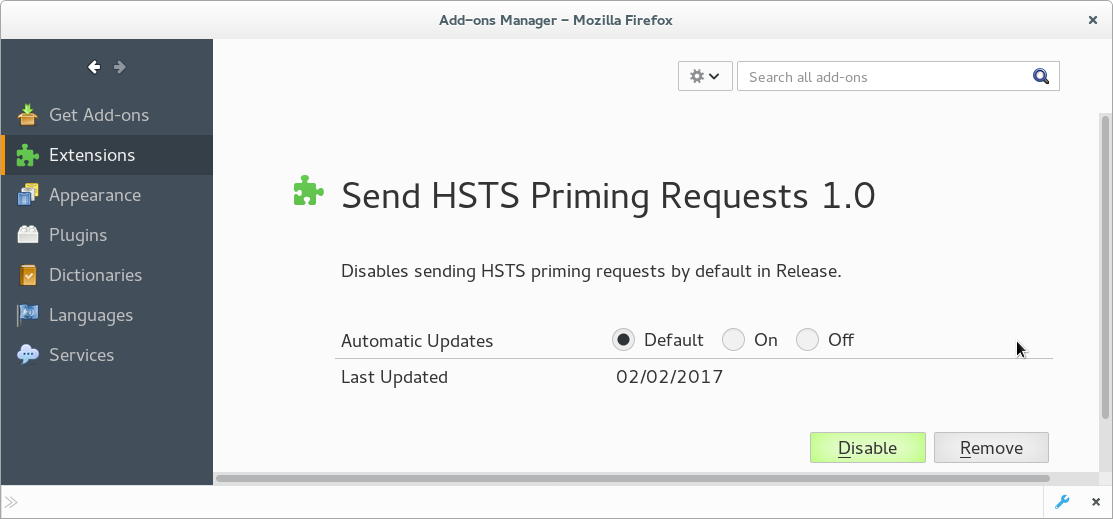
I see the Send HSTS Priming Requests extension on the "Help -> Troubleshooting Information" page, so the default value of the security.mixed_content.send_hsts_priming pref should be false once this extension is installed.
This extension is installed in the features folder in the Firefox profile folder and is listed under app-system-defaults in the extensions.json file. I also see a Diagnostics extension in that folder.
- Diagnostics 1.0 true diagnostics@mozilla.org
- Send HSTS Priming Requests 1.0 true hsts-priming@mozilla.org
All Replies (3)
hi GOSHUA, unfortunately this is a known issue and we are already sending out a fix for this through a system addon (it might take a couple of hours before it applies in the background).
you can also manually fix it: enter about:config into the firefox address bar (confirm the info message in case it shows up) & search for the preference named security.mixed_content.send_hsts_priming. double-click it and change its value to false.
Note that there will be a hsts-priming extension that sets the default value of the pref to false.
- Bug 1335224 - System addon to disable HSTS priming on Release and Beta
Chosen Solution
I see the Send HSTS Priming Requests extension on the "Help -> Troubleshooting Information" page, so the default value of the security.mixed_content.send_hsts_priming pref should be false once this extension is installed.
This extension is installed in the features folder in the Firefox profile folder and is listed under app-system-defaults in the extensions.json file. I also see a Diagnostics extension in that folder.
- Diagnostics 1.0 true diagnostics@mozilla.org
- Send HSTS Priming Requests 1.0 true hsts-priming@mozilla.org
Modified by cor-el