Avoid support scams. We will never ask you to call or text a phone number or share personal information. Please report suspicious activity using the “Report Abuse” option.

Learn More
Open

Visual Bug on Laptop - ARM64 Microsoft Surface X

bennet17

Hey,

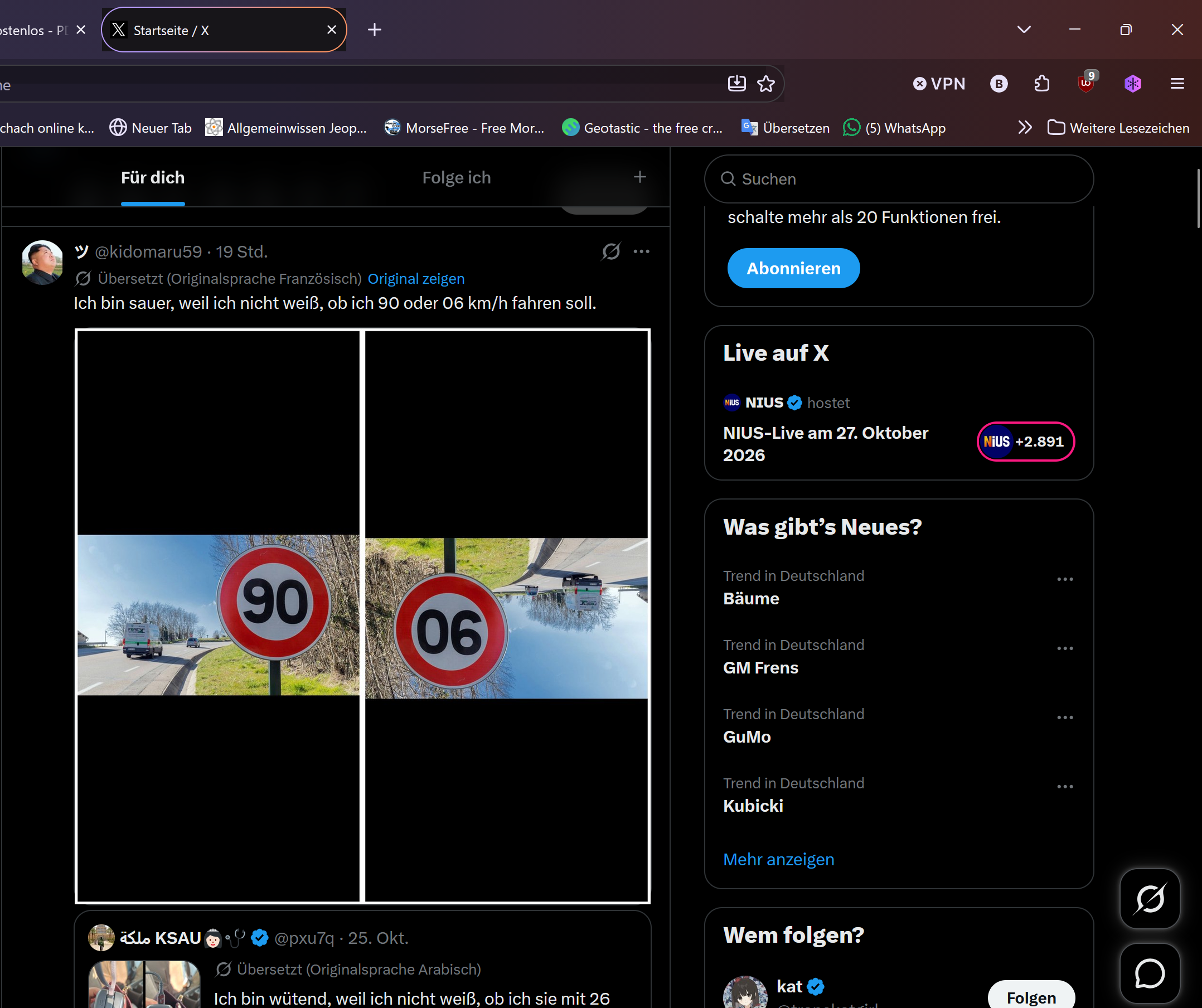
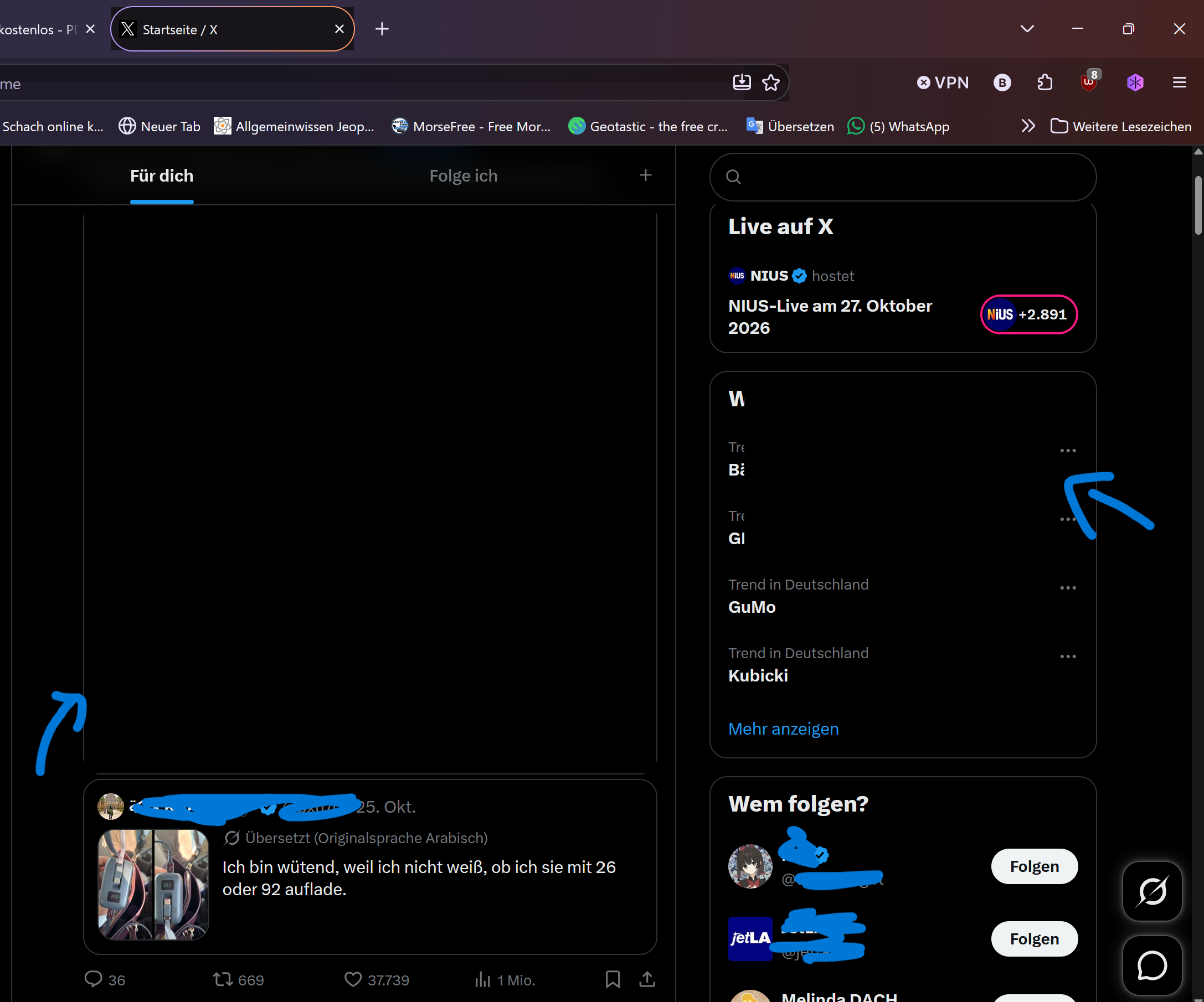
I have this visual bug on Firefox where spaces on my screen get blurred, flicker or are just another color than they're supposed to be. This happens on every website and even on the menu bar or when I hover over bookmarks. It's hard to describe, so I attached some screenshots.

I've already tried: Restarting the laptop, restarting Firefox, opened Firefox as admin, cleaned Firefox and went to "about:support" and gone into the troubleshooting mode. When I'm in troubleshooting mode, the bug disappears but as soon as I restart Firefox, it's there again.

Sometimes the bug changes when I scroll or move my cursor, as you can see on the two screenshots from Twitter (X). Sometimes it's barely noticable, like on the PDF website and sometimes I can't even read text fields as in the chess.com screenshot...


Hey, I have this visual bug on Firefox where spaces on my screen get blurred, flicker or are just another color than they're supposed to be. This happens on every website and even on the menu bar or when I hover over bookmarks. It's hard to describe, so I attached some screenshots. I've already tried: Restarting the laptop, restarting Firefox, opened Firefox as admin, cleaned Firefox and went to "about:support" and gone into the troubleshooting mode. When I'm in troubleshooting mode, the bug disappears but as soon as I restart Firefox, it's there again. Sometimes the bug changes when I scroll or move my cursor, as you can see on the two screenshots from Twitter (X). Sometimes it's barely noticable, like on the PDF website and sometimes I can't even read text fields as in the chess.com screenshot...
Priloženi snimci ekrana

You must log in to your account to reply to posts. Please start a new question, if you do not have an account yet.