


How can I stop my browser from using a wierd font in sites?

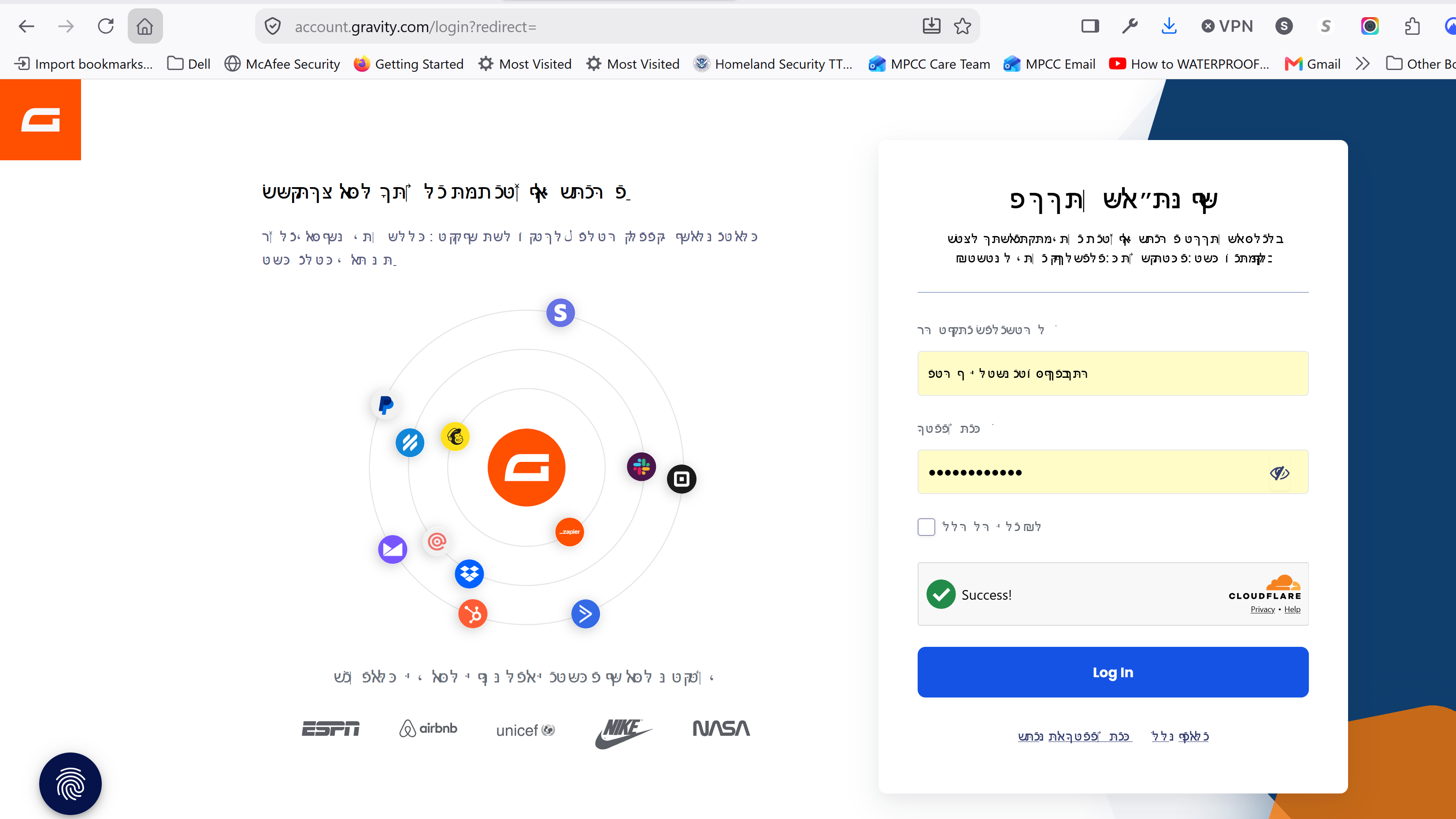
My browser window (not my private browser window, however, is starting to show text in web pages as a reverse Hebrew font. I can't figure out why. Translations are turned off and it happens on a lot of different sites. There is a screenshot attached. How can I make it stop!!!
All Replies (6)
Addon changing your accepted language list? (Perhaps as some "privacy" feature?) — Does the same happen if you restart into Troubleshoot Mode?
Can you check what "Your Browser's Accept-Language" on en.ud5.com/tool/accept-language-header-tester says, for both modes, if different?
Well, that did not solve the problem. I did get the regular Firefox to agree on language with the private browser, and there are no strange extensions or add-ons present.
But in regular Firefox, the issue continues to get worse. It seems to happen more on CTA buttons, but sometimes entire pages come back in weird text fonts.
If it keeps up, I'm going to have to abandon Firefox completely, which I really don't want to do.
I'm not a code wizard, so if someone can't help me with a solution that does not require digging into some sort of source code (unless the steps are SUPER well defined), I can't use the information.
Thanks for any help I can get.
And YES the issue continues in troubleshoot mode
Can you please share here what:
shows for you?
Potentially, if you go to your browser Settings › Languages — what's the list under "website languages"?
And if you open https://ipinfo.io/what-is-my-ip — what country it says there?
I got all the language stuff consistent with US English, but now I get garbage text - largely buttons and headers. See attachment My IP is a USA IP
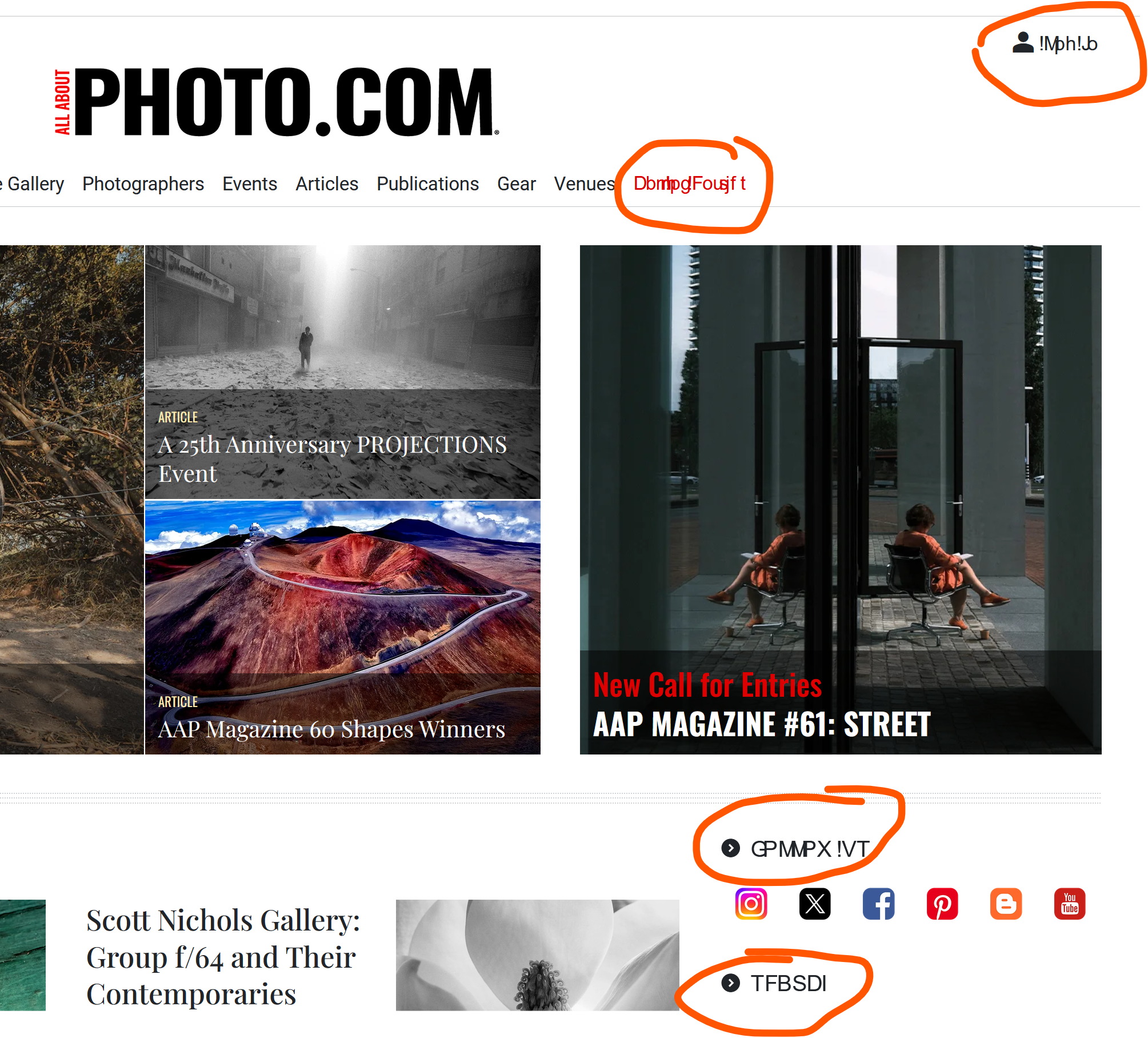
OK so this overlapping gibberish is a system font issue. This usually disappeared when users turned off "hardware acceleration", but that would have fixed itself in the troubleshoot mode as well.
Are you able to do the system level font restore as mentioned e.g. in support.mozilla.org/questions/1578069 to see if that would help?